

Multiple Zoom Recordings | Community
Skip to main content
Newcomer
January 18, 2022
Solved

Multiple Zoom Recordings

  • January 18, 2022
  • 1 reply
  • 6 views

I am managing a Canvas page for a university and linked a Zoom tab. When setting up the Zoom meetings, I checked the auto-record to cloud option. Now, when I go to the Cloud Recordings section, I see 7 different recordings:

-5 identical recordings with different file sizes

-1 audio-only recording

-1 chat file


Is there any way to reduce the number of identical recordings? I don't know what is causing this.
    Best answer by aeynon

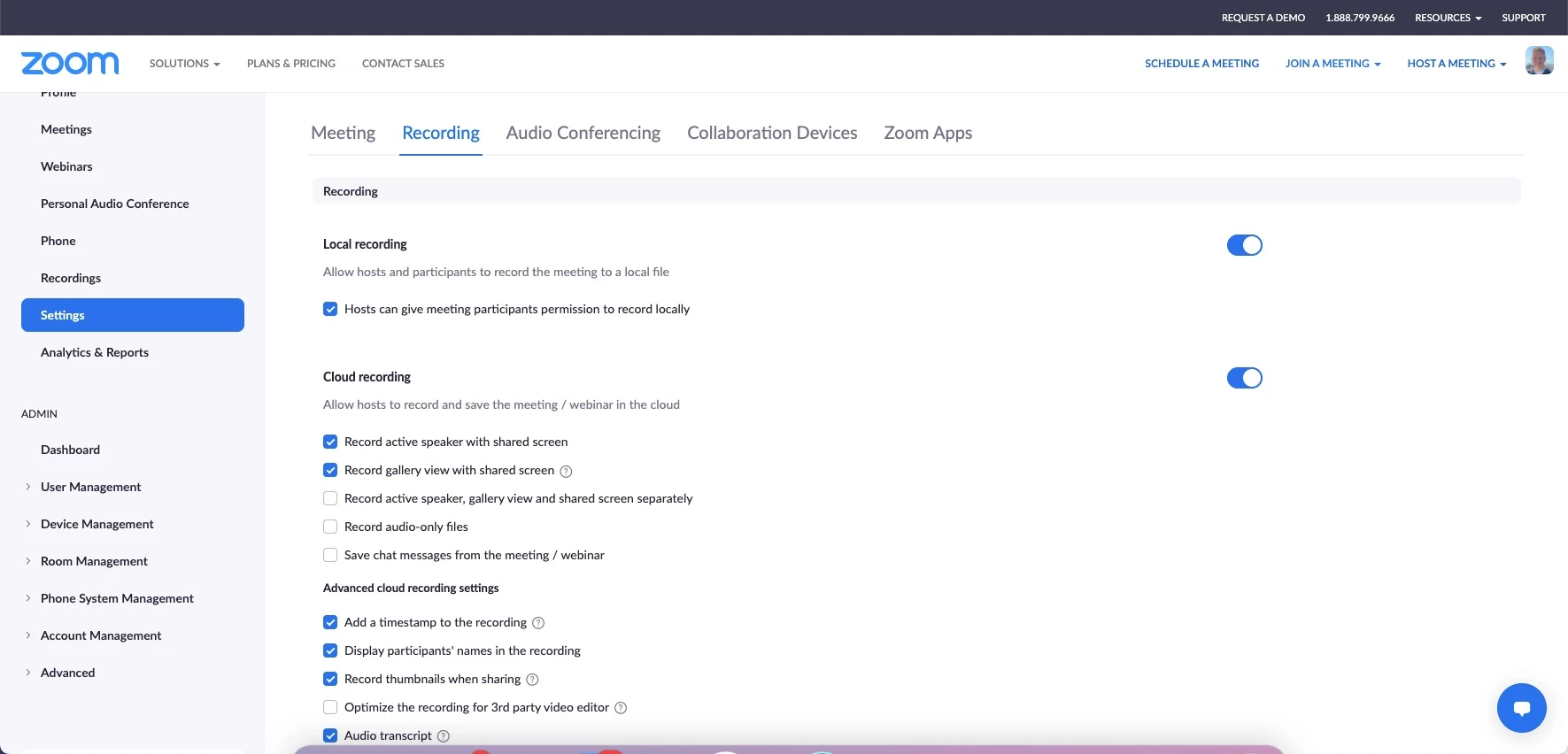
    Hi Cameron, if you go to the cloud recording settings within your Zoom portal it will list several options of different recording views please see the screenshot below. If you would like to cut down on the number of recordings you can deselect some of these options based upon the view that you would like to end up with.  This article will give you more information about the different views. 

    https://support.zoom.us/hc/en-us/articles/360060316092


    Hopefully this helps. 

    If this has answered your question, please click the Accept as Solution button below so that others in the Community may benefit as well.

    1 reply

    aeynonAnswer
    Employee
    January 18, 2022

    Hi Cameron, if you go to the cloud recording settings within your Zoom portal it will list several options of different recording views please see the screenshot below. If you would like to cut down on the number of recordings you can deselect some of these options based upon the view that you would like to end up with.  This article will give you more information about the different views. 

    https://support.zoom.us/hc/en-us/articles/360060316092


    Hopefully this helps. 

    If this has answered your question, please click the Accept as Solution button below so that others in the Community may benefit as well.

    Newcomer
    January 18, 2022

    Thank you!!