

Lost ability to share multiple screens
Hi all,
I am hitting a road block...
I am using Zoom version 5.9.3.1911 for Linux (installed on Fedora 35 via Flatpak).
I used to be able to activate multiple screen share for participants but I no longer seem to be able to.
As you can see, the relevant option is just not there (although I am the host):
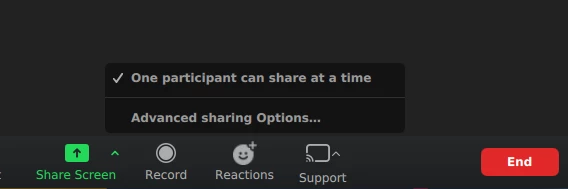
Clicking on "Advanced sharing Options..." reveals the following:
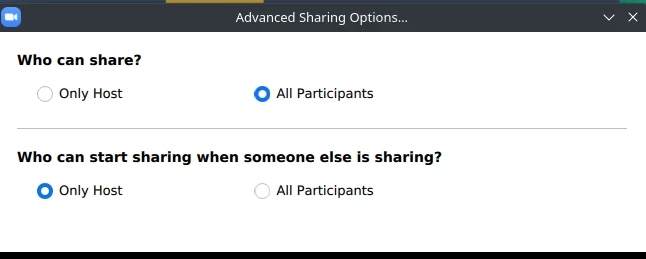
I tried to change those options but it does not solve the issue.
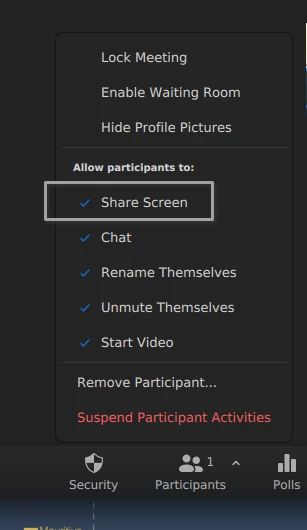
I did activate the screen sharing in "Security" before trying that:
Also I did activate the dual monitor option:

Finally, I also think that I have the right settings on the web interface that Zoom offers to change more options:

I uninstalled and reinstalled zoom, but it did not change anything.
So is Zoom buggy or am I doing something wrong?
For info, I think the trouble started when I used the web interface to change the options since my participants could not share their screen while I was still sharing mine which was a limitation for my workflow (I am teaching stats, everyone needs to see everyone screen at all time).
Thanks for your help!
