

issue with zoom meetings | Community
Skip to main content
New Member
May 9, 2026
Question

issue with zoom meetings

  • May 9, 2026
  • 2 replies
  • 22 views

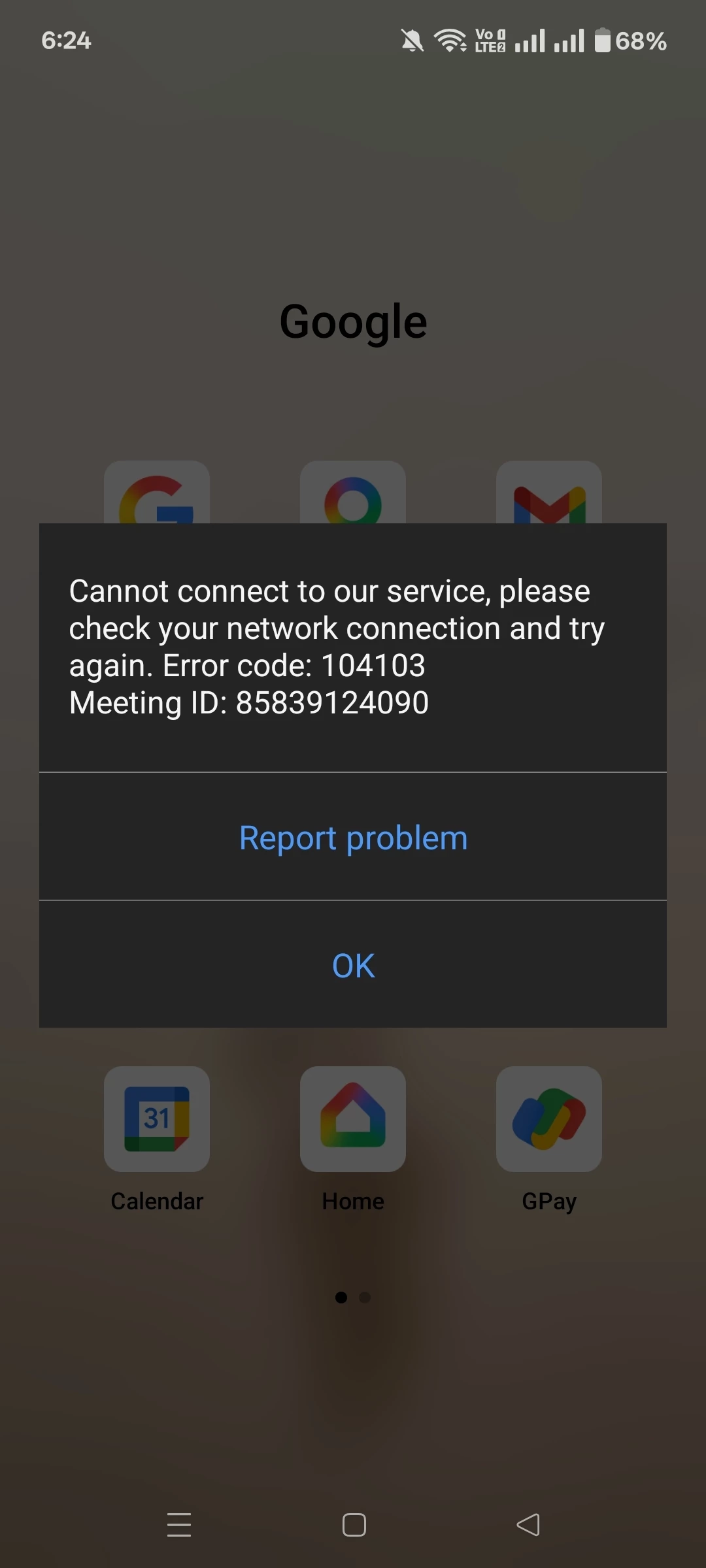
While on meeting it suddenly gets stuck, disconnects and says preparing meeting and shows cannot connect to network with error code 104103. But my network is fine as i tested with other websites and apps which works fine.


Issue is only with zoom meetings. I tried to uninstall and reinstall, clear cache and cookies and data. Nothing worked.
 

    2 replies

    Community Champion | Customer
    May 9, 2026

    Hello,

     Zoom error code 104103 indicates a connection failure between your device and Zoom servers, usually due to network issues, firewall restrictions, or outdated software. To fix this, check your internet, update the Zoom app, and ensure your firewall or antivirus allows Zoom traffic.
     

    https://support.zoom.com/hc/en/article?id=zm_kb&sysparmregards_article=KB0070294


    Newcomer
    May 9, 2026

    I ran into something very similar once on Android where Zoom meetings suddenly stopped connecting even though everything else on the phone worked normally.

    In my case, the issue ended up being related to battery optimization/background restrictions blocking Zoom’s connection process. After disabling battery optimization for Zoom and clearing the app storage completely, the connection errors stopped happening.

    A few other things that may be worth trying:

    • switch between Wi-Fi and mobile data just for testing
    • disable VPN/private DNS temporarily
    • make sure date & time are set to automatic
    • remove Zoom app permissions and re-allow them
    • try joining through the browser once to check if it’s app-specific

    Since your reinstall didn’t help, it honestly feels more like a device/network permission issue than a normal Zoom bug. Hopefully one of these helps narrow it down a bit.