Is there a way I can make it so the avatar only shows when my video is on, and when it's off it just shows my Zoom name and my profile picture? | Community
Skip to main content
Newcomer
September 1, 2026
Question

Is there a way I can make it so the avatar only shows when my video is on, and when it's off it just shows my Zoom name and my profile picture?

  • September 1, 2026
  • 3 replies
  • 43 views

You know how you can change it so an animal avatar, like a bunny, cat, fox, etc shows up instead of your face, can I make it so it only appears when I turn my video on, because it currently shows it all the time, wether my video is on or not. I want it so it only appears when my video is on, and when my video is off, it only shows my name and profile picture? Can anyone help me out here, please and thank you!

    3 replies

    ExpertswhoJohn
    Community Super Champion | Customer
    Community Super Champion | Customer
    September 2, 2026

    hi ​@Emilia ,

    I dont thinl that is possible at this time. I was surprised they had exptended to camrea off too.
    I think the logic, was you dont want to be seen, so we give you the avatar camera on or off.

    But I do see your point.

    https://support.zoom.com/hc/en/article?id=zm_kb&sysparm_article=KB0065380

    Zoom Community Super Champion

    I am not a Zoom Employee

    https://www.linkedin.com/in/johndrinkwaterlordzoom/

    https://www.youtube.com/@boomwithlordzoom


    Newcomer
    September 2, 2026

    This would be a useful option for keeping the meeting layout consistent. Having the avatar appear only when the camera is on, while showing the name and profile picture when it’s off, would give users more control over how they appear in meetings.

    aluyun
    Community Manager
    Community Manager
    September 3, 2026

    Hi ​@Emilia,

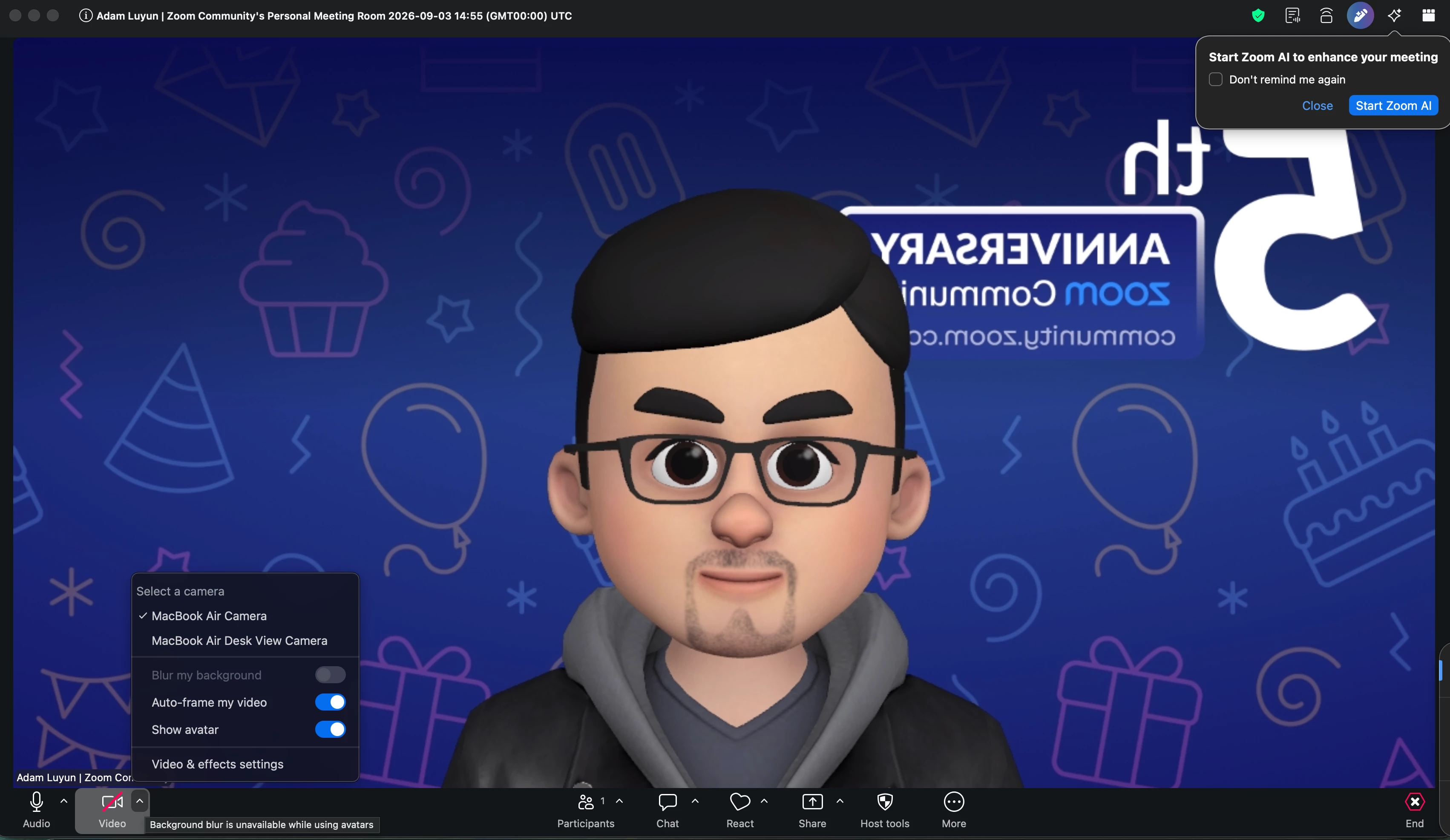
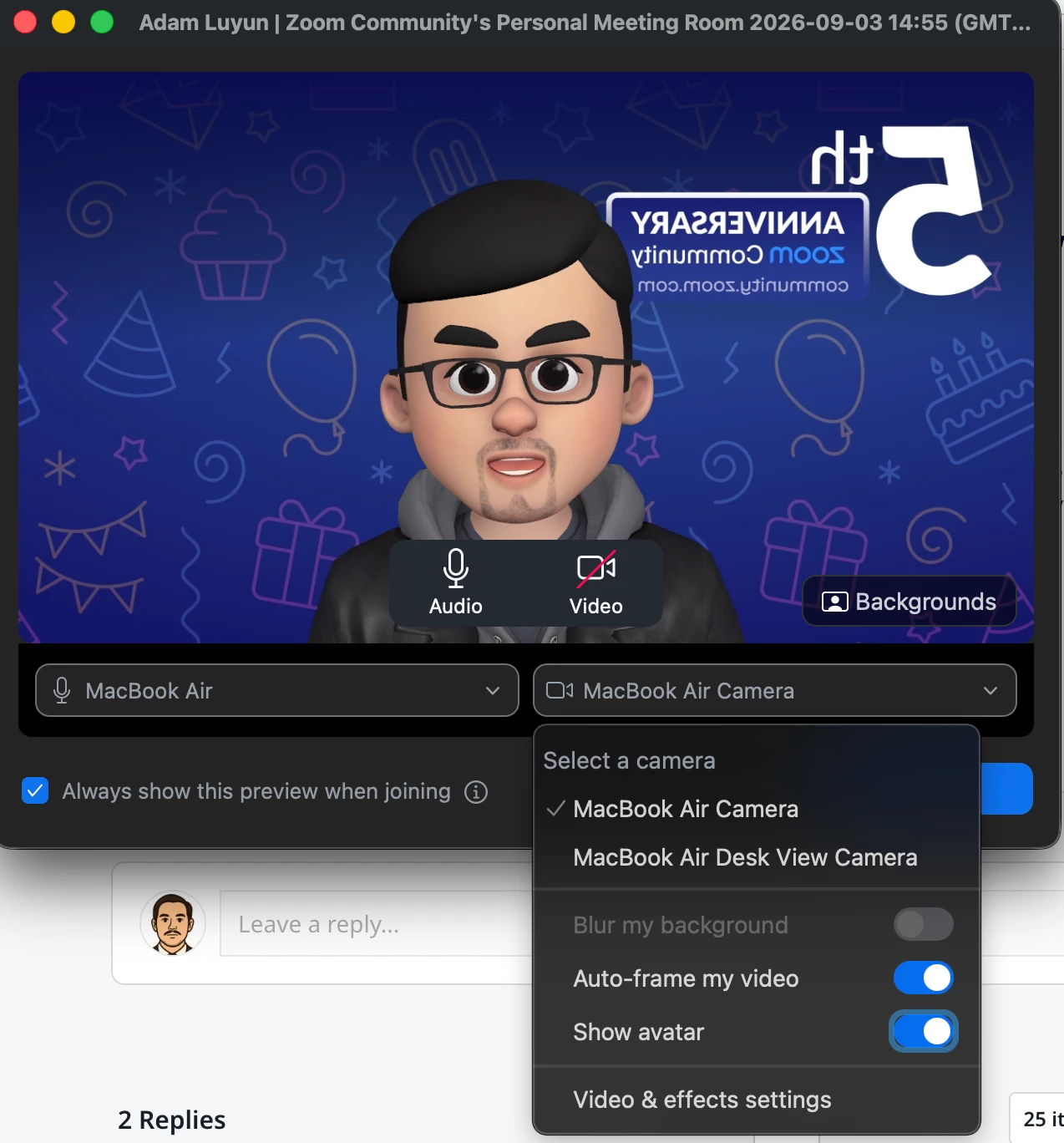
    Welcome to Zoom community! I believe this is what you are looking for, just toggle the Show Avatar so that your avatar will only show when you want it on and only your name and profile picture will be displayed when your camera is off.


    You can also toggle this during a meeting.
     

    ​​​​​​


    I hope this answers your query. Please feel free to reach out anytime if you have any other Zoom related query.