


Integrating new Zoom Apps | Community
Skip to main content
haltonmgs
Newcomer
Newcomer
September 20, 2021
Question

Integrating new Zoom Apps

  • September 20, 2021
  • 1 reply
  • 6 views

Hi: I'd like to be able to use the new zoom apps.  I've added one by visiting the zoom app store (Kahoot).  

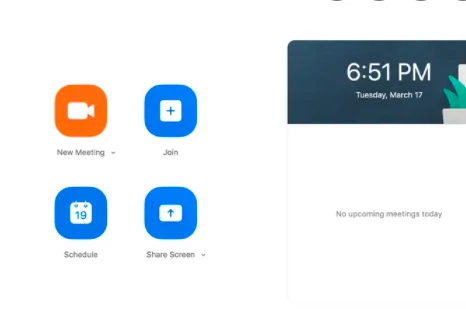
However, I can't find the zoom homescreen to add the necessary settings. 

This is the screen I'm trying to locate. 

I do have a PRO account.

Thanks for any help. 

Haltonmgs
 

    1 reply

    Bort
    Employee
    Employee
    September 20, 2021

    Please make sure the Zoom Apps button is visible on the client. To do so: 

    1. Sign in to the Zoom web portal.
    2. In the navigation panel, click Settings.
    3. Click the Zoom Apps tab.
    4. Verify that Zoom Apps Quick Launch Button is enabled. This allows you to see the Zoom Apps button 
       
       on the desktop client.

    Once that is done on your web settings, I'd suggest logging out of the desktop client and then logging back in.