Insufficient disk space | Community
Skip to main content
Newcomer
March 16, 2022
Solved

Insufficient disk space

  • March 16, 2022
  • 2 replies
  • 23 views

Hi on a recent zoom a warning came up saying insufficient disk space


What do we need to do

    Best answer by jefrancisco4

    If you are the host of that meeting and you had local recordings turned on, it will save the file locally on your computer as long as you have sufficient space it would save. 

    If you had cloud recordings turned on it would save it in a cloud storage again provided you have enough space.

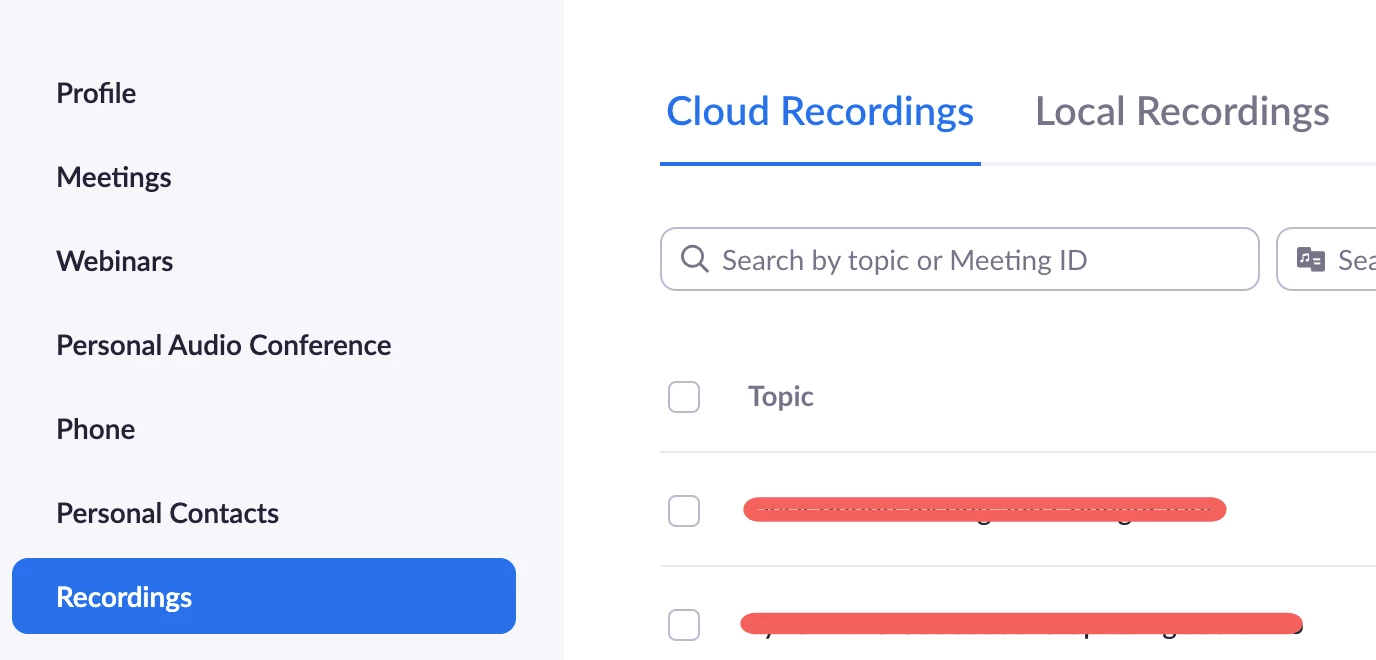
    You can check the meeting if it showed up on your recordings under your profile > Recordings > Cloud Recording/Local Recordings


    2 replies

    Community Champion | Employee
    March 16, 2022

    Hi @oaklandswealth! Did you had local or cloud recording turned on for that meeting?

    Newcomer
    March 16, 2022

    Hi I have no idea, how do i find that out ?

    Community Champion | Employee
    March 16, 2022

    If you are the host of that meeting and you had local recordings turned on, it will save the file locally on your computer as long as you have sufficient space it would save. 

    If you had cloud recordings turned on it would save it in a cloud storage again provided you have enough space.

    You can check the meeting if it showed up on your recordings under your profile > Recordings > Cloud Recording/Local Recordings


    Community Champion | Employee
    March 17, 2022

    Hi @oaklandswealth , You have some responses to your discussion worth noting. Have any of these answered your question? If so, don’t forget to mark the reply as an accepted solution.

    Newcomer
    March 18, 2022

    Thank you 

    Community Champion | Employee
    March 22, 2022

    You're welcome, @oaklandswealth