
I CAN'T TURN OFF "I HAVE A GREEN SCREEN" MODE - I DON'T HAVE GREEN SCREEN. | Community
Skip to main content
Newcomer
February 7, 2022
Question

I CAN'T TURN OFF "I HAVE A GREEN SCREEN" MODE - I DON'T HAVE GREEN SCREEN.

  • February 7, 2022
  • 4 replies
  • 7 views

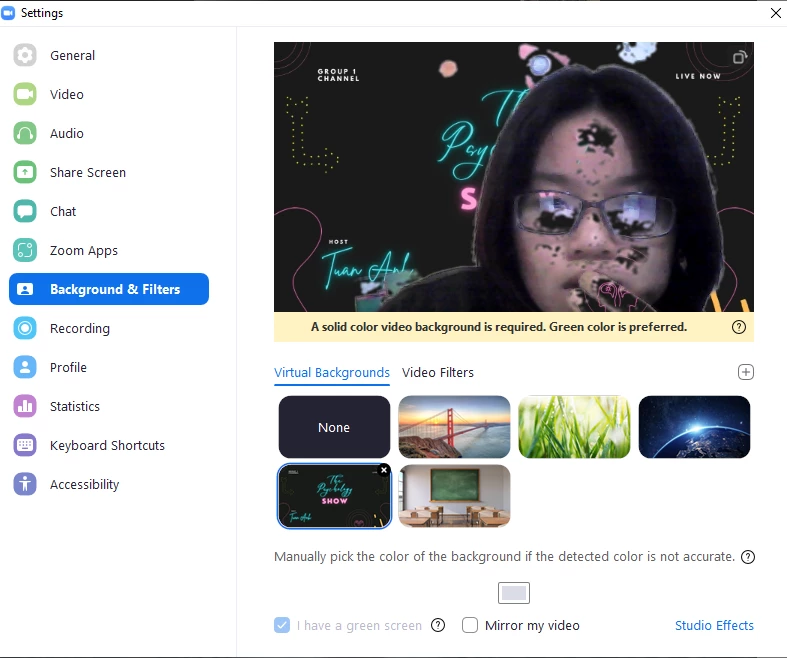
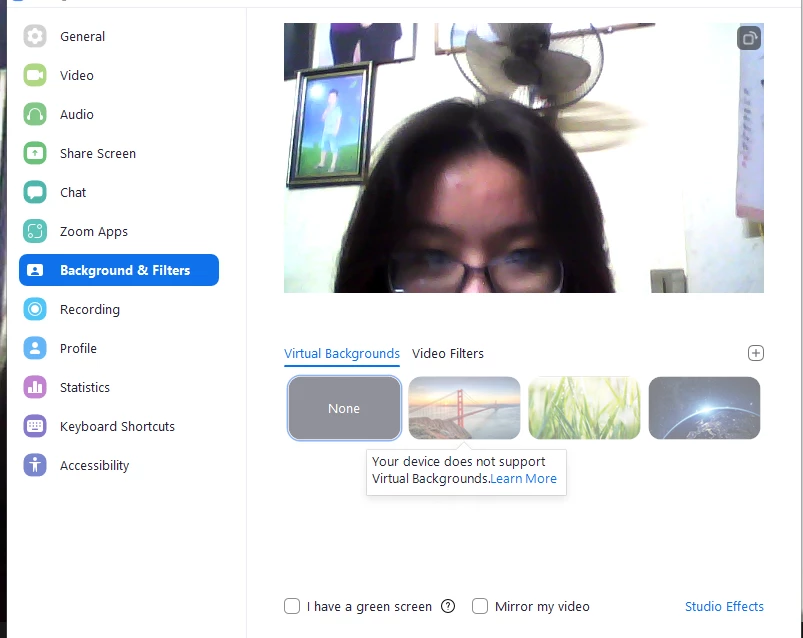
i dont have green screen so I tried to turn of "I HAVE A GREEN SCREEN" mode. But then I cant use virtual background anymore. Please kindly help. Thank you.


    4 replies

    stephanehanrez
    Employee
    Employee
    February 7, 2022

    Did you check if the feature is allowed on your profile ? Might be that you disabled it or it was disabled by admin after you had turned it on.


    Please follow those steps to check it :

    1. First, sign in to your account at the Zoom website.
    2. After that, on the left pane, under Personal, select Settings.
    3. Next, under the Meeting tab and under In Meeting (Advanced), find the Virtual Background option.
    4. Ensure that Virtual background and Virtual filters are switched on. If they were already turned on, you could try toggling them off and on to refresh the setting. Also, tick the “Allow use of videos for virtual backgrounds” box.

    Stéphane

    Newcomer
    October 11, 2023

    This is NOT working- any alternative options?? 


    Community Champion | Employee
    February 7, 2022

    Tho,


    Also, please check to make sure your system has the required resources to allow virtual backgrounds without a green screen: https://support.zoom.us/hc/en-us/articles/360043484511-Zoom-Virtual-Background-system-requirements


    Thanks.

    Newcomer
    October 11, 2023

    Not helping


    Newcomer
    May 27, 2024

    I had same issue.  "I have a green screen" was checked,  and I could not uncheck it.


    Simple fix:   Select 'none'  on the backgrounds you can choose from.


    THEN you can uncheck 'I have a green screen'


    This is bad interface design.  Fix it.


    Newcomer
    May 27, 2024

    I don't have other solutions.
