
Newcomer
January 5, 2023
Solved

I can't download the app in my computer.

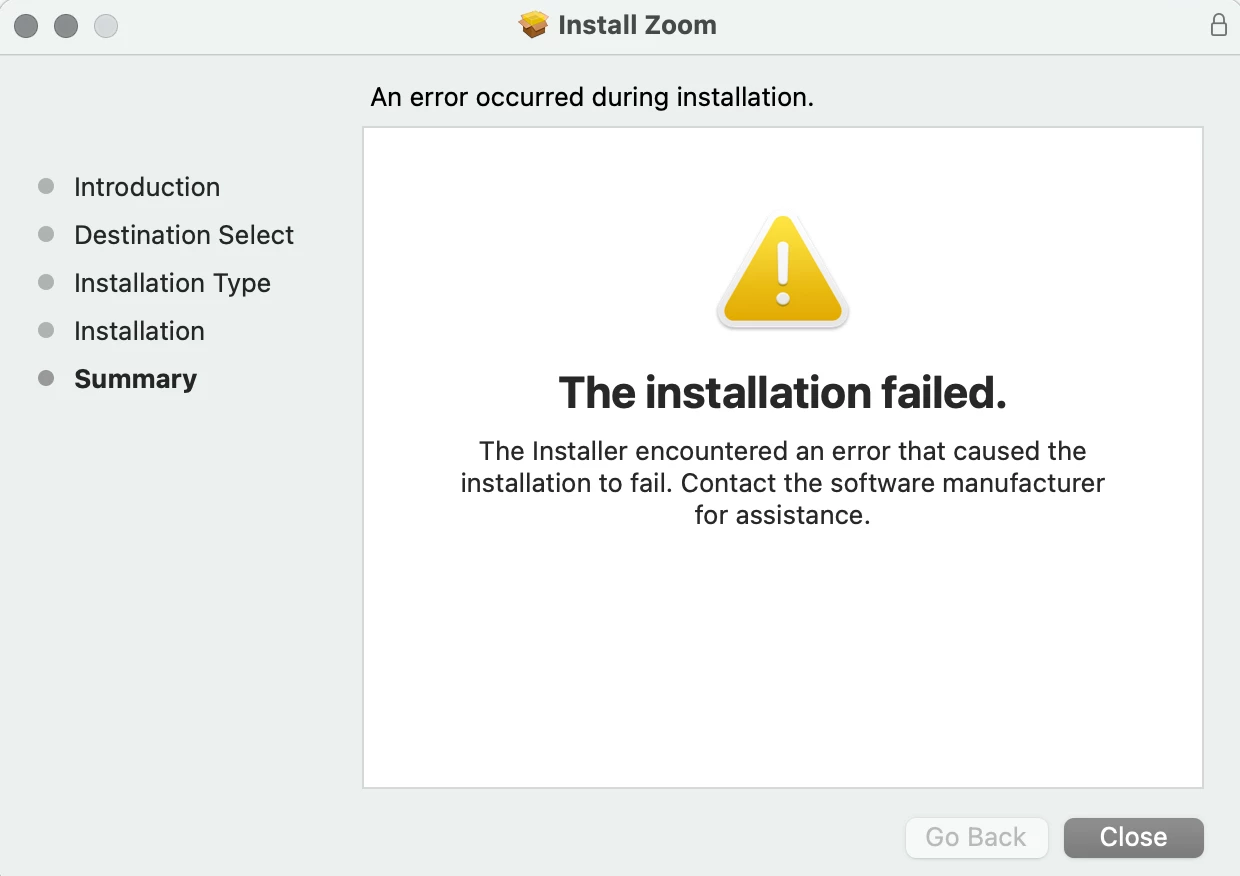
Every time I get to the last stage of the app installation, this message comes up. 

I tried to erase all the zoom data in my computer, restart it and try again from cero but it always happens. 


    Cass963Answer
    Explorer
    January 6, 2023

    I had the same issue with my Macbook. Try this:

    Go to system settings, privacy & security, files and folders, click on the arrow next to "installer" and then make sure downloads folder option is toggled on.

    4 replies

    FORE-Craig
    Expert
    Expert
    January 5, 2023

    Hi @Sophia2023 


    Have you recently updated your Mac to MacOS Ventura (version 13+)? 


    If that is the case, you will need to delete the old version of the Zoom app in the Applications folder, and then reattempt the installation. I had this issue as well.


    I hope that helps!


    Translate
    FORE-Craig
    Expert
    Expert
    January 5, 2023

    Hi @Sophia2023 


    If you have a recent Mac with an Apple Silicon processor (M1 or M2), make sure that you download the version of the Zoom app for Apple Silicon Macs at https://zoom.us/download . See attached.


    😊 


    Translate
    Cass963Answer
    Explorer
    January 6, 2023

    I had the same issue with my Macbook. Try this:

    Go to system settings, privacy & security, files and folders, click on the arrow next to "installer" and then make sure downloads folder option is toggled on.

    Translate
    Newcomer
    February 6, 2023

    Thank you! This was VERY helpful!


    Translate
