How to Eliminate Feedback when two presenting computers (Host & Presenter) are at the same table? | Community
Skip to main content
Newcomer
February 22, 2023
Solved

How to Eliminate Feedback when two presenting computers (Host & Presenter) are at the same table?

  • February 22, 2023
  • 2 replies
  • 29 views

I am seeking advice on how to eliminate feedback during a Zoom call when two presenters are at the same table & within close proximity.  I have a MacBook Pro & am the host controlling the waiting room, answering questions verbally & via chat etc.  During a recent meeting with another presenter at an 8' table & presenting both verbally & via screen share/power point there was so much audio feedback from having the computers to close & with both audio systems working we had to stop presenting.  Suggestions on how to fix?

1.  I am seeking suggestions on how to have a Zoom meeting with two people at the presenters table & not have audio feedback that disrupts the meeting.  Is there something in settings I can adjust in my MacBook Pro or other suggestions on how to correct this?

2.  If I adjust the "Settings" section or audio on my computer or make other suggested changes can I still easily talk with people on the call while managing the waiting room & chat or Q & A options?   Welcome any insights & specific setting adjustments & specifically what to change.  Thanks-KFLO23



    Best answer by ZoomTestKitchen

    If you were to choose A or B, then you would turn the volume down & mute in Zoom, the other computer.

    Noise cancellation can only do so much, so it's not a stand-alone solution in this case. You've described that you are near each other in the same room. That means you basically have two mics, and so does the other person. And Zoom can do well with noise-cancellation and echo-cancellation from sound that comes out of your speakers, but not the sound that comes out of another computer nearby. And if you need the freedom to speak freely, even at the same time, that's a pretty difficult situation to cure.


    If you didn't have to be able to speak at the same time, you might be able to use the Zoom un-mute shortcut of pressing the spacebar on your computer while you are speaking, and when you let go it instantly mutes you. But, this won't work if you both need to speak at the same time.

    My first recommendation would be don't sit in the same room when you have the requirements to both have to listen and talk to separate folks in the meeting at the same time. I'll assume that this is not an option.

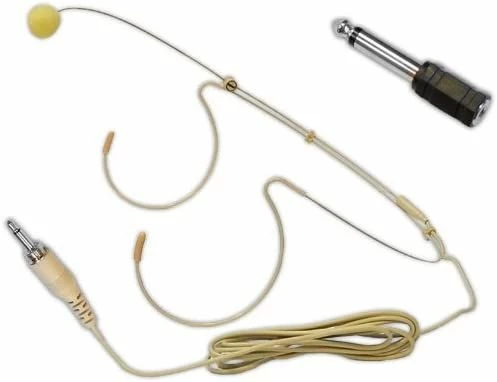
    Then, I would recommend that you both use headphones/earbuds on each of your computers, open speakers are the enemy. For microphones I would recommend, wearing a microphone that attaches to you over your ears and has a wrap-around mic that is near your mouth.


    Microphone on Amazon


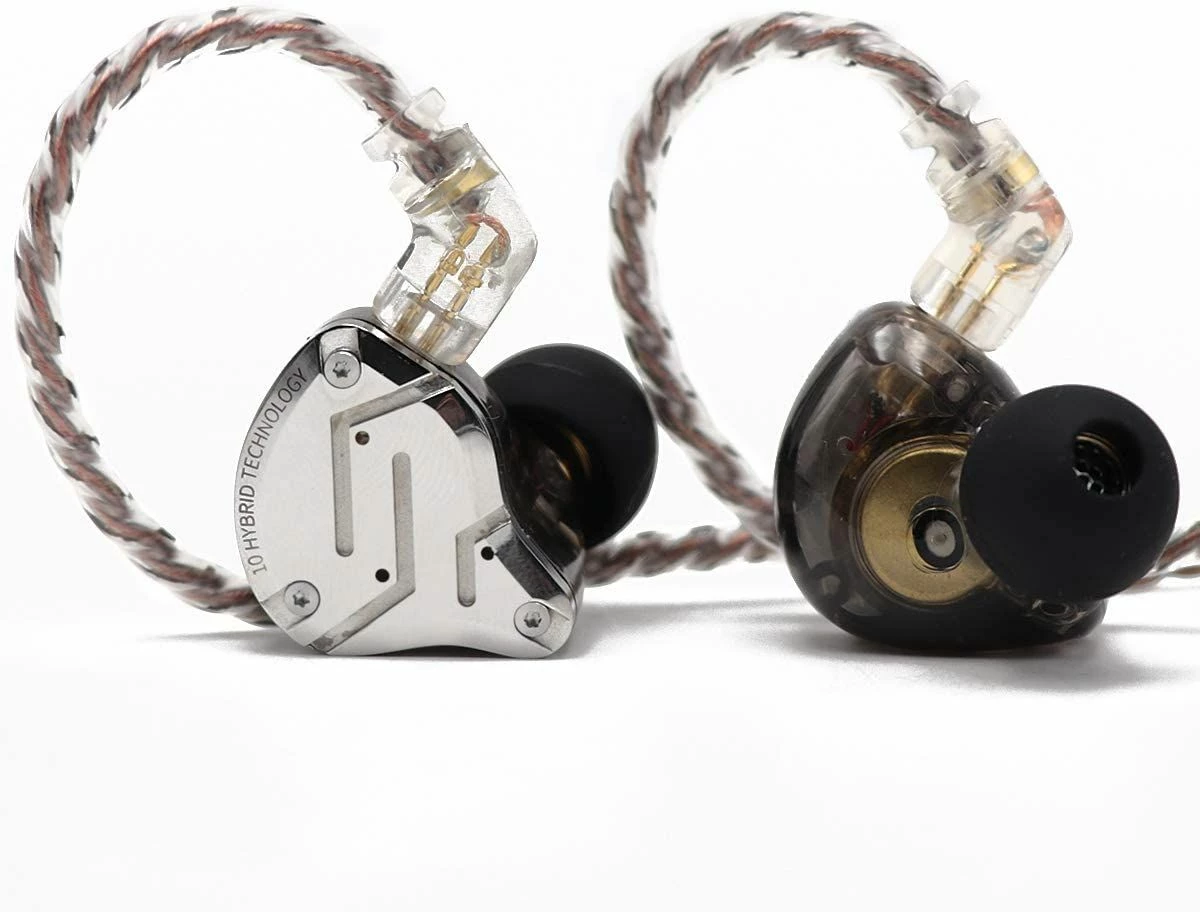
    Here is an example of in-ear-monitors, although there are a ton of choices out there.

    Earbuds on Amazon


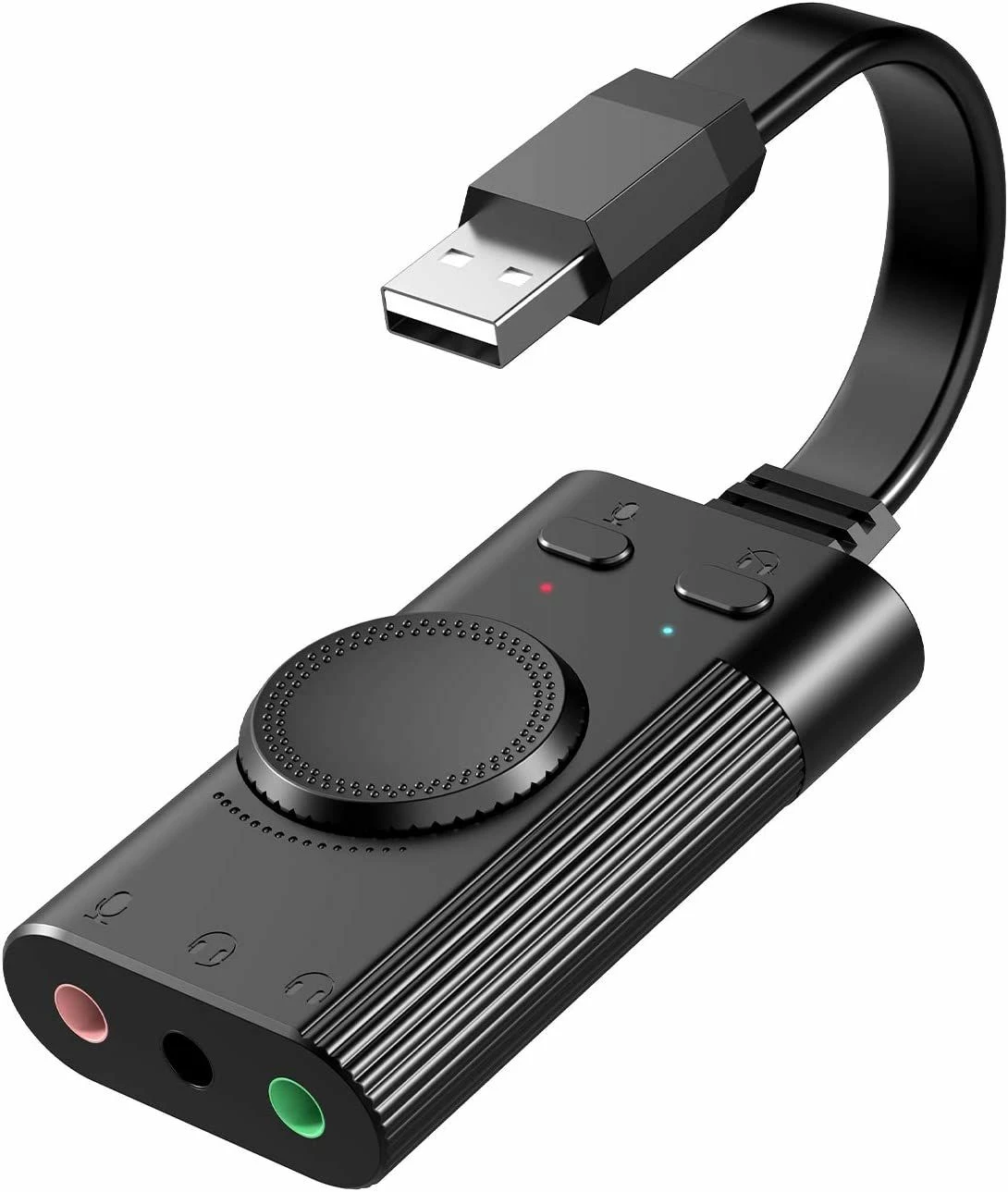
    Then to get these two items plugged into your computer, since most computers these day do not have separate mic and headphone jacks.

    USB Sound Card on Amazon


    The links I have provided come directly from the Amazon website, are safe, and they are not affiliate links. Simply potential candidates or examples for you to consider or look at.


    Hope this helps.


    If you find this information helpful, please click on "Accept as Solution".

    If you have further questions, please reply, we're happy to help.

    2 replies

    ZoomTestKitchen
    Specialist
    Specialist
    February 22, 2023

    Decide which microphone and speakers you are going to use. Computer A or Computer B, but not both at the same time.


    If you find this information helpful, please click on "Accept as Solution".

    If you have further questions, please reply, we're happy to help.

    KFLO23Author
    Newcomer
    February 23, 2023

    Hi Jeff, in deciding which microphone & speaker to utilize.  Currently when we talk on Zoom or receive verbal communication from others on the Zoom call we are using the built in speakers & microphones of each computer.  Both computers are set up on an 8’ presentation table.  On computer A or B do you just turn down or turn off the microphone & speaker?   How do you do that on a MacBook Pro?   Would you accomplish the same thing IF presenters on both computers A & B were to utilize noise cancellation headsets?   We both need to listen & talk at various times during the presentation so we need flexibility, not just shutting down the speaker & microphone on one computer.  Any other options or ideas?  Thank You 

    ZoomTestKitchen
    Specialist
    Specialist
    February 23, 2023

    If you were to choose A or B, then you would turn the volume down & mute in Zoom, the other computer.

    Noise cancellation can only do so much, so it's not a stand-alone solution in this case. You've described that you are near each other in the same room. That means you basically have two mics, and so does the other person. And Zoom can do well with noise-cancellation and echo-cancellation from sound that comes out of your speakers, but not the sound that comes out of another computer nearby. And if you need the freedom to speak freely, even at the same time, that's a pretty difficult situation to cure.


    If you didn't have to be able to speak at the same time, you might be able to use the Zoom un-mute shortcut of pressing the spacebar on your computer while you are speaking, and when you let go it instantly mutes you. But, this won't work if you both need to speak at the same time.

    My first recommendation would be don't sit in the same room when you have the requirements to both have to listen and talk to separate folks in the meeting at the same time. I'll assume that this is not an option.

    Then, I would recommend that you both use headphones/earbuds on each of your computers, open speakers are the enemy. For microphones I would recommend, wearing a microphone that attaches to you over your ears and has a wrap-around mic that is near your mouth.


    Microphone on Amazon


    Here is an example of in-ear-monitors, although there are a ton of choices out there.

    Earbuds on Amazon


    Then to get these two items plugged into your computer, since most computers these day do not have separate mic and headphone jacks.

    USB Sound Card on Amazon


    The links I have provided come directly from the Amazon website, are safe, and they are not affiliate links. Simply potential candidates or examples for you to consider or look at.


    Hope this helps.


    If you find this information helpful, please click on "Accept as Solution".

    If you have further questions, please reply, we're happy to help.

    KFLO23Author
    Newcomer
    February 24, 2023

    Hi Jeff Widgren-Host of Zoom Test Kitchen!   Thank-You, Thank-You!  Your timely response, advice and suggestions are greatly appreciated!   We will work on your ideas and feedback to hold a more professional meeting.  Thanks again and have a great Friday!  KFLO23

    ZoomTestKitchen
    Specialist
    Specialist
    February 24, 2023

    @KFLO23 

    Glad I could help. Please report back your new results, when you get there.