

How to add one date to a recurring meeting? | Community
Skip to main content
Newcomer
October 24, 2025
Question

How to add one date to a recurring meeting?

  • October 24, 2025
  • 2 replies
  • 31 views

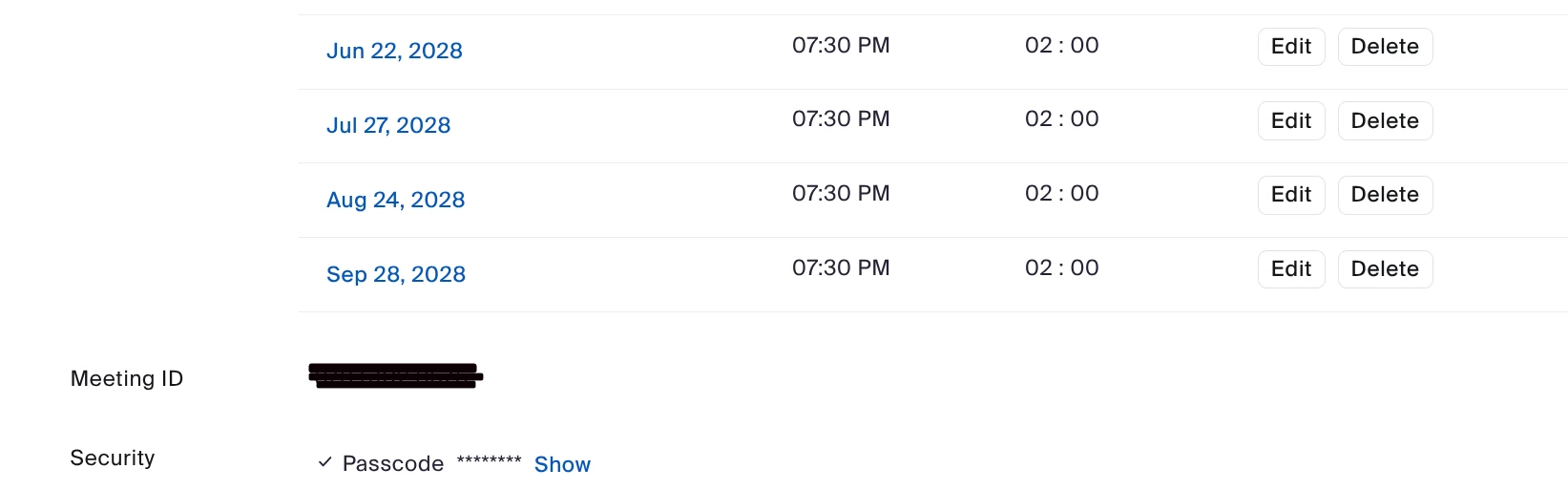
I have a monthly meeting that occurs on the third Thursday of the month. In want to add one additional occurrence that is on a different date. I recall that is used to be that if I went in to manage the meeting and clicked "Show all occurrences," that at the bottom of the list, there used to be a button to add a single occurrence.  I don't see that anymore - can someone advise me?


This is what I see at the end of my list of occurrences, there's no option to add another occurrence:


2 replies

Ray_Harwood
Community Super Champion | Customer
October 24, 2025

Welcome to the Zoom Community, @ECSBC.


I’ve seen references to the “Add a session” feature before, but haven’t ever actually seen it myself.


Without it, one way to add a session is to change the number of occurrences to 1 more than you already have, then – assuming you want one meeting at an odd date/time – edit the meeting occurrence that was added and change the date/time to what you need. 

Warning: If any of your upcoming occurrences have already had their data/time altered, it will be reset to the original schedule; you can change any of those “regular” occurrences as needed. The documentation says that doing this won’t affect any


I’m wondering if it’s possible to copy/paste an occurrence – either in the Workplace app or an external linked calendar (Outlook or Gmail) – which may or may not link up to the original series and create a new occurrence. I can’t test that at the moment, but you might try setting up a “test series” of a few sessions and see how it works.


Come back here and let us know how it goes!


Additional Note:

While researching this, I did find an entry in the Limitations section of this support article (https://support.zoom.com/hc/en/article?id=zm_kb&sysparm_article=KB0064248) which reads:


Ray_Harwood
Community Super Champion | Customer
October 24, 2025

A quick follow-up:


When I got to my desk I tried selecting one day's occurrence in my Outlook calendar, copying it, then pasting it into another day.  It doesn't work... it actually pastes in another complete set of the original occurrences next to the original ones:


ECSBCAuthor
Newcomer
October 25, 2025

@Ray_Harwood : Thanks for the reply. Yes, I agree that the copy paste doesn't work.


On the Tufts U. website they do give a way to do this, but I'm reluctant to try it without testing it thoroughly. I can't afford to mess up my real meeting. 


I was hoping that someone would be able to tell me how to get back that "Add another session" button. I find it incomprehensible that Zoom removed it (I've used it in the past, but probably not for over a year).


It's not make-or-break for me since I can still start the meeting on a different date, but it's a lot cleaner to be able to change it in Zoom itself.