
Horizontal dashes dashed lines on screen | Community
Skip to main content
Newcomer
January 11, 2023
Question

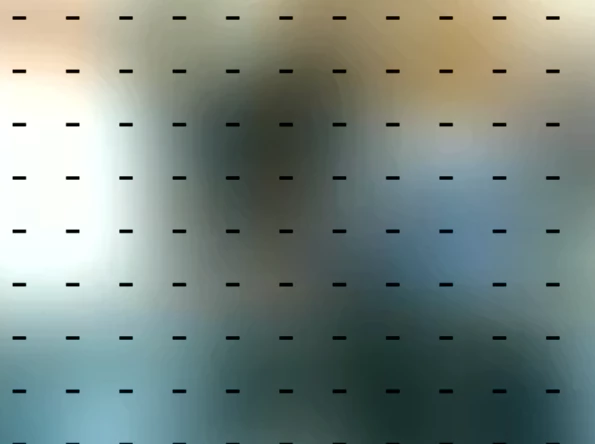
Horizontal dashes dashed lines on screen
  • January 11, 2023
  • 26 replies
  • 45 views

I see Horizontal dashes - dashed lines like this on screen over other participants. I have uninstalled and reinstalled Zoom. Still persists. Anyone else seen this and/or solved it?

    26 replies

    Newcomer
    January 23, 2023

    Happening with me too....totally annoying.  C'mon Zoom, FIX THIS.

    Employee
    January 24, 2023

    Hi there,

    Please disable Video Rendering Post Processing under Settings > Video > Advanced:

    Let us know if it resolves the issue.

    Thanks!

    Newcomer
    January 25, 2023

    Tried.  Did not work.

    Employee
    January 25, 2023

    I recommend submitting a support ticket so we could check this further. Thanks.

    Newcomer
    January 26, 2023

    Dear Zoom:  Seriously, this is unacceptable and a known problem shared among many users.  This problem appeared without my changing anything except maybe after one of your updates (which is automatic in my settings).  I like using Zoom, please don't force me to petition my institution to change to a different solution.  Not sure my voice alone would get them to change, but again--"known problem shared among many users."


    It's not difficult for you, Zoom, to replicate the problem.  Install your latest client.  Zoom with someone else.  Maximize your screen.  You'll see dashes over their video.

    Newcomer
    January 27, 2023

    I raised a ticket 2 weeks ago.  It gas no been escalated to second level. The same fix ( which doesn't work) has been suggested many times.  I am so surprised that a tech company that provides a comms product, can't sort this out.  And also doesn't appear to established a 'known issue' protocol and is therefore not communicating with all effected users at once.  I like using zoom, and am very patient, however I am a Coach working online with clients and this is very distracting for especially as my clients aren't aware that they are in a zoom 'cage' talking to me from behind bars!

    Newcomer
    January 28, 2023

    @EB_Bathan  Don't mean to pick on you but you're all we've got with regard to a Zoom employee.  What are the channels you have available to get this thing in the repair pipeline? Clearly all we can do is keep trying various things that we pick up or are told to try...zero of which have worked.  I'm tired of seeing my colleagues in cages. I'm willing to bury an idol and howl at the moon, but there's got to be a more elegant solution.

    Newcomer
    February 2, 2023

    This is so frustrating.  Why does zoom not fix this?

    Newcomer
    February 3, 2023

    Mystery - I've been on two Zooms, yesterday and today, where the cage lines did not occur.  I haven't done anything.  Maybe resolved?🤞

    Newcomer
    February 3, 2023

    Ditto...mysterious...no dashes today.

    Newcomer
    February 8, 2023

    Did not happen yesterday in a meeting with 5 other participants, but the lines are back today in a zoom meeting I just had with one other person. The lines disappear when view is minimized; they also disappear when someone is sharing their screen. Puzzling, irritating.

    Newcomer
    February 16, 2023

    Mine returned and would not go aways at all

    Newcomer
    February 8, 2023

    Back for me too.  Initially there were none.  Then the host changes the position of his camera/screen and they appeared.  However, it didn't happen when he shared his screen.  I think "Irritating" should go before "Puzzling" 😉

    Newcomer
    February 8, 2023

    Still no dashes.  Not sure if it's because of this, but here's the last thing I did with my settings:


    Newcomer
    February 8, 2023

    Thanks! Will have a chance tomorrow to see it if works.