

Group HD Video | Community
Skip to main content
Explorer
February 23, 2024
Question

Group HD Video

  • February 23, 2024
  • 4 replies
  • 18 views

Hi,


We are trying to achieve HD (720p or 1080p) webcam video resolution for meetings and webinars. I have enabled the option for users, for groups, and also in the admin's account as we have a Business license. After completing all the settings, we still do not receive an HD feed. I am attaching a screenshot of my settings. Any help would be much appreciated.
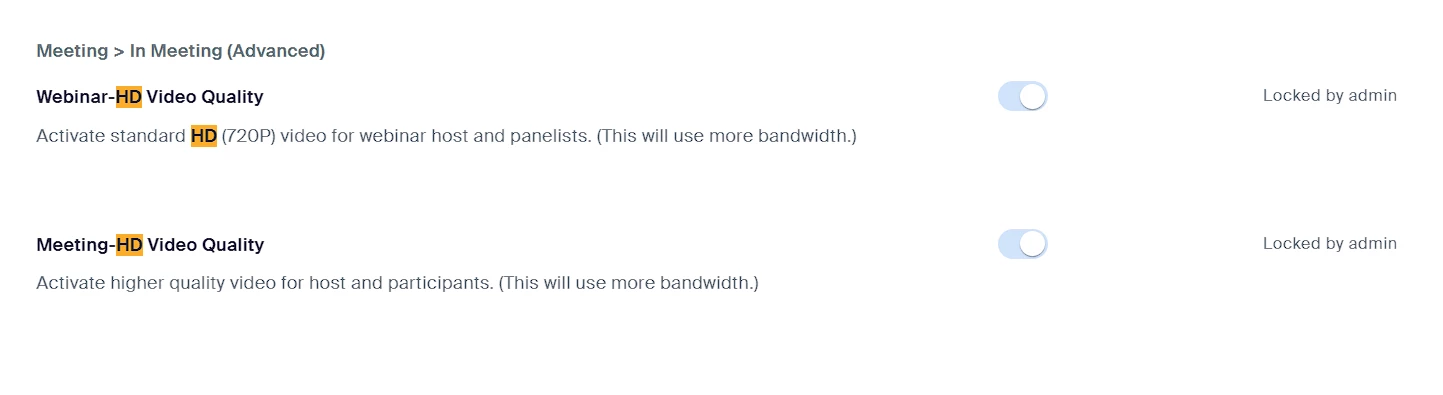


4 replies

storyhub
Community Super Champion | Customer
February 23, 2024

Besides the settings you also must set the meeting window on Zoom desktop client to full-screen. Please read everything at https://support.zoom.com/hc/en/article?id=zm_kb&sysparm_article=KB0066166. Since many users do not set the meeting window to full-screen and often view participants, including the host, in gallery mode they will not notice the difference between 360P and 720P. If you absolutely need the host in 720P you can screen share the host camera. That will deliver 720P full-screen to all participants. Accounts that meet all other HD video prerequisites can also request 720p or 1080p feeds for webinar attendees. This feature must be enabled by Zoom. For 1080P you must make a request to Zoom to enable that feature. For any other capability you need to describe what you are trying to achieve in detail.

MusaibAuthor
Explorer
February 23, 2024

I have set the meeting window to full screen as the host, and participants are also setting it to full screen, but still no luck. The video I am receiving and sending is still in 360p resolution.

storyhub
Community Super Champion | Customer
February 24, 2024

Did you try the second option I provided?

You never stated why you need HD video for participant and host cameras. Most uses will never see a difference. You will need a proper justification to request HD from Zoom. My enterprise accounts work fine with 720P HD. My pro account only shows 720P HD with 2 participants unless I use the second option.

Newcomer
September 17, 2024

Good day 


I want to activate Group HD feature on the back-end of my account

MusaibAuthor
Explorer
September 17, 2024

Hi Gavin,

It depends on which Zoom license you have and whether your license includes the Group HD feature. If it does, you'll need to contact the Zoom support team and ask them to enable Group HD (both 720p and 1080p). These settings should then be reflected in your backend settings.

Thanks.

Newcomer
September 17, 2024

Thank you for the reply, I need to have the pro account, which should be in my settings. Because I tried contacting support and enabling the group HD