Getting Closed Captioning Live and Changing email address?
How do I change my Zoom email address, and also how can I get closed captioning for the hearing impaired in my meetings?
I am frustrated by the lack of human agents in Zoom.

How do I change my Zoom email address, and also how can I get closed captioning for the hearing impaired in my meetings?
I am frustrated by the lack of human agents in Zoom.
Hello,
My name is Brandon. Thanks for joining the Zoom Community! To change your email log in to zoom.us/profile and then navigate to where it says to edit your email. An email from no-reply@ zoom.com will be sent to you so that you can approve the login and then you will have to log in again.
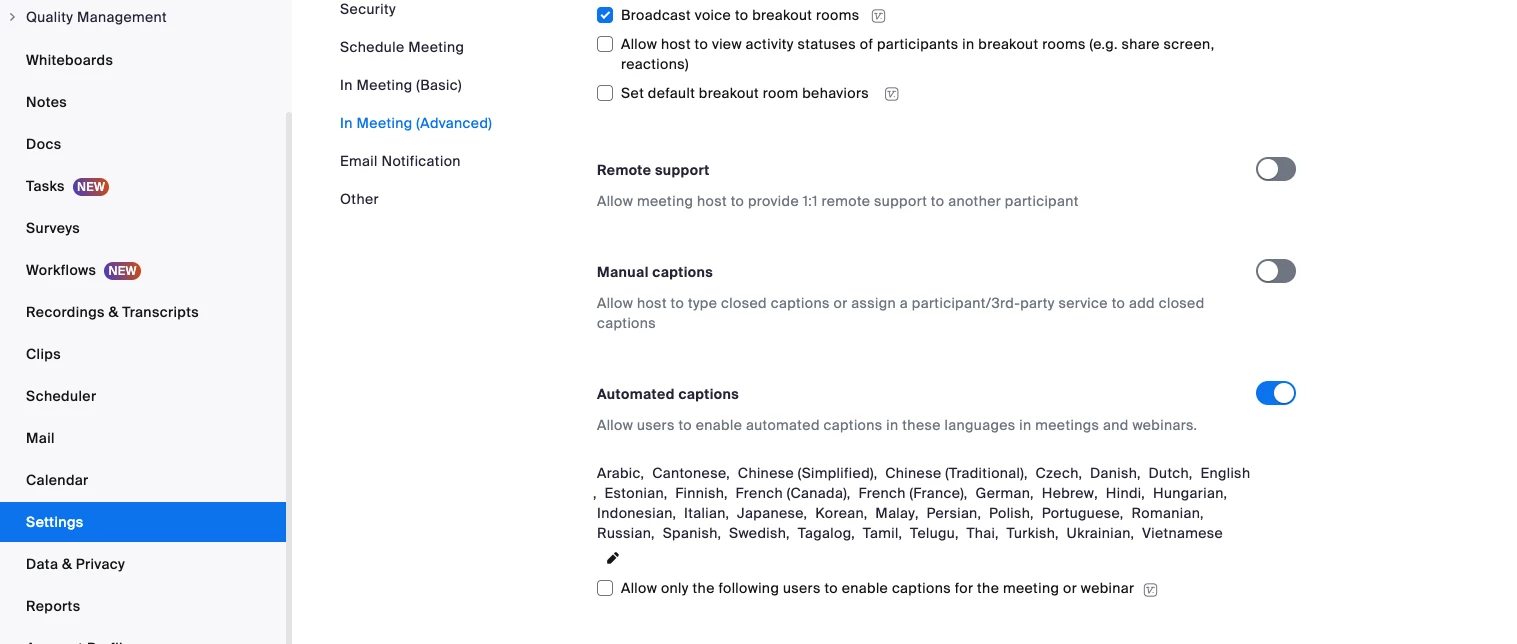
To add captions, go to your settings tab on the left hand side and then choose "In Meeting (Advanced) and then navigate down to either manual captions or automated captions and then toggle on which one you would like to utilize.

Here is a screenshot of my test account.
Enter your E-mail address. We'll send you an e-mail with instructions to reset your password.