


File Not Converting Even With Permissions Set! (in Mac Big Sur 11.6) | Community
Skip to main content
michelle67
Newcomer
Newcomer
October 6, 2021
Solved

File Not Converting Even With Permissions Set! (in Mac Big Sur 11.6)

  • October 6, 2021
  • 1 reply
  • 3 views

I need a miracle! 🙂

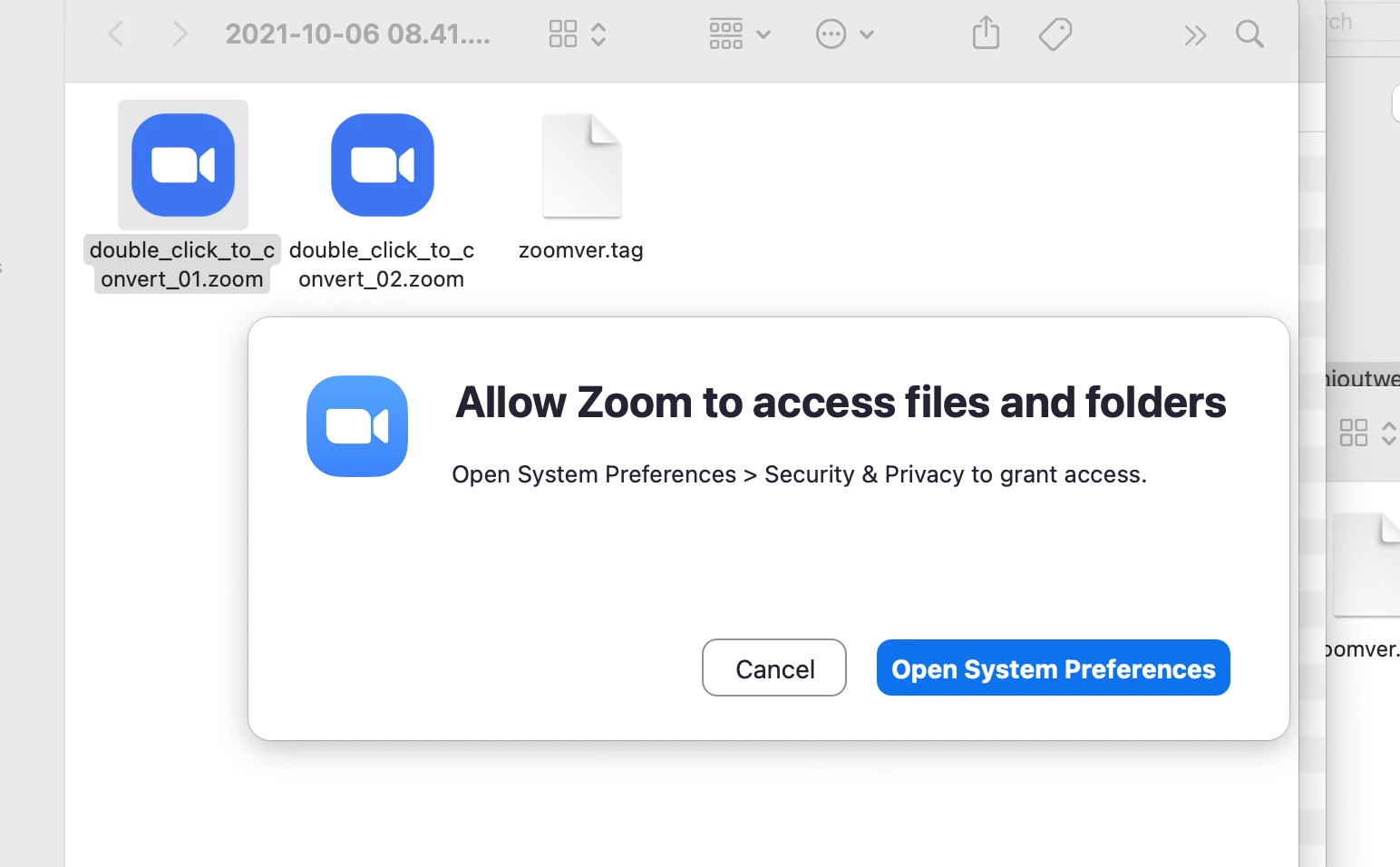
My Zoom meetings used to convert themselves when I ended my meetings. If they didn't, I could always convert the file with a double click, but now I keep getting the message below. Is it Zoom or Mac Big Sur 11.6????    This is what I've tried:

- Confirmed that Zoom has all necessary permissions on Mac (3x)

- Uninstalled and reinstalled the app. 

- Checked the path to make sure Mac was using Transcode to convert it.

- Tried that slick solution where you open a meeting and create a recording and then end the recording while the meeting is still in session and then switch out the files so the "end meeting" function converts the meeting for you. 

PLEASE HELP!! Zoom files KEEP asking for permission in the system preferences!

I need some ZOOM GENIUS!!!

I'm willing to try or retry anything!

Thanks in advance 🙂

Michelle


    Best answer by Creola

    Hello @michelle67 ,


    Mac Big Sur 11.6 has implemented many security features in this version so make sure you are allowing Zoom to access the files as stated in your screenshot.

    If that doesn't work, you can submit a ticket to Zoom support that can convert the recording for you.


    1 reply

    CreolaAnswer
    Community Champion | Employee
    October 7, 2021

    Hello @michelle67 ,


    Mac Big Sur 11.6 has implemented many security features in this version so make sure you are allowing Zoom to access the files as stated in your screenshot.

    If that doesn't work, you can submit a ticket to Zoom support that can convert the recording for you.