
error code 3000 | Community
Skip to main content
Newcomer
July 28, 2022
Question

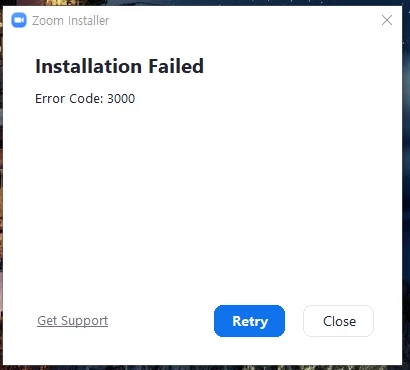
error code 3000
  • July 28, 2022
  • 2 replies
  • 25 views

I can`t install zoom in my pc

what should I do?

anyone know how to fix this error code?

    2 replies

    ChrisO
    Participant
    Participant
    July 28, 2022

    If a partial install has taken place and Zoom shows up under your programs list uninstall it, restart your pc and try again. If that does not work try temporarily disabling your antivirus.

    Explorer
    July 30, 2022

    To fix this issue, you must reinstall Zoom.

    In the Windows search bar, search for "Control Panel."
    Click the Control Panel.
    If Control Panel is set to Category view, click Uninstall a Program. Alternatively, if View by is set to Large or Small icons, click Programs and Features.
    Select Zoom in the programs list, then click Uninstall.
    If prompted "Are you sure you want to uninstall Zoom?", click Yes.
    Once completed, download and reinstall Zoom.


    Regards,
    J Wick