

Downloading Recording and Hit Export | Community
Skip to main content
Newcomer
June 6, 2022
Question

Downloading Recording and Hit Export

  • June 6, 2022
  • 1 reply
  • 30 views

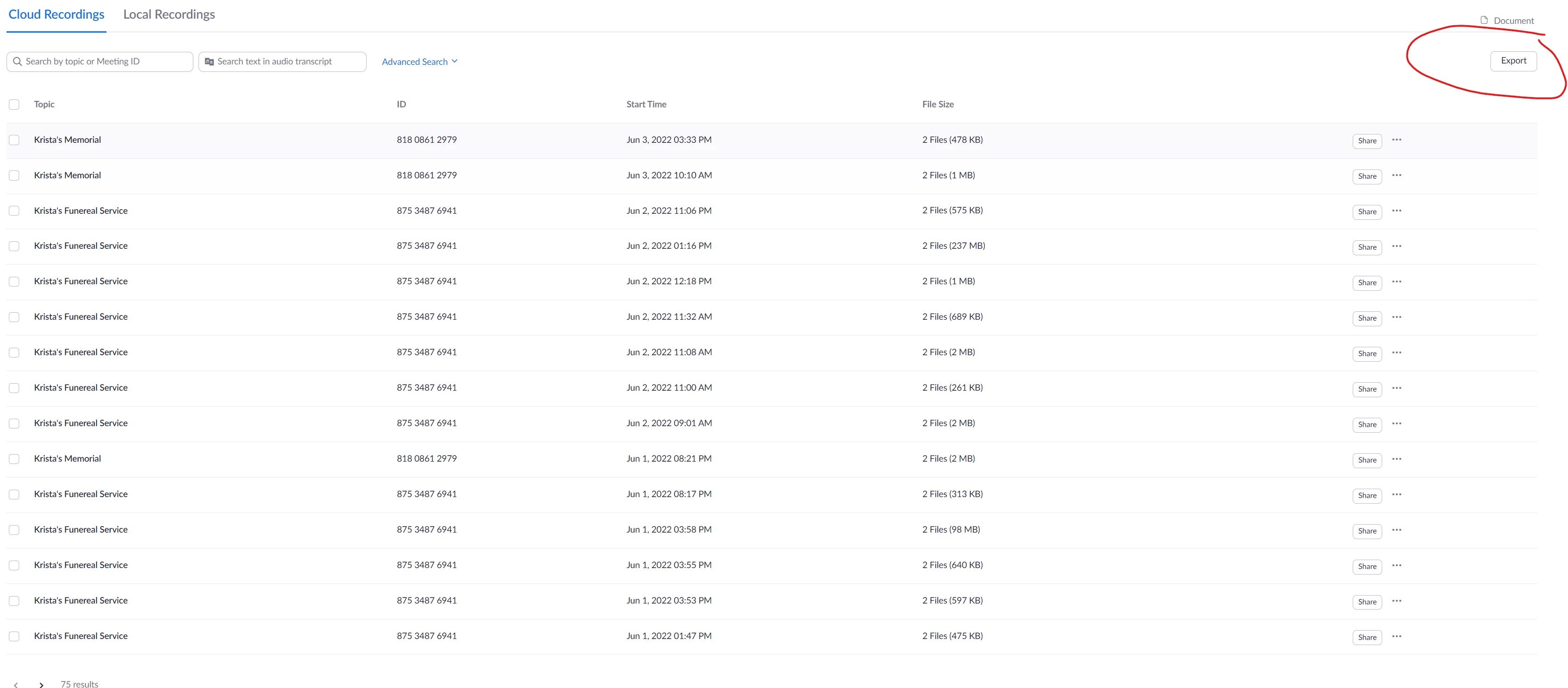
I don't know why I did it but on the Cloud Recordings page, I went to download a recording, of my daughter's funeral. I checked the recording and hit the export button in the upper right-hand corner.  It downloaded it into an excel file. Obviously, that was not going to work.  When I went back to download the file the right way it was all broken up into many small files that didn't even show the event.  Is there any way to get the original recording file back? What it looks like now.  The export button in the upper right-hand corner is the one I originally pushed, circled.  
 

    1 reply

    Employee
    June 6, 2022

    Hi @Kordell  I am sorry to hear about the loss in your family.


    In order to  download cloud recording, you may click the "3 dots" to the right of the cloud recording and choose download.


    Or you may click the recording name and it will allow you to download individual recording files.


    Here is the article in case there is further info needed https://support.zoom.us/hc/en-us/articles/205347605-Managing-and-sharing-cloud-recordings#h_01F4F8Z2FJCCE6KVBPGHNZEXSC