

Convert meeting recording VERY slow | Community
Skip to main content
Newcomer
May 1, 2026
Solved

Convert meeting recording VERY slow

  • May 1, 2026
  • 1 reply
  • 48 views

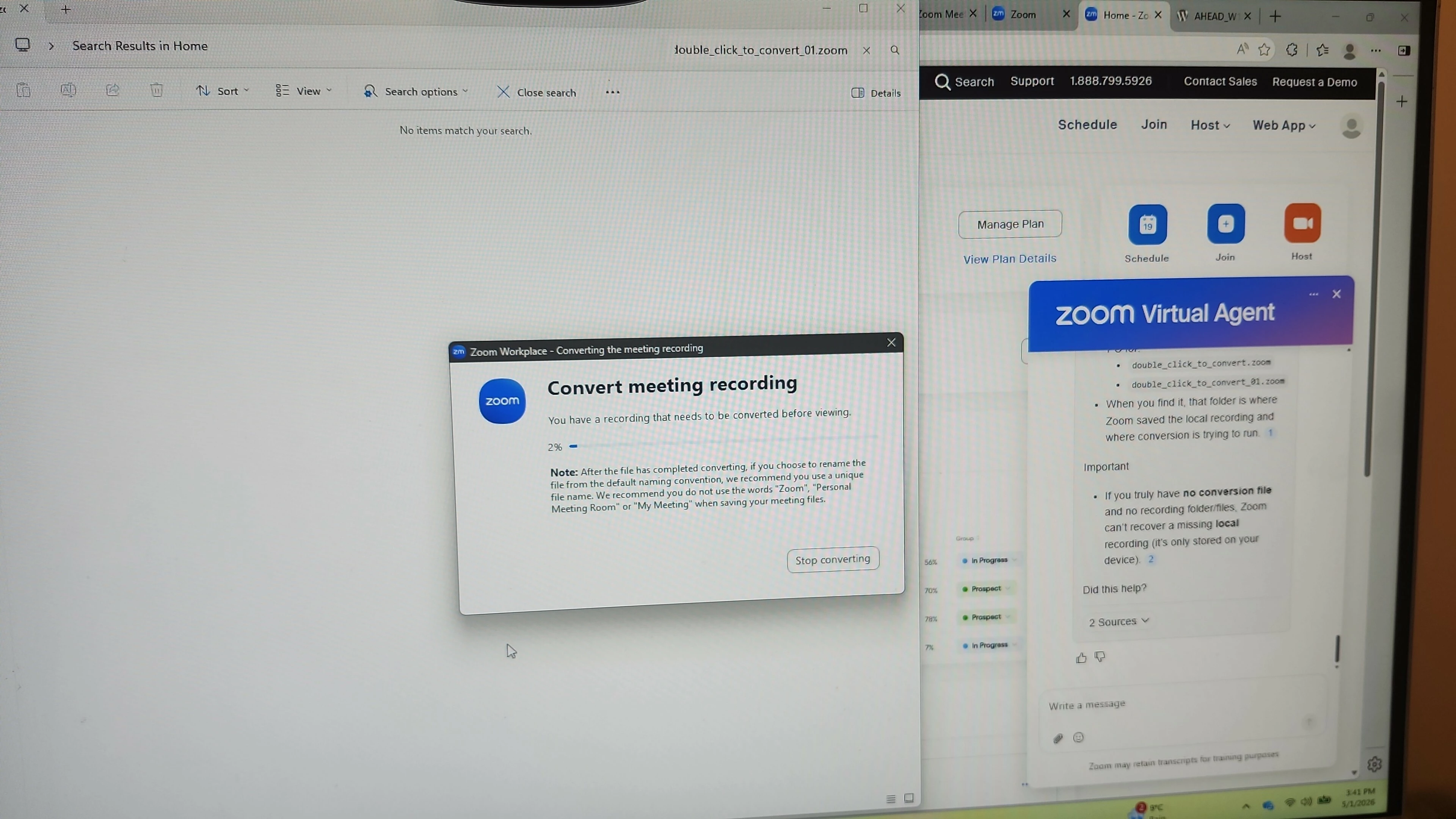
Hi, I am trying to convert my meeting recording that was a 2-hour long session with a 1 partner and it is very slow. In the last 30-minutes it has gone to 4%. I have no idea where the file is going to try what the AI suggested. Is this likely to work where it is going so slow? 


I really do not want to record this again so trying to help it along while it is still trying. 


Guess next time I use the cloud!
 

    Best answer by Don.z

    Hello, ​@kara shannon!

    Welcome to the Zoom Community! We’re glad to have you here.


    If your local Zoom recording is taking time to convert, first ensure you are signed in to the Zoom desktop app. Check your computer's disk space, as low space can cause conversion issues. Verify the recording location is valid and not corrupted. 


    If the recording is stuck in the Processing status, wait 24 hours, as longer meetings require more time. If processing exceeds 48 hours, contact Zoom Support. 


    For manual conversion, navigate to the recording path, locate the .zoom files, and double-click them. If prompted, use the appropriate application (zTscoder.exe for Windows or Transcode for macOS) to convert the files. If issues persist, ensure you are using the latest version of the Zoom desktop app.


    You may visit this article for further information. 

    1 reply

    Don.zAnswer
    Community Manager
    May 5, 2026

    Hello, ​@kara shannon!

    Welcome to the Zoom Community! We’re glad to have you here.


    If your local Zoom recording is taking time to convert, first ensure you are signed in to the Zoom desktop app. Check your computer's disk space, as low space can cause conversion issues. Verify the recording location is valid and not corrupted. 


    If the recording is stuck in the Processing status, wait 24 hours, as longer meetings require more time. If processing exceeds 48 hours, contact Zoom Support. 


    For manual conversion, navigate to the recording path, locate the .zoom files, and double-click them. If prompted, use the appropriate application (zTscoder.exe for Windows or Transcode for macOS) to convert the files. If issues persist, ensure you are using the latest version of the Zoom desktop app.


    You may visit this article for further information. 

    Community Manager
    May 12, 2026

    Hi ​@kara shannon ! It’s been a while since we last heard from you, so I’ve gone ahead and marked the response as the best answer, as it addresses your question.


    If you still need help or have any follow-up questions, feel free to reply anytime; we’re here to help!