Combining two Zoom videos | Community
Skip to main content
Newcomer
July 26, 2022
Solved

Combining two Zoom videos

  • July 26, 2022
  • 2 replies
  • 2 views

Dear Zoom community,


Could I please receive some guidance about how to combine two Zoom videos?


Also, is there a way to delete the names in a Zoom video once the video has been recorded?


Thank you very much for your help.

    Best answer by Bort

    Unfortunately, I am not familiar with Adobe Express, so I'm not sure if it can handle splicing 2 videos together. 

    As for the names, unfortunately, those are hard-coded into the video, so it would not be possible to remove them after the recording is finished processing.

    Going forward, you can disable those names from being captured in future recordings: 

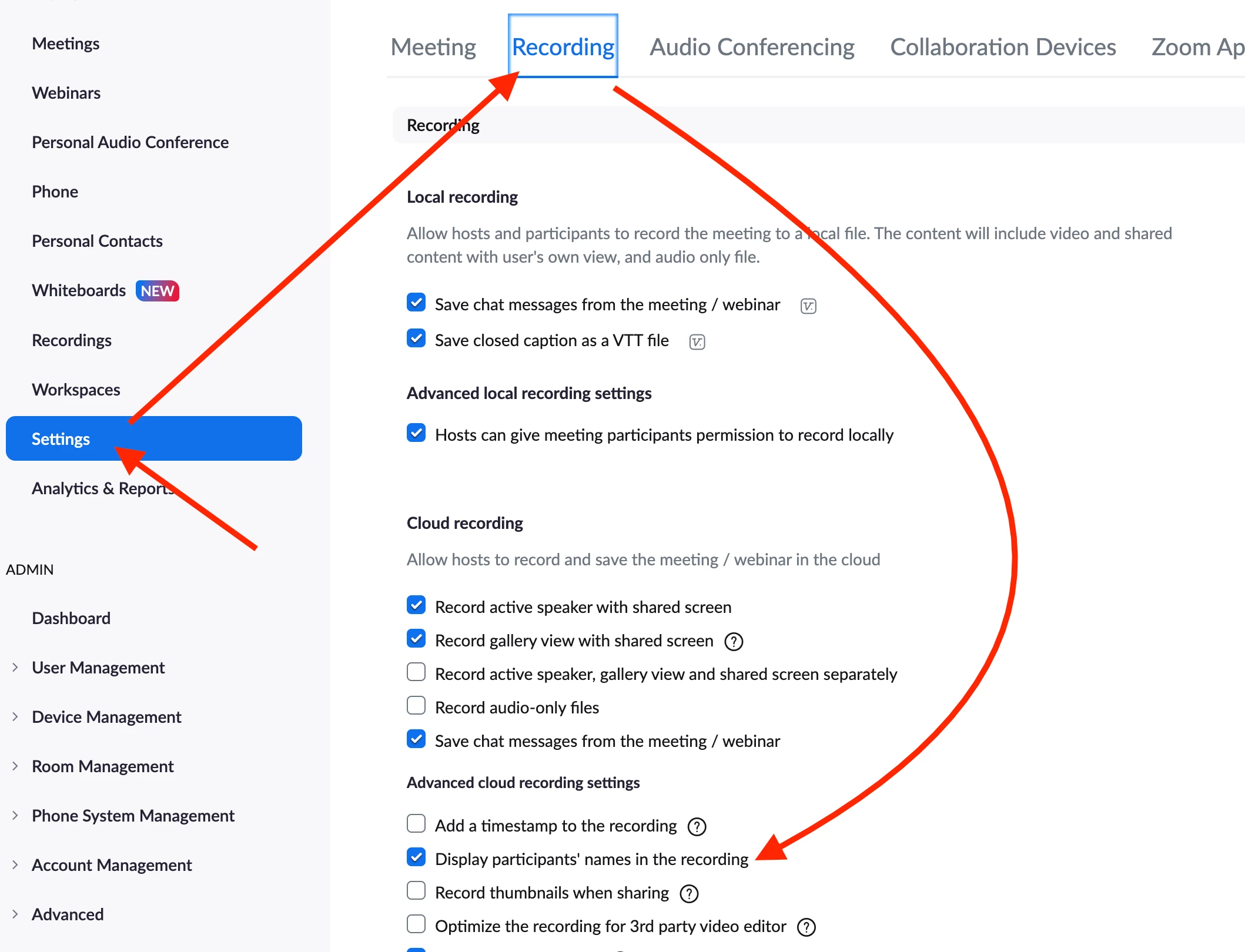
    • For a cloud recording, disable the Display participants' names in the recording option on the Recording tab of the web Settings page. (Be sure to click the Save button that appears when you make a change)
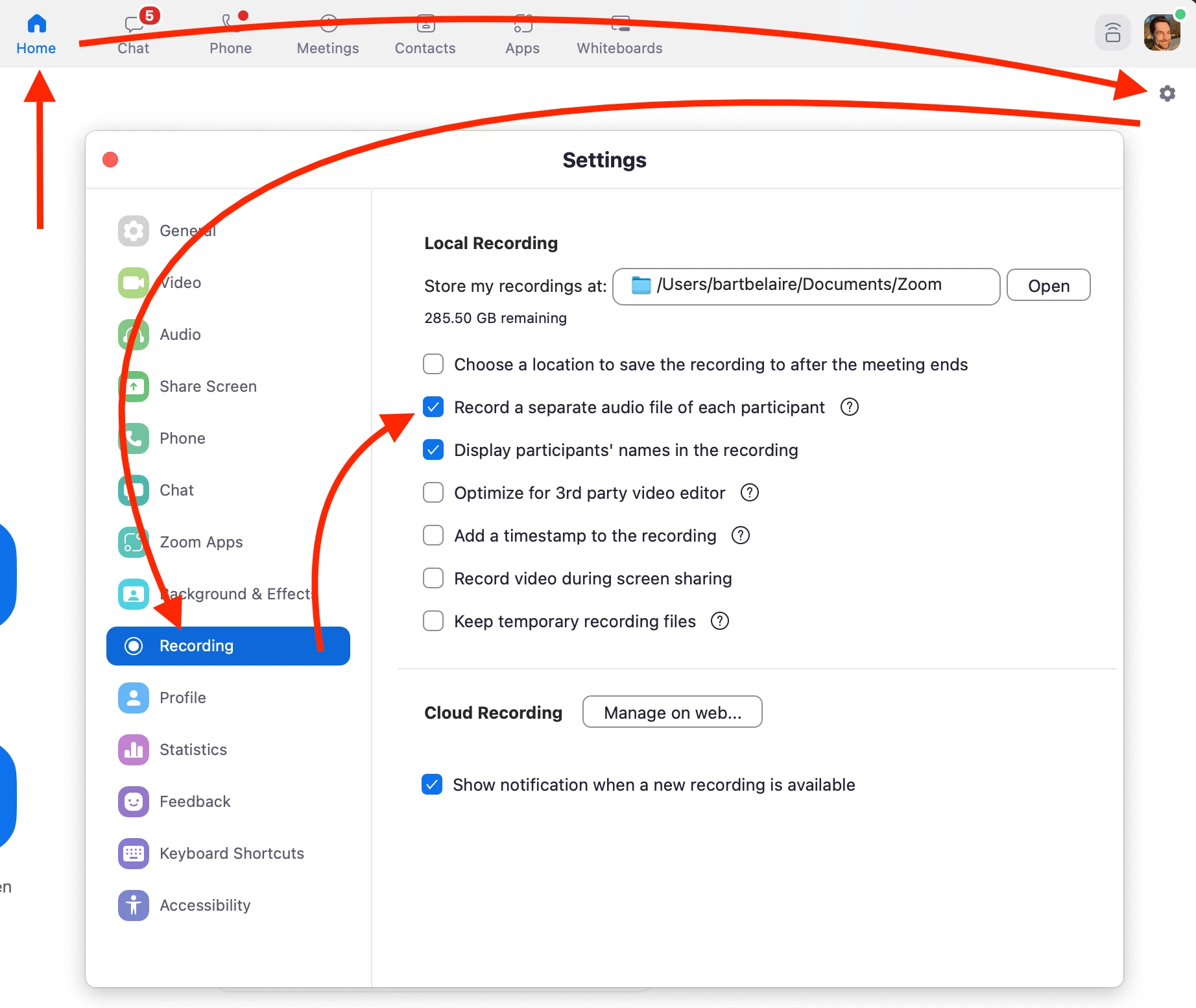
    • For local recordings, there is a similar setting in the desktop client's settings. 
    Hope that helps, but let me know if you have any further questions!

    2 replies

    Bort
    Employee
    Employee
    July 26, 2022

    Hi @Suzie 

    Unfortunately, there is no way to combine any recording files with Zoom directly. Recordings would need to be combined using proper video editing software. 


    As for the names, are you referring to each participant's name in the corner of their video tile, or some other name? 

    SuzieAuthor
    Newcomer
    July 27, 2022

    I truly appreciate your reply.  Just as a follow up question, can I combine the videos on Adobe Express?


    And, yes, I am referring to each participant's name below their image.  Thank you very much for your help.  I sincerely appreciate your prompt and helpful insight.

    Bort
    Employee
    BortAnswer
    Employee
    July 27, 2022

    Unfortunately, I am not familiar with Adobe Express, so I'm not sure if it can handle splicing 2 videos together. 

    As for the names, unfortunately, those are hard-coded into the video, so it would not be possible to remove them after the recording is finished processing.

    Going forward, you can disable those names from being captured in future recordings: 

    • For a cloud recording, disable the Display participants' names in the recording option on the Recording tab of the web Settings page. (Be sure to click the Save button that appears when you make a change)
    • For local recordings, there is a similar setting in the desktop client's settings. 

    Hope that helps, but let me know if you have any further questions!

    SuzieAuthor
    Newcomer
    July 27, 2022

    Thank you so much for your help, Bort!
