chat window is broken | Community
Skip to main content
Newcomer
January 21, 2023
Solved

chat window is broken

  • January 21, 2023
  • 1 reply
  • 3 views

When in a meeting, my chat window doesn't show up properly--I can see the chat messages, but I can't see the button that let's you choose who to send a chat to. What is going on and how do I fix this? Attaching a screengrab, you can see where the pink arrow is pointing that the button to choose who the message goes to is only barely visible.

I've tried resizing the chat window, and zooming in and out--neither worked. I'm not super savvy so that's about all I can think to do on my own. 

Thanks!

    Best answer by ZoomTestKitchen

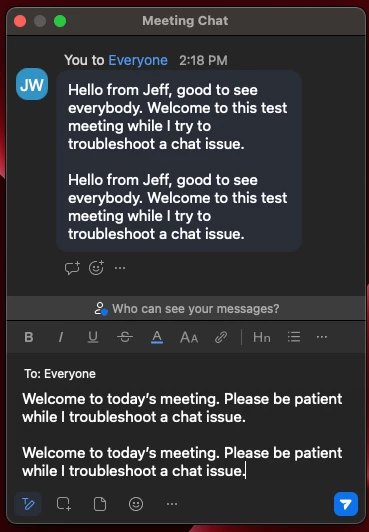
    I might also try to "Merge to Meeting Window" see how it looks there, and then pop it back out.

    I'm running version 5.13.6 on my Mac and everything looks fine, but I have new chat formatting enabled, and I think the overall layout has been updated.

    They've definitely been doing a lot of development with chat, I would definitely recommend updating your Zoom client app if there is room to do so.


    I've included a couple of screenshots.


    If you find this information helpful, please click on "Accept as Solution".

    If you have further questions, please reply, we're happy to help.

    1 reply

    ZoomTestKitchen
    Specialist
    Specialist
    January 21, 2023

    I might also try to "Merge to Meeting Window" see how it looks there, and then pop it back out.

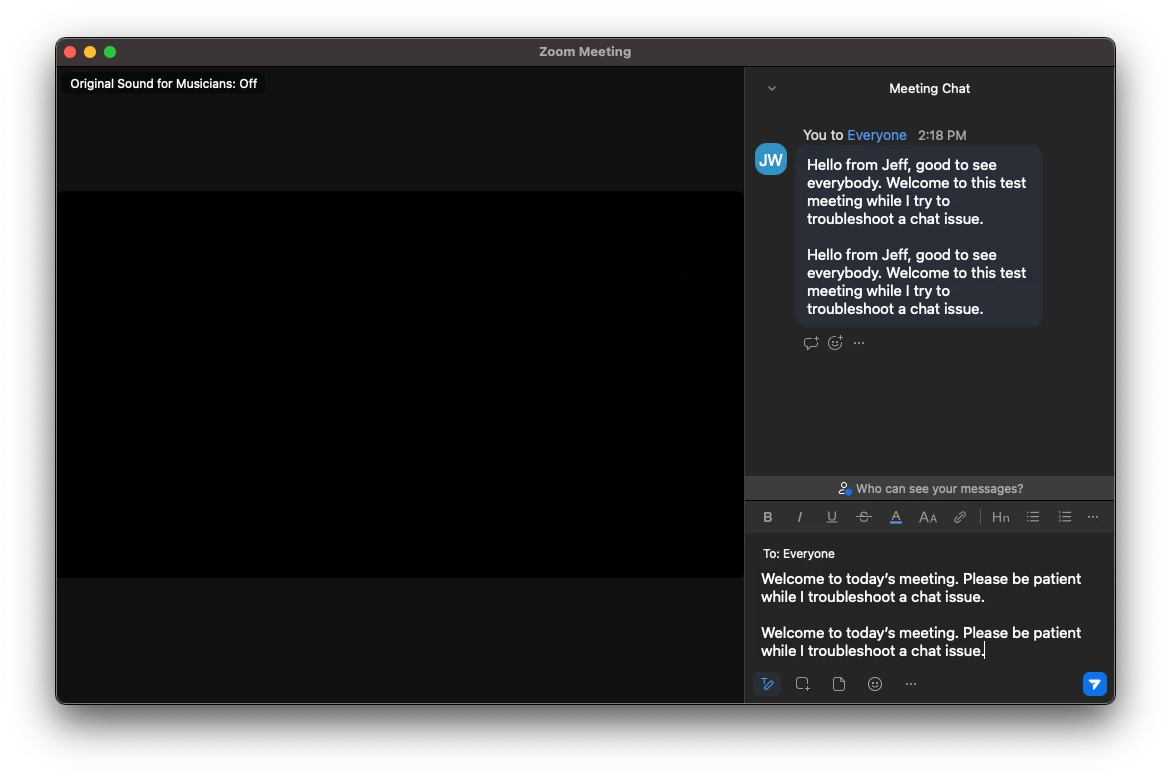
    I'm running version 5.13.6 on my Mac and everything looks fine, but I have new chat formatting enabled, and I think the overall layout has been updated.

    They've definitely been doing a lot of development with chat, I would definitely recommend updating your Zoom client app if there is room to do so.


    I've included a couple of screenshots.


    If you find this information helpful, please click on "Accept as Solution".

    If you have further questions, please reply, we're happy to help.