

Changing 'Locked by Admin' settings? | Community
Skip to main content
Newcomer
April 10, 2023
Question

Changing 'Locked by Admin' settings?

  • April 10, 2023
  • 6 replies
  • 103 views

Greetings,

I am the listed "owner" of a Pro Plan account, with two licenses, but the account was setting up by a previous employee (since left the agency). 

I have run into several meetings settings that are grayed out with the disclaimer "Locked by Admin" -- as the site owner, I should be able to change these, but I can't find any way to change that lock. More specifically, I tried to turn on file sharing via Chat and that setting is locked.
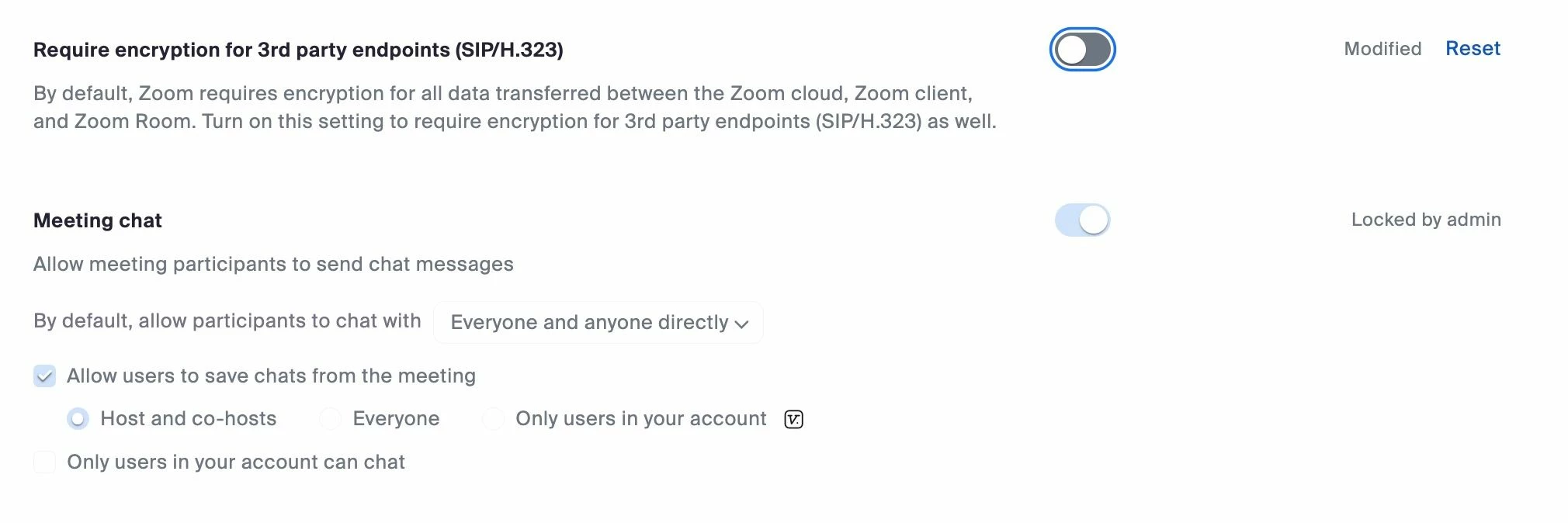


Any help would be appreciated. 

6 replies

Community Champion | Employee
April 11, 2023

Hello @Dnelson024 


If you are the new owner of the account, ( verify under Account Profile that you are the owner ), you should be able to go under Account management -> Account settings -> Meetings and remove the locks for the meeting features

If you are not the owner, Please work with Zoom support by opening a ticket.


Hope that helps

If this response helps, please accept the answer as an accepted solution, so others can benefit as well.

Newcomer
April 11, 2023

Perfect. Thanks!


CarlaA
Community Manager
Community Manager
April 11, 2023

Hi @Dnelson024! I am happy you found these replies helpful 🙂


As a quick reminder, please accept the reply as a solution if it helped to solve your issue. 

Thank you!


Carla,
Zoom Community Team

Newcomer
April 11, 2023

Done! Thanks for the quick, effective help!

Newcomer
October 26, 2023
This post has been deleted.

My problem is the same as his. I am the owner and I need to be the Admin, your instructions say to contact our Zoom administrator but we have none! We are it. So what do we do to access things "locked by admin"? 

Newcomer
January 11, 2024

I also am locked out as the OWNER. Says "Locked by Admin" - This is a ZOOM GLITCH not a user error.

Newcomer
January 22, 2024

Same. I followed the instructions above, and it just took me to the same screen where the options are locked by admin 🤷🏻‍♀️

Newcomer
February 9, 2024

I was misreading the information provided. I finally figured this out! What the very first person is saying is we've been going to meetings and trying to adjust the settings in there. We actually have to scroll to bottom to ACCOUNT management, then account settings, then whatever setting you want to adjust. You have the ability to lock there. You just have to be under that section in order to do so!

Newcomer
February 26, 2024

Under Account Management Tab no account setting tab is showing.

Newcomer
February 27, 2025

You have to put in a credit card information into billing after that then the Account Settings will be visible.

Newcomer
August 30, 2024

And the Chat bot is USELESS!!! so frustrating. I cannot live chat with a human but I chat with the world's worst chat bot, that does not offer solutions to questions asked.

How does one start a ticket?


K