Cannot close popup window (Windows 10) | Community
Skip to main content
Newcomer
October 5, 2022
Solved

Cannot close popup window (Windows 10)

  • October 5, 2022
  • 3 replies
  • 4 views

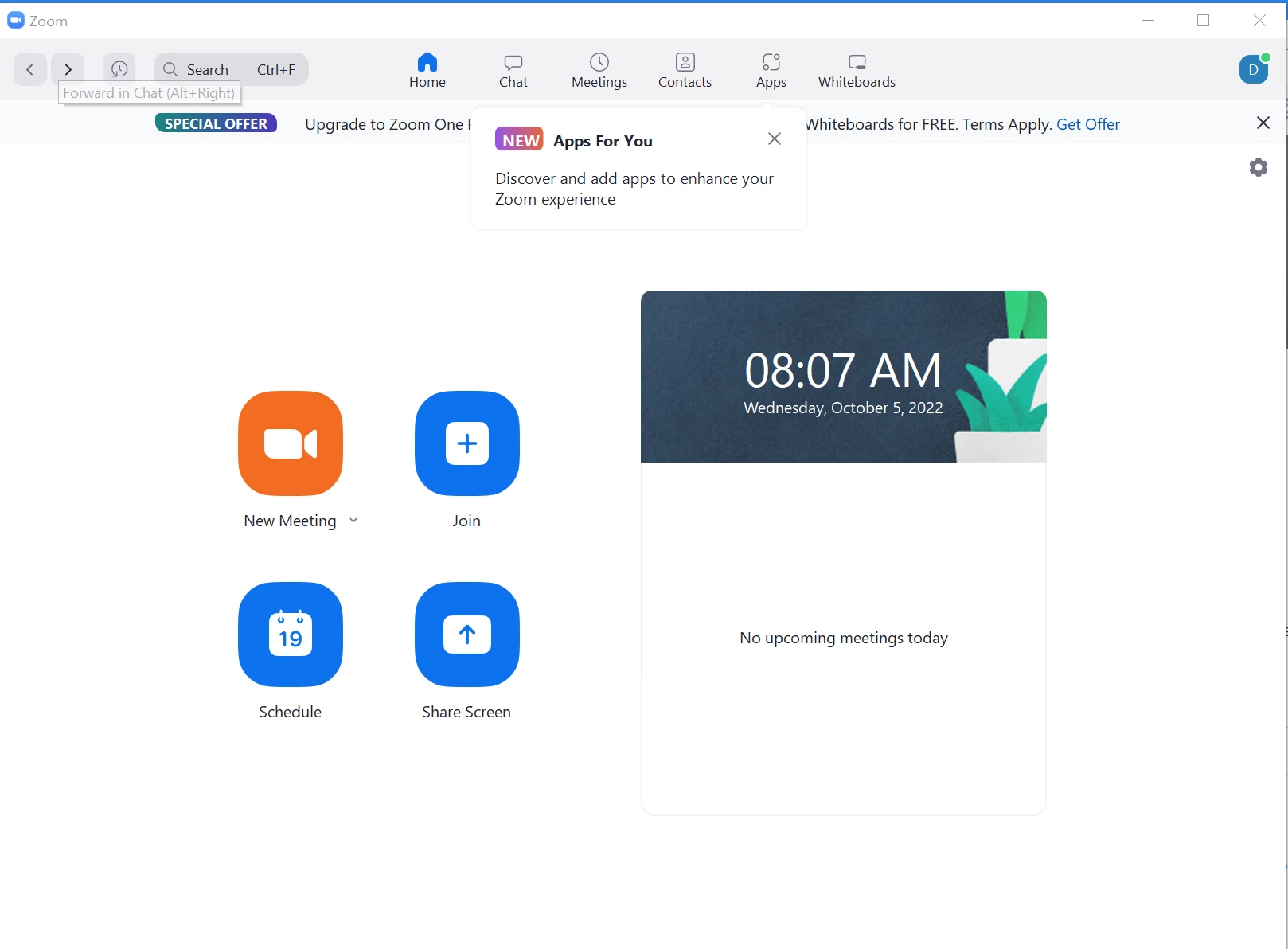
This just started a couple weeks ago.  Whenever I host or join another person's zoom session, a zoom window pops up but I cannot close it.  Below is one from a event I joined last night.  The only way I can kill this popup is to go to the task manager and kill the process.


What happened, and how do I fix this?


Thanks.


    Best answer by ZoomTestKitchen

    Confirming... so, when the attached Zoom window is on your desktop, you cannot click on the top-right "X" to close it?


    Can you click on the other buttons such as Home, Chat, Meetings, etc. and are they functional?


    Might just try to uninstall and reinstall Zoom just to take that variable away.


    3 replies

    ZoomTestKitchen
    Specialist
    Specialist
    October 5, 2022

    Confirming... so, when the attached Zoom window is on your desktop, you cannot click on the top-right "X" to close it?


    Can you click on the other buttons such as Home, Chat, Meetings, etc. and are they functional?


    Might just try to uninstall and reinstall Zoom just to take that variable away.


    Newcomer
    October 5, 2022

    Right.  Clicking the 'X' just minimizes the window but does not close it.  It's then sitting in the system tray.


    Other buttons appear to be functional.


    I will uninstall and see what happens.

    ZoomTestKitchen
    Specialist
    Specialist
    October 5, 2022

    Actually, the known and expected behavior when closing that window when you are logged into your Zoom account is to dock into the tray. If you are signed out, then it will close the app.


    If it were to close the app while you're in a meeting, it would also take you out of that meeting. That's why it doesn't behave that way.


    Newcomer
    October 5, 2022

    That's not how it worked before, and it isn't how it works after a re-install.


    Yes, if I close the zoom app it should take me out of the meeting.  But once I'm out of the meeting, I should be able to (and now can) close the zoom app so it is no longer running.

    Newcomer
    October 5, 2022

    well yes, uninstall/re-install appears to have fixed it.


    Thanks for the suggestion!