

Audio level adjust | Community
Skip to main content
Newcomer
January 17, 2025
Question

Audio level adjust

  • January 17, 2025
  • 1 reply
  • 0 views

Periodically, I am informed that my microphone is a little quiet. 


I have unchecked "Automatically adjust microphone volume." (And this has been unchecked for the last year, and yet this issue has occurred multiple times during this period) 


This is where I want my microphone level to be
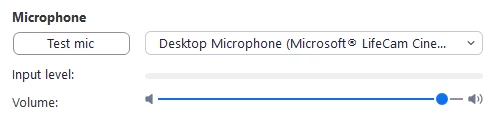
This is where it is being to 
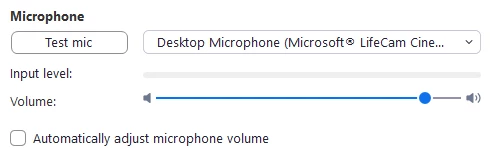
As you can see, it's really a minor change but it does happen


I do have the Audio profile set to Medium
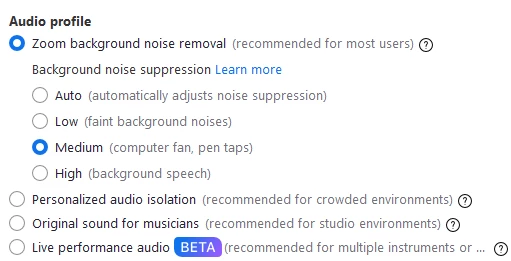


Is there anything outside of Zoom that might impact the level? 


1 reply

storyhub
Community Super Champion | Customer
January 18, 2025

The number one external condition is how close you are to the mic. This camera has a noise cancelling mic built in. If you are to far from the mic your voice will be perceived as noise and attenuated. You may want to turn off Zoom's noise cancelling (select low or try original sound). Remove any unwanted audio sources (make the space quieter).

DaveRookAuthor
Newcomer
January 20, 2025

I have no doubt you're right about the noise cancellation. But as per my post, I see a change in the GUI that shows a different level