

Audio is disabled (for host and attendees) | Community
Skip to main content
Newcomer
April 13, 2023
Question

Audio is disabled (for host and attendees)

  • April 13, 2023
  • 3 replies
  • 7 views

May I know how to fix this issue....

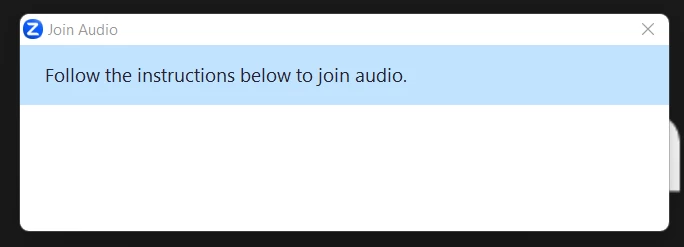
The host and attendees cannot join audio in the meeting. When we click "Join Audio" it would prompt "follow the instructions below to join audio" but there are no instructions indicated on what steps to do to enable audio.
    3 replies

    Newcomer
    April 14, 2023

    Zoom meeting has no sound? This could be the reason
    Video conferences have many advantages. On the one hand, they make it easy to communicate no matter the location of the participants - be it with friends, family members, customers, or colleagues. On the other hand, a video conferencing program like Zoom makes it possible to organize large meetings and presentations online in a very flexible way. Professionalism is particularly important in this context. Common technical errors that occur time and again in virtual video conferences are difficulties with sharing the screen in Zoom, changing the background in Zoom, and problems with audio equipment.

    There may be a number of reasons why other participants cannot hear you or why no sound is coming from the Zoom meeting. Typical error sources include:

    Other participants have muted their microphone, speakers, or headphones.
    Incorrect audio settings or recording devices have been selected.
    Audio scripts are blocked by temporary data in the browser cache.
    The computer’s audio output is muted.
    Speakers built into the smartphone have been disabled in the app.
    The smartphone’s volume or audio profile is incorrectly set up.

    PASCebuAuthor
    Newcomer
    April 14, 2023

    No, the issue is not on muting or screensharing.... the account in itself will not allow the host nor the attendees to "join audio" which means all parties (host and participants) can not hear each other... we can see each other through the video feed and and can chat but we can not use the audio.

    Newcomer
    May 13, 2024

    This issue still lives in 2024.