

Allow others to screen share without host in meeting - settings not working | Community
Skip to main content
New Member
April 12, 2026
Question

Allow others to screen share without host in meeting - settings not working

  • April 12, 2026
  • 2 replies
  • 9 views

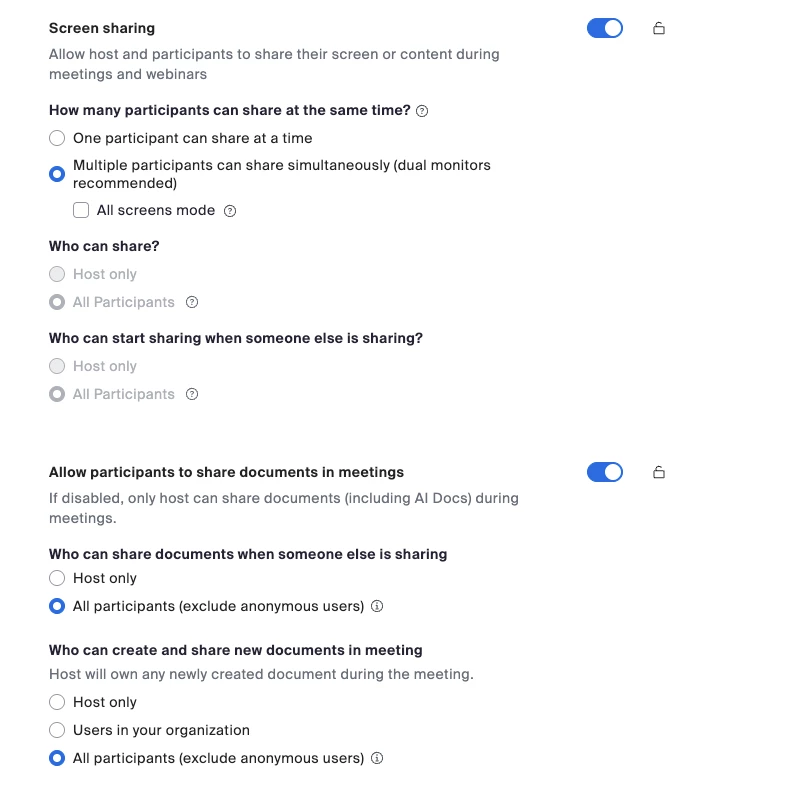
I have a personal account. I have updated all the screen share settings so that non-hosts can share their screens. A friend uses my account to host a weekly session I am not in. Since we’re not under the same account I can’t add her as a co-host. We’ve tried all the settings. I have to join the meeting each week and turn on settings in the meeting for her to screen share. I’ve disabled two settings to allow sharing when guests are in meetings as some of our friends may not be signed into an account. We have created a new meeting to ensure the settings take effect going forward. From everything done, my impression is that I shouldn’t need to be in the meeting. But I have to go in every week and turn it on or else she can’t share her screen. 
 

2 replies

Explorer
April 12, 2026

Hey, I’m running into something very similar with a personal account as well.

I’ve already enabled all the screen sharing permissions for non-hosts and also double-checked the meeting settings, but it still doesn’t behave consistently. In my case too, someone else hosts sessions using my account and I’m not always in the meeting.

From what I’ve seen, even if the global settings are enabled, some meeting-level settings still override them unless the host is actually present in the session. It kind of defeats the purpose of the default configuration.

Have you found any permanent fix for this, or is it still forcing you to manually enable it every week?

Maggie_AAuthor
New Member
April 12, 2026

For now I have to go in each week and enable it. A couple of times when I couldn’t she sent what she was going to screen share as a file in the chat.