After update “Home” tab have disappeared and tab “Meetings” shows “Home” tab content | Community
Skip to main content
Newcomer
July 6, 2023
Solved

After update “Home” tab have disappeared and tab “Meetings” shows “Home” tab content

  • July 6, 2023
  • 5 replies
  • 0 views

Hello.


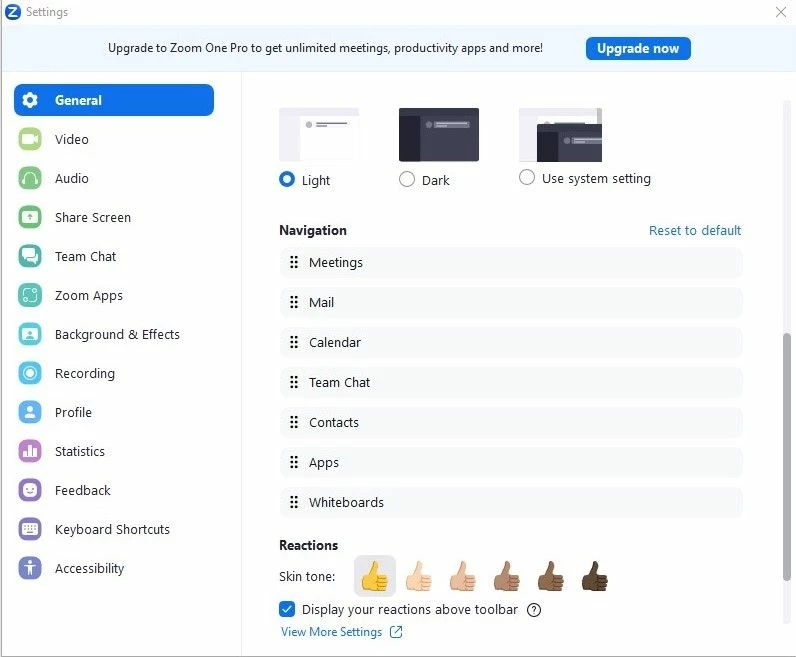
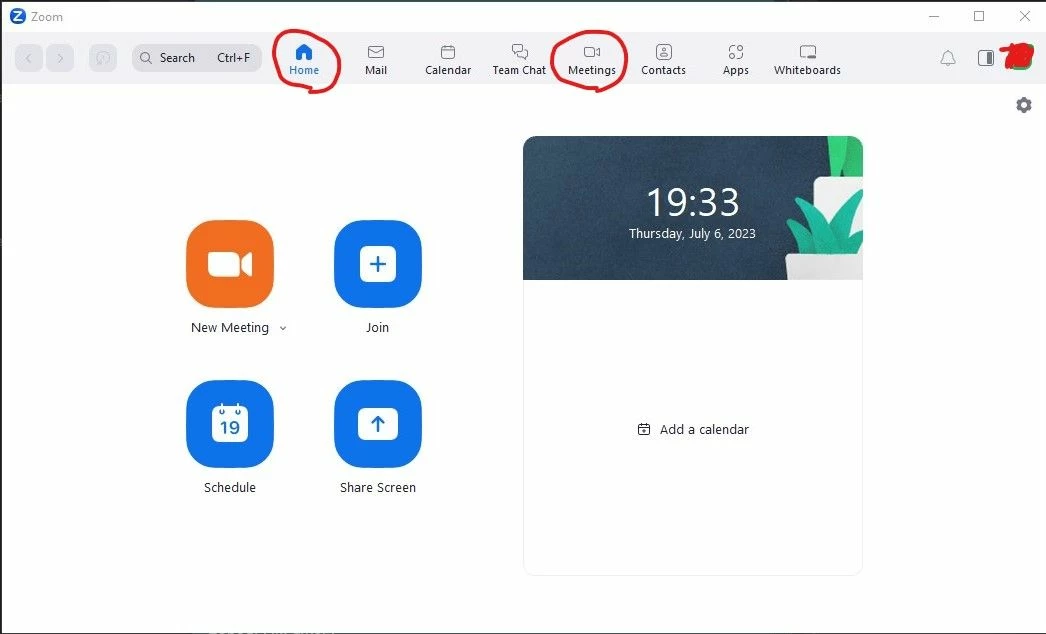
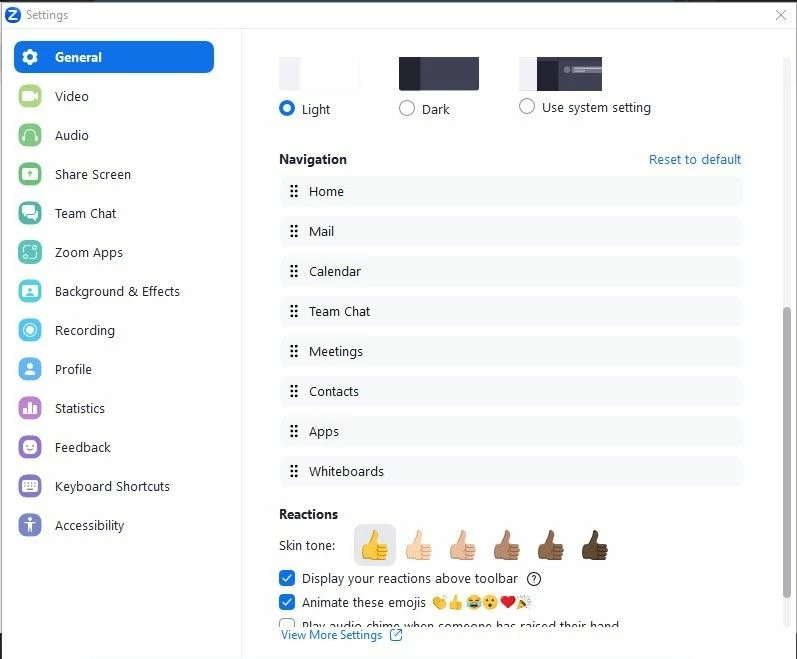
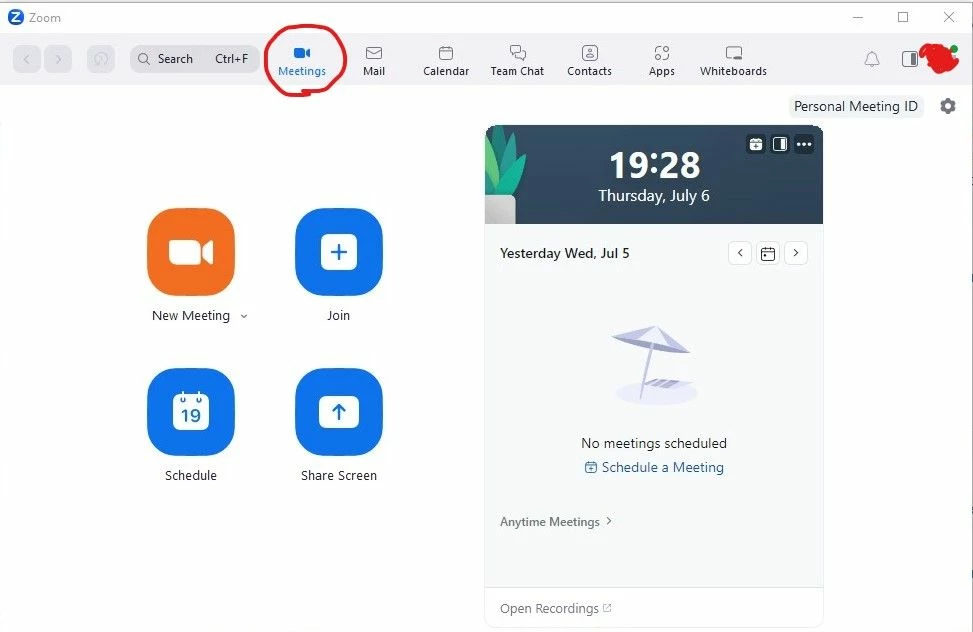
After update Zoom client to version 5.15.2 (18096) (Windows 10 x64 22H2) in the main window “Home” tab have disappeared and tab “Meetings” shows “Home” tab content. It is problem with user account settings. I tried to login on second account on this PC and Zoom client, there are no problems. I have made screenshots from two accounts. Checked on another PC and Zoom client, same problem there too.


I did not find option to hide tabs in the settings, it looks like bug.
 

Best answer by Oleksii_1

It seems that the developers have fixed this problem. It is not necessary to update Zoom to version 5.15.3, everything works on version 5.15.2.

5 replies

Newcomer
July 10, 2023

I have exact the same behavior

Newcomer
July 11, 2023

Same problem.  However, when I took a closer look, my regular meetings had moved to a small grey text area called 'anytime meetings' on the 'meetings tab'.  Just click on the tiny chevron next toa that and my regular meetings appear.


Newcomer
July 12, 2023

hi, what if i don't have 'any time meetings'?

Has anyone found any other places where the meetings have migrated to? )))

Newcomer
July 11, 2023

This is what happens when the company releases an update that brings significant changes but doesn't support it with an announcement and a quick video tutorial (right in the app) to explain the change. All your events are intact (just check your account in a browser and you'll find them), Zoom has introduced a calendar that now has all your scheduled events on it - https://support.zoom.us/hc/en-us/articles/9868948921869-Using-the-Zoom-Calendar-Client

Newcomer
July 12, 2023

I have the same problem

chrismenard7
Community Champion | Customer
July 13, 2023

Yesterday, 07/12, I was in the same boat. Home was gone, Meetings moved to the spot of Home and I could not see all my meetings. It appears Zoom has fixed this. See the two screenshots I took this morning. Home is back, and when I click Meetings, I see them all.  I'm using Zoom 5.15.3. I was on the same version yesterday and it was messed up. If you don't see it correctly, I suggest signing out of the app and signing back in.  I hope this helps. 

Newcomer
July 13, 2023

Perfect!

It's working again after logout and login.

Thanks a lot

Greetings

Flo