

Intune - Zoom on macOS
Hello.
I have a setup in Intune, with Macs, where i am trying to incorporate Zoom as part of the enrollment.
I have tried these two versions; Zoom desktop client for Meetings and Zoom desktop client for Meetings (for IT Admins) https://support.zoom.us/hc/en-us/articles/207373866-Zoom-Installers
After i have downloadede the PKG files, i go to Intune Endpoint > Apps > Add > Line of buisness app (LOB) > Select > Choose the PKG file > Click OK > Rename it and so on > and then creating it.
I can get i working, with the standard version, not the IT for Admins.
But the .plist doesent get applied.
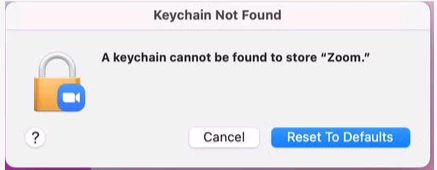
When i open Zoom on an enrolled Mac, this pops up; A keychain cannot be found to store " Zoom "
If i click cancel, it opens Zoom and i can login.. But its annoying asf.
I have read that you have to use the (for IT Admins) versions to use the Mass-deploying option, for preconfigure settings with a .plist file.
Also tried that, cannot get it to work.
https://support.zoom.us/hc/en-us/articles/10365151862285
I've tried this;
<key>EnableAutoUpdate</key>
<true/>
<key>SetUpdateChannel</key>
<true/>
<key>EnableUpdateAvilableBanner</key>
<true/>
<key>EnableUpdateSuccessNotification</key>
<true/>
<key>EnableManuelUpdate-OFF</key>
<true/>
AND
<key>AU2_EnableAutoUpdate</key>
<true/>
<key>AU2_SetUpdateChannel</key>
<true/>
<key>AU2_EnableUpdateAvilableBanner</key>
<true/>
<key>AU2_EnableUpdateSuccessNotification</key>
<true/>
<key>AU2_EnableManuelUpdate=OFF</key>
<true/>
I hope someone can help. I am kinda stuck.
Comment if any quistions and so on 🙂