Installing Zoom-Salesforce Integration | Community
Skip to main content
Newcomer
January 12, 2023
Question

Installing Zoom-Salesforce Integration

  • January 12, 2023
  • 4 replies
  • 3 views

I am having trouble getting the connection between my Salesforce account and Zoom account established.


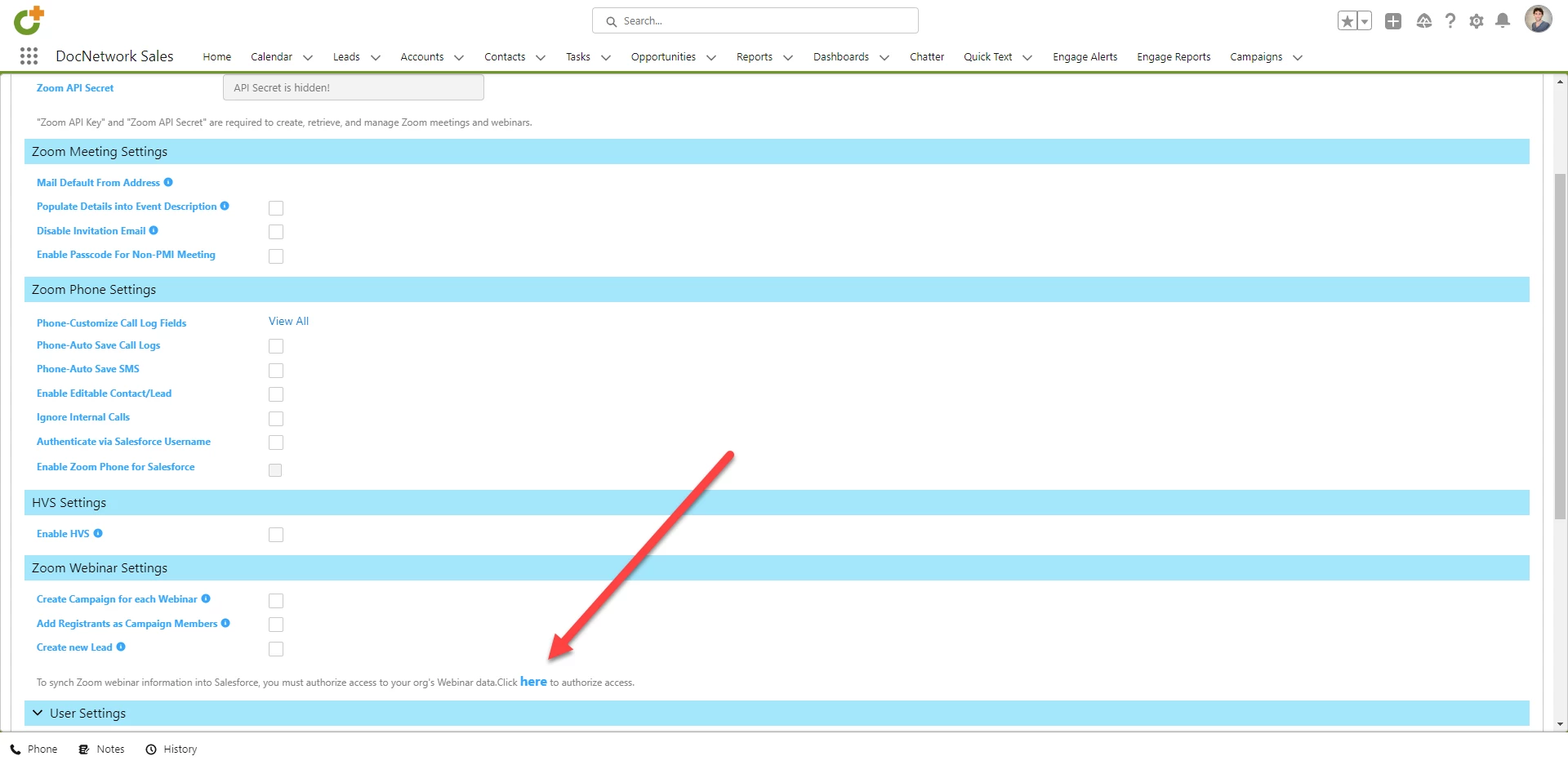
I installed the latest Zoom app through the Salesforce App Exchange and created a JWT token.  I copied the `Zoom API Key` and `Zoom API Secret` into the `Zoom Credentials Settings` in the `Zoom Config` app in Salesforce.  But when I go to Authorize, I just get directed to https://applications.zoom.us/salesforce/authSuccess that continues to hang.  


See screenshots below.


Anyone else having a similar problem?

    4 replies

    Newcomer
    February 3, 2023

    I ran the Zoom update this week. New SF campaigns were not being created (since last week) so I suspected I may need to upgrade. I thought I would re-establish the authorization and I just got the gray bars that you are showing  as well - no success message.  I opened a ticket with Zoom but I haven't heard back yet.

    Newcomer
    February 13, 2023

    Were you able to find a solution? I am have a similar issue here and haven't been able to find support

    Newcomer
    February 15, 2023

    My ticket is resolved. I corrected a spelling error in the list of values in SF Zoom Webinars (Status). They have "Planed" instead of "Planned".  I changed the API Name back to "Planed" and the syncing started working again.

    Newcomer
    February 13, 2023

    Hi. My ticket with them is still open. My issue only has to do with NEW campaigns.  All existing webinars are syncing properly.  


    Try refreshing the Zoom-SF connection under Zoom Config - click on "here". Mine finally worked last week.  Did you upgrade to version 3.27?  Are you Admin on SF, Marketing User and have the Permission set = Zoom Admin?  These are the questions I was asked.

    Newcomer
    February 15, 2023

    This authorization of access finally worked for me 9 Feb 23.  Try again.  Also, I changed the access to OAuth as per the last Zoom update 31 Jan 2023.