

Unable to see who registered for a specific session in a recurring event | Community
Skip to main content
Explorer
April 28, 2026
Question

Unable to see who registered for a specific session in a recurring event

  • April 28, 2026
  • 2 replies
  • 19 views

Since the new analytics were released, I cannot seem to find where to see who registered for a specific session. I have this chart:
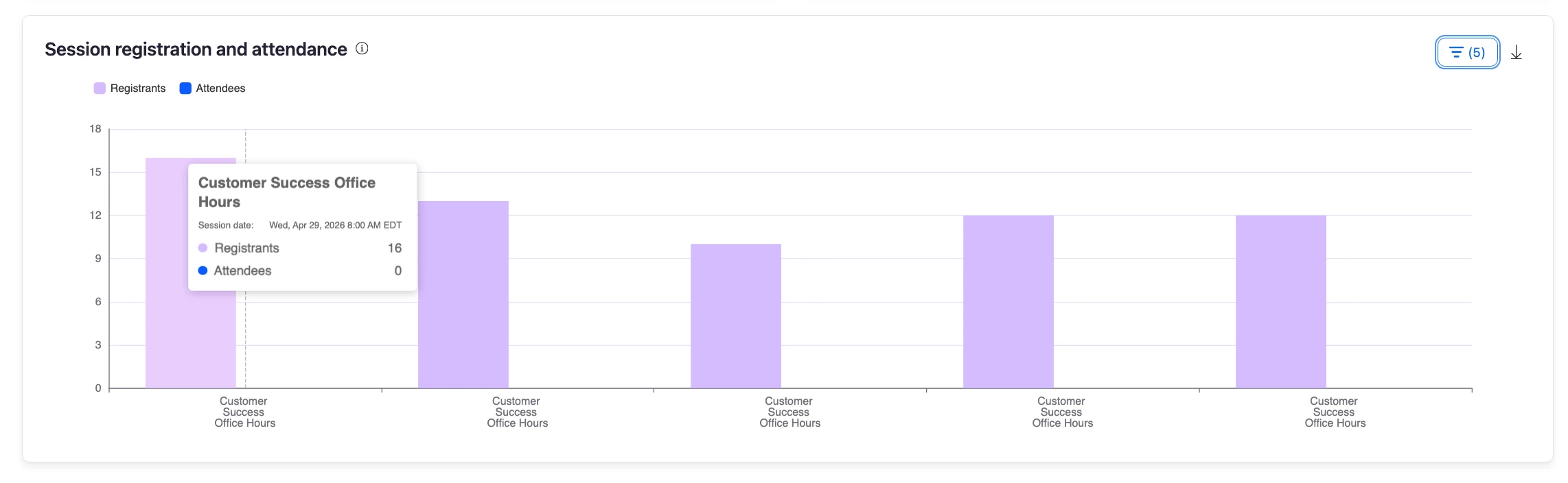
but I can’t see who those 16 people are. 

I used to be able to filter a standard chart by specific session, but I don’t see that anymore. And I don’t see it when I switch back to the old view. 

How can I sort registrants by the sessions they registered for?

    2 replies

    KGastaldoAuthor
    Explorer
    May 1, 2026

    Just in case anyone else has this issue, I did a chat session and basically came to the conclusion that there is no reporting that will just show you the people who have registered for an upcoming session. You need to download the General ticket registration report in the event analytics → reports, then sort by session. 

    This was something I could do a couple weeks ago, before the new reporting. I’d love to see it brought back! Downloading and sorting this report before every session to see who will attend is time consuming. 

    joshbrage_ZE
    Employee
    Employee
    May 4, 2026

    @KGastaldo thanks for the feedback, as someone who hosts a ton of recurring, I agree! Currently this information is only available via downloaded report, here’s a quick screenshot on how to get there in new analytics. However, this feedback (and others) have been shared and the Product Team will be surfacing this information (ability to view session by session registration) directly in the table view on the People tab in subsequent releases! Stay tuned and we apologize for the inconvenience.