Conditional registration questions? | Community
Skip to main content
Newcomer
December 8, 2025
Solved

Conditional registration questions?

  • December 8, 2025
  • 1 reply
  • 30 views

We have a workflow for a client where custom registration questions have been setup for their Zoom meetings.


The client would like a couple of conditional questions to help filter out unwanted registrations. For example the following:


---

Conditional question 1

- Yes

- No


Conditional question 2 (only visible if previous answer is no)

- Yes

- No


Block of text (only visible if both previous answers are no)

Text explaining that the user should not register for the meeting. (ideally submission would also be disabled)

---


I have looked through the Zoom documentation and far as I can tell this is not possible:


https://support.zoom.com/hc/en/article?id=zm_kb&sysparm_article=KB0063516#h_032cddce-aea5-4486-be5d-2a8d9bf0e805


However I wanted to check before definitively ruling this out.

Best answer by ArvinG

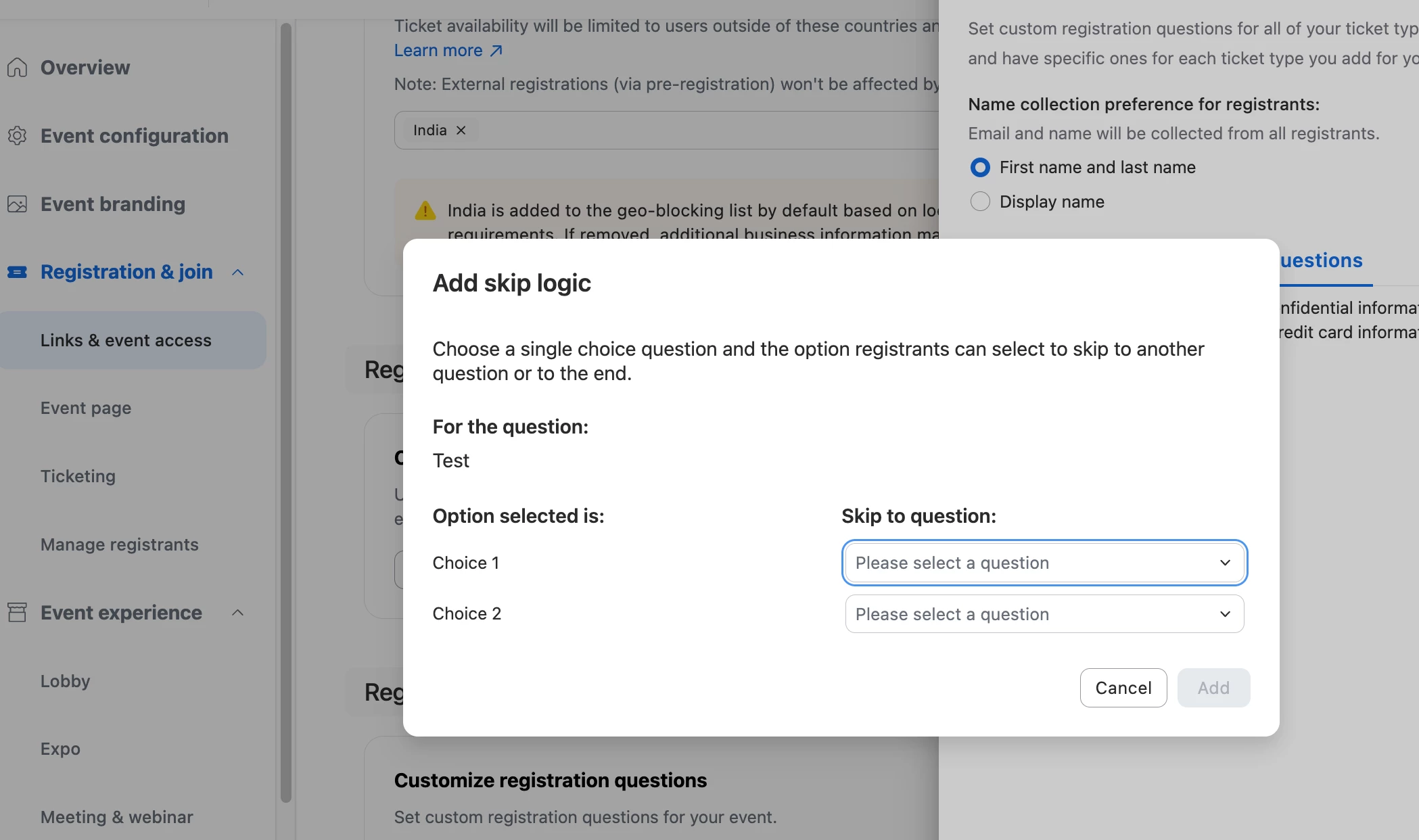
Hey @sdundee  – A quick clarification first: are you building this inside Zoom Events? If yes, Zoom Events does support skip-logic rules for registration, and it looks like this:


If this is a standard Zoom Meeting, then you’re correct — native skip logic isn’t available in the meeting registration flow. However, Zoom Scheduler can help you approximate this. It lets you build conditional routing (IF/AND/OR logic) based on responses in the routing form, and then direct people to the correct booking calendar or teammate. It’s not true skip logic, but it works well when the goal is simply to ensure only qualified individuals can book time.


I’m including documentation you can review.


Thanks!

1 reply

ArvinG
Employee
ArvinGAnswer
Employee
December 11, 2025

Hey @sdundee  – A quick clarification first: are you building this inside Zoom Events? If yes, Zoom Events does support skip-logic rules for registration, and it looks like this:


If this is a standard Zoom Meeting, then you’re correct — native skip logic isn’t available in the meeting registration flow. However, Zoom Scheduler can help you approximate this. It lets you build conditional routing (IF/AND/OR logic) based on responses in the routing form, and then direct people to the correct booking calendar or teammate. It’s not true skip logic, but it works well when the goal is simply to ensure only qualified individuals can book time.


I’m including documentation you can review.


Thanks!

MGSR
Community Manager
Community Manager
December 16, 2025

Hi @sdundee! I wanted to let you know that I’ve marked @ArvinG's response as the accepted solution, as I believe it answers your question. If you have any more questions or need further clarification, feel free to ask.