

Have You Noticed Zoom's Enhanced UI and Toolbar?
We're constantly striving to improve our user experience, and a recent client meeting provided a valuable opportunity. When sharing my screen with the sales team, they noticed a difference in our toolbars. This led to a great discussion about personalization. I was excited to demonstrate the several new features we've added to create a more customized meeting experience for everyone.
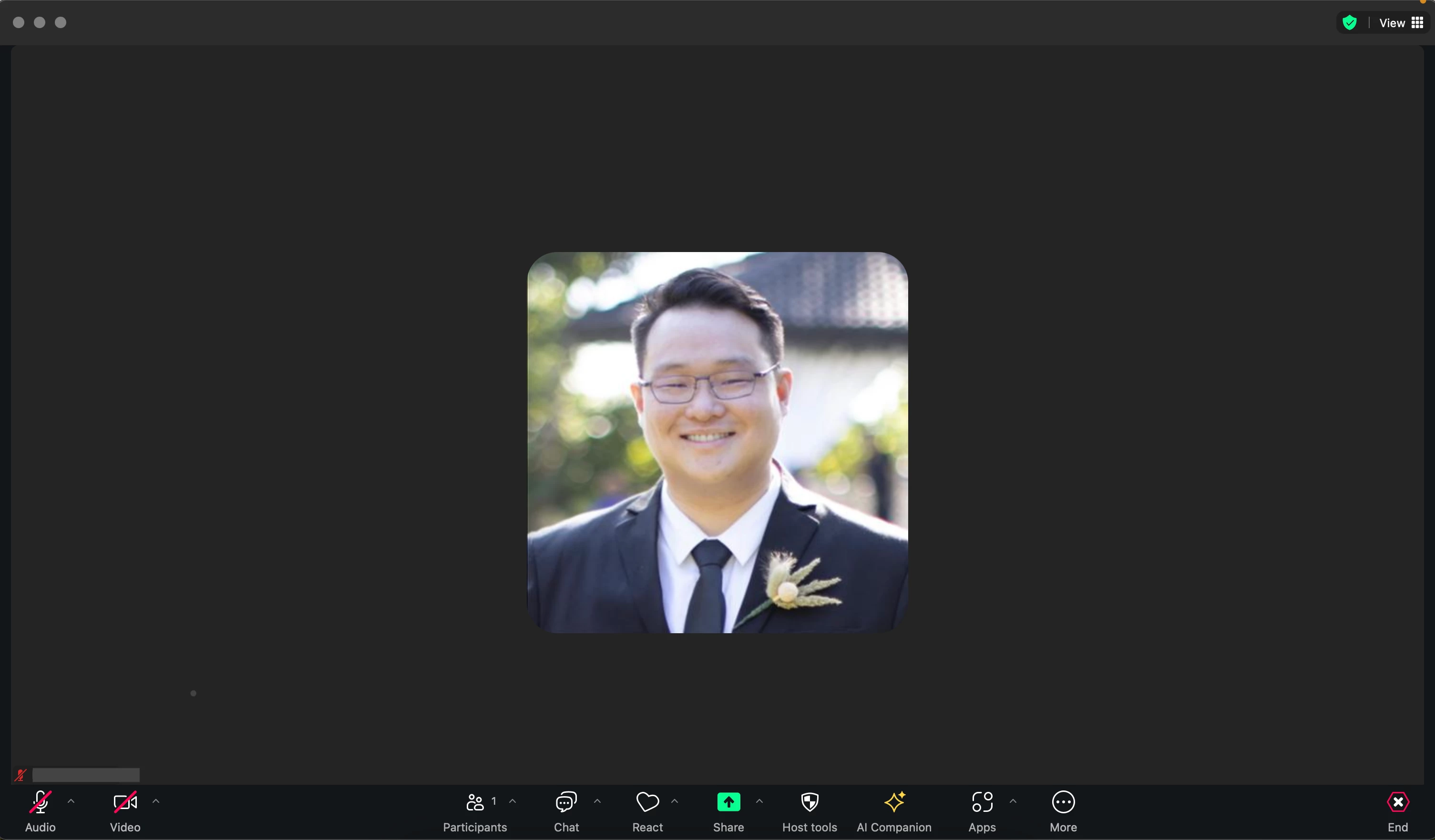
Enhanced Visibility & Personalized Workflow:
- Goodbye, Hunting for Icons: We've made the icons easier to see at a glance, streamlining your navigation.
- Tailored to You: Now you can customize the toolbar layout! Drag and drop frequently used icons (like share or reactions) to a location that suits your workflow best.
Default Tool Placements:
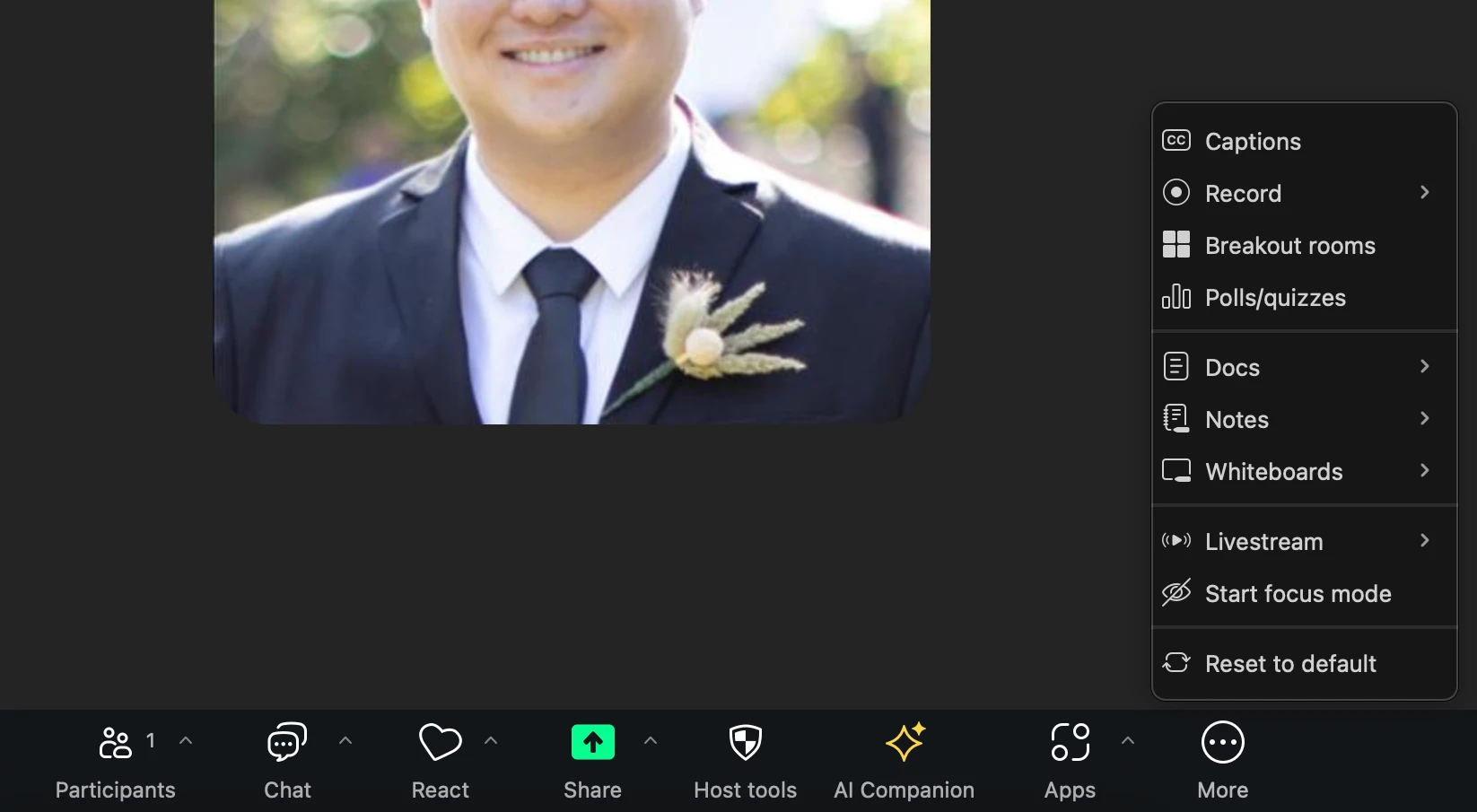
Sample Personalized Tool Placements:

Make the toolbar work for you by arranging the tools the way you like! Choose the option that best suits the overall tone of your communication.