

Did You Know Zoom Now Has Docs, Slides, & Spreadsheets? Here's Why I'm Excited.
Okay, I have to share this because I feel like not enough people are talking about it.
Zoom just rolled out three tools that I think are going to change how a lot of us work — Zoom Paper, Zoom Slides, and Zoom Sheets. And yes, they are exactly what they sound like. A document editor, a presentation builder, and a spreadsheet tool — all living inside Zoom.
I know what you might be thinking: "Do we really need another doc tool?"
Please hear me out.
Zoom Paper — For Everything You'd Normally Open a Doc For
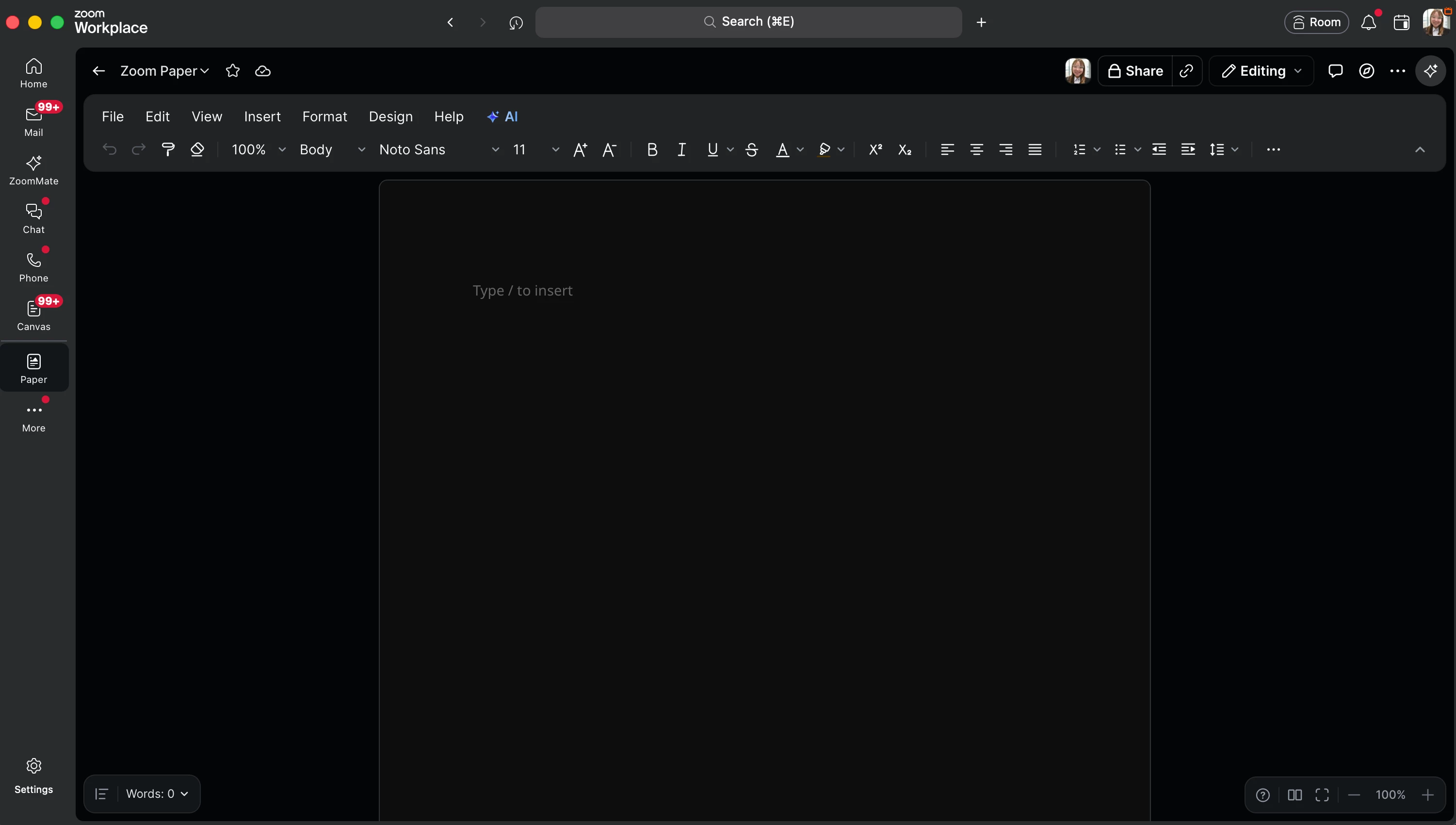
Zoom Paper is a full collaborative document editor built right into Zoom. You can:
- Create and format documents from scratch
- Leave comments and collaborate with teammates in real time
- Organize and share docs within your Zoom workspace
- Export to Word, Google Docs, or PDF when you need to share outside of Zoom
No extra subscriptions. No switching apps. Just open it and start writing.
Zoom Slides — Because Your Next Presentation Shouldn't Take All Day
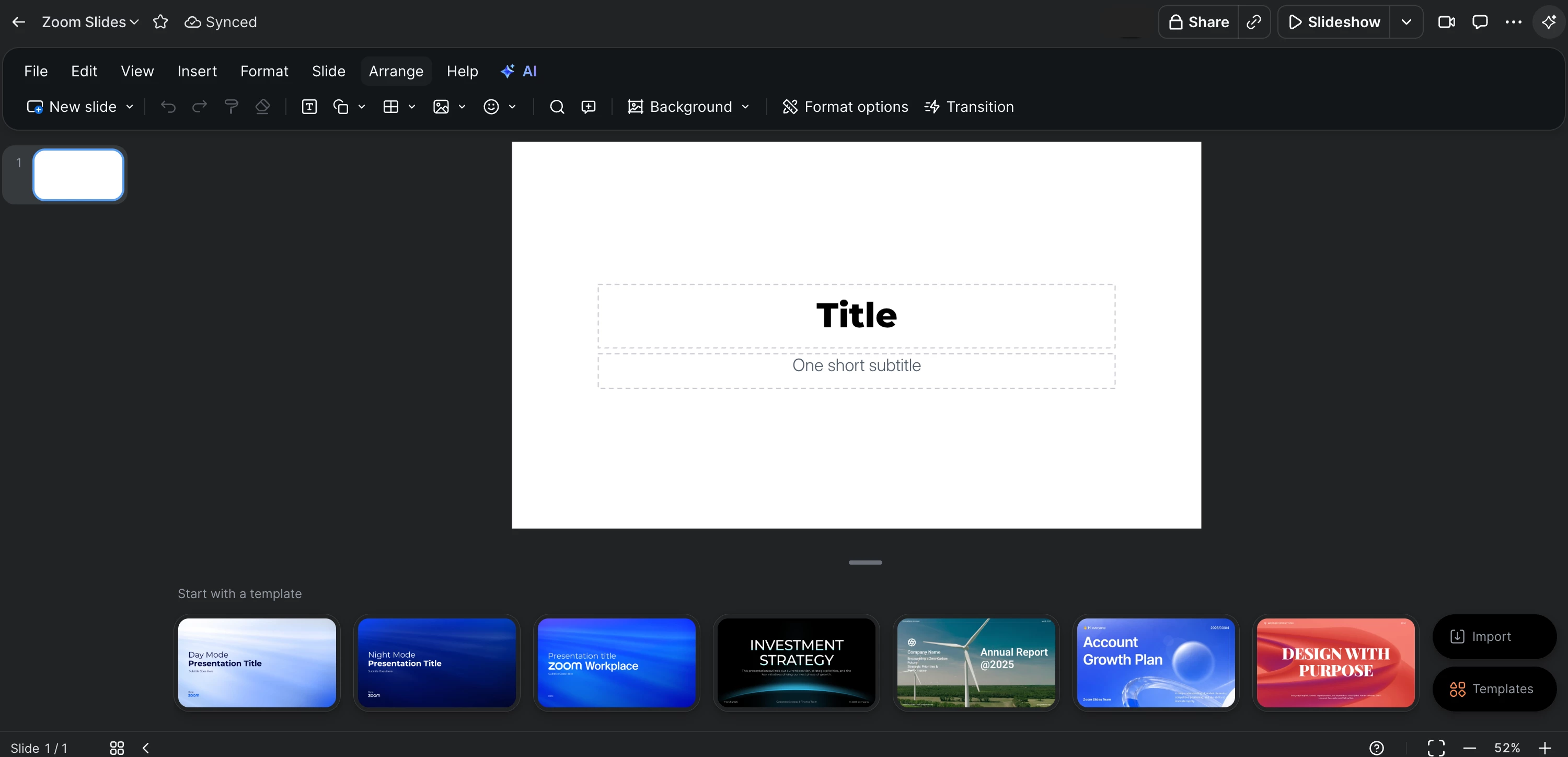
Zoom Slides is a presentation builder that lives inside your Zoom workspace. With the free version, you can:
- Build slides with formatting, transitions, and media
- Co-edit with your team in real time
- Present directly from your Zoom meeting, no screen sharing workarounds needed
- Export to PowerPoint or PDF anytime whenever you need it
It's straightforward, it works, and it's already there waiting for you.
Zoom Sheets — Spreadsheets That Finally Fit Into Your Workflow
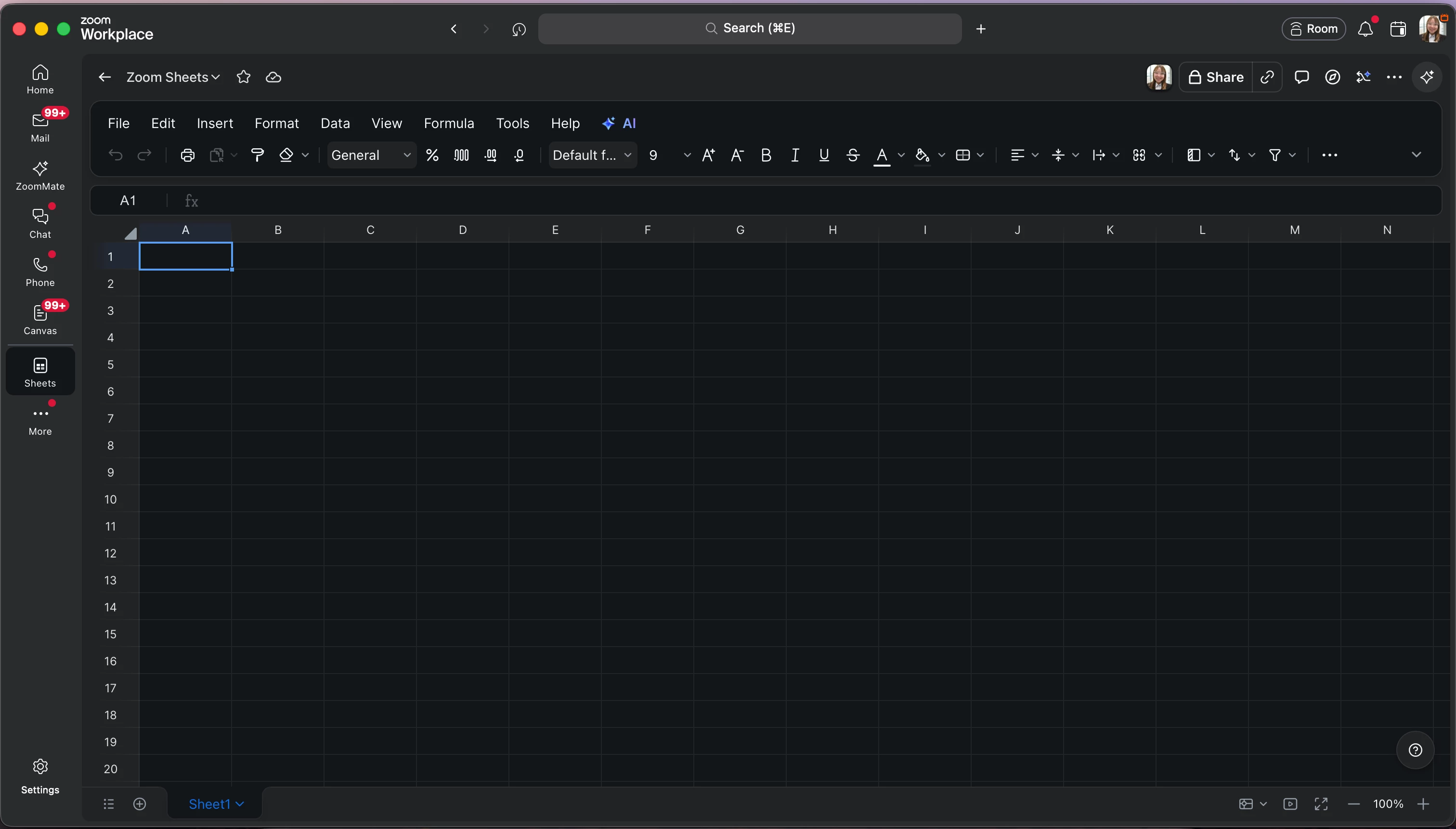
Zoom Sheets brings spreadsheet functionality into your Zoom workspace. Out of the box, you can:
- Create and edit spreadsheets with standard formulas and formatting
- Collaborate with your team on the same sheet simultaneously
- Keep data updated in real time across your team
- Export to Excel whenever you need it
No more emailing files back and forth. It's all in one place.
Here's the Part That Actually Got Me
It's not just that these tools exist, it's that they're connected to everything else in Zoom. Your meetings, your chats, your files. You wrap up a call and you can immediately start building on what was just discussed. No switching apps. No losing momentum. Just one workspace that actually works together.
That's the part that makes this feel different from just "another productivity tool."
Using ZoomMate or the AI Productivity Suite Add-on? You're Going to Love This Even More.
Everything I mentioned above? That's all free. But if you have the ZoomMate or AI Productivity Suite add-on, these tools go even further. The add-ons can automatically draft a document recap in Zoom Paper after your meeting, generate a presentation in Zoom Slides from your discussion points, or organize your data into Zoom Sheets — without you lifting a finger. It takes all that post-meeting work that used to eat up your afternoon and just handles it.
The free version alone is already worth exploring. ZoomMate just makes it feel like a superpower.
If you haven't tried them yet, here are a few places to explore to get you started:
Zoom Paper - https://support.zoom.com/hc/en/paper?id=paper
Zoom Slides - https://support.zoom.com/hc/en/slides?id=slides
Zoom Sheets - https://support.zoom.com/hc/en/sheets?id=sheets