How do you disable spelling and Grammar checking despite it being disabled in Operating System? | Community
Skip to main content
New Member
June 1, 2026
Question

How do you disable spelling and Grammar checking despite it being disabled in Operating System?

  • June 1, 2026
  • 1 reply
  • 8 views

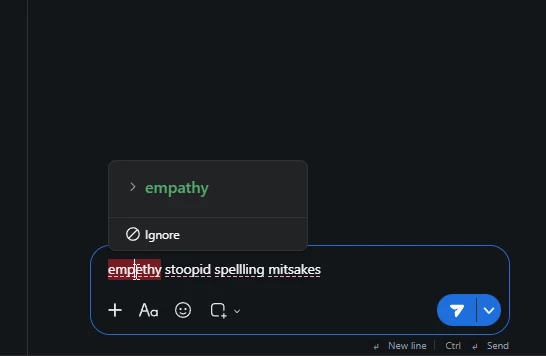
how do i disable the spelling anf grammar checking in the latest version of Zoom workplace chat? I do not have any OS settings enabled and I have even gone so far as to disable spell checking and grammar checking in MS Edge, Brave and via GPO abd yet it still persists in Zoom. There are no Zoom settings available to turn it off


    1 reply

    TrishGallardo
    Employee
    Employee
    June 1, 2026

    Hi Emm Ess,

    Thanks for reaching out. I understand you’d like to disable spelling and grammar checking in Zoom Workplace Chat.

    Here’s how this currently works:

    1. On macOS:
      Zoom includes its own Spelling and Grammar setting that controls spell check and auto‑correction within chat.

      • Go to Zoom Workplace → Settings → Team Chat (or the relevant tab).
      • Look for the Spelling and Grammar option and uncheck it to disable spell and grammar checking 1.
    2. On Windows or Linux:
      At this time, Zoom does not provide an in‑app option to disable spelling or grammar checking 1.

      • OS‑level, browser, or Group Policy settings do not affect Zoom’s internal text input system, so disabling them externally will not stop spell checking in Zoom 1.
      • There is no available toggle in the Zoom Workplace app for these platforms.
    3. Workarounds:

      • If the spell check is distracting, you can compose messages in an external editor (like Notepad or TextEdit) and paste them into Zoom Chat.
      • Alternatively, you can submit feedback to Zoom requesting a Windows/Linux toggle for this feature.