


Why no Toggle Headings in Canvas?
Okay… so forget the title of this topic! With a little more experience, I’ve determined that Toggle Headings is indeed “a thing” in Zoom Canvas… it just works a bit differently.
The issue is really just in my head: I’ve been fooled by Notion into thinking that having the ability to create a Toggle Heading is a good thing. But the reality in Zoom Canvas is much, much better: Every Heading is a toggle heading! You don’t create a Toggle Heading specifically when you want one. I’ll say it again: Every Heading is a toggle heading!
Simply create headings at the appropriate levels. A Heading Level 1 in Canvas will show the triangle when you hove over it:
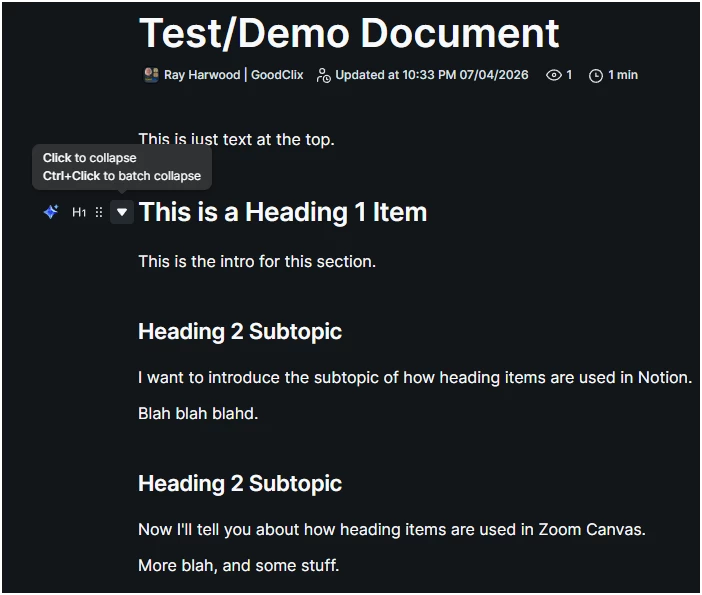
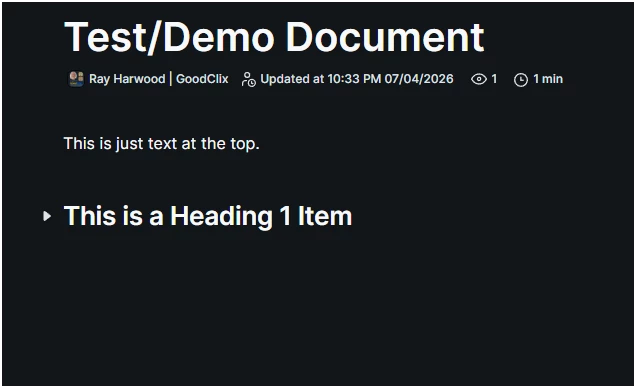
See the “Click to collapse”. Clicking on that at the Heading 1 level give you this:
Now if I click it again to expand, and then click the next Heading 2 item, I get this:
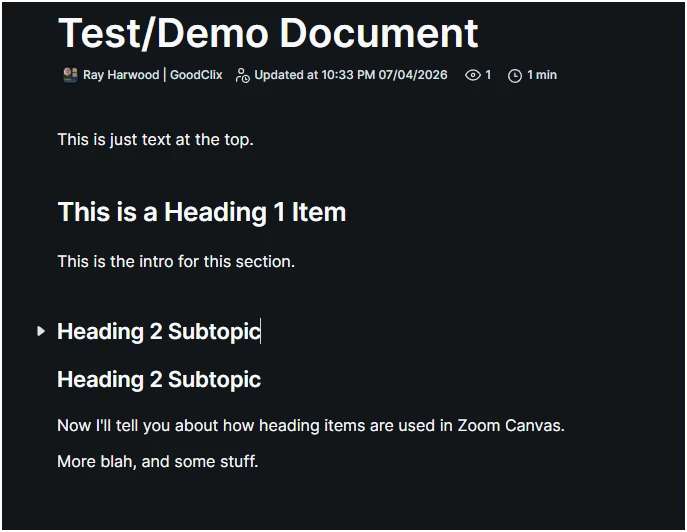
Only the first Heading 2 Subtopic is collapsed and the remaining/succeeding ones are left expanded.
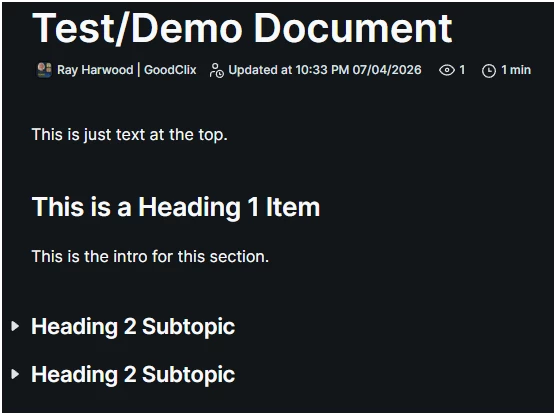
If I click the first one to expand it, and then hold down Control when I click it again, it will collapse all headings at that level. Here you see that this collapsed both Heading 2 sections:
Try it! You’ll get the hang of it. Having “Toggle Headings” everywhere is convenient if you want them, and not a problem if you don’t! Don’t want toggle headings? Just don’t click the triangle!
I’ll leave the original posts here and below:
I’ve really been trying to convince myself to move from Notion to Zoom Hub/Canvas. I’ve got two things holding me back.
No Toggle Headings
I did a command comparison from Notion to Zoom Canvas. The difference in most cases is small, either a slightly different word (Notion’s /heading vs Zoom’s /header) or completely different words (Notion’s /checklist or /task vs Zoom’s /todo or /to-do list).
The one major difference to me is the lack of “Toggle Headers”. In case you’ve never seen it, it’s basically a Heading 1, 2, or 3 that has a “twirl” arrow in front of it. Pointing down, everything under the heading is exposed. Click once to point right (laterally), and all of the content underneath the Toggle Heading is hidden.
This one feature is that allows me to navigate larger documents easily, especially those that are journaling or archival in nature, where I only want to see the body of a section *when I want to see it*, and most of the time just the headings are enough to get me where I want to go.
Example: There’s text in both of these major headings…

Lack of Top-Level Structure
Update! Silly me, it’s been a while since I deep-dived (dove?) into my Zoom Docs… and now I see the New+ button also reveals a New Folder option! So half of my problem is solved!. I’ll leave my original comment here for posterity’s sake...
The other thing that bugs me is the lack of an upper-level structure for everything. Notion has the concept of the Teamspace, which I use for my own segmentation of documents -- without a team. I’m not deep enough into the new Zoom Hub to know if I can do something like that here, but the idea of having to hang all of my documents from “the root”, and nest documents within documents to obtain a structure -- well, I know Notion does that too… but there’s that “top level” that helps me keep my internal projects separate from my client projects, and my journaling/archival space separate from my active/detail spaced.
What do you do?
So I’m here asking for input from people who’ve done a lot more of this than I have, and hopefully have more insight into how to make my brain comfortable with the Notion to Zoom transition.