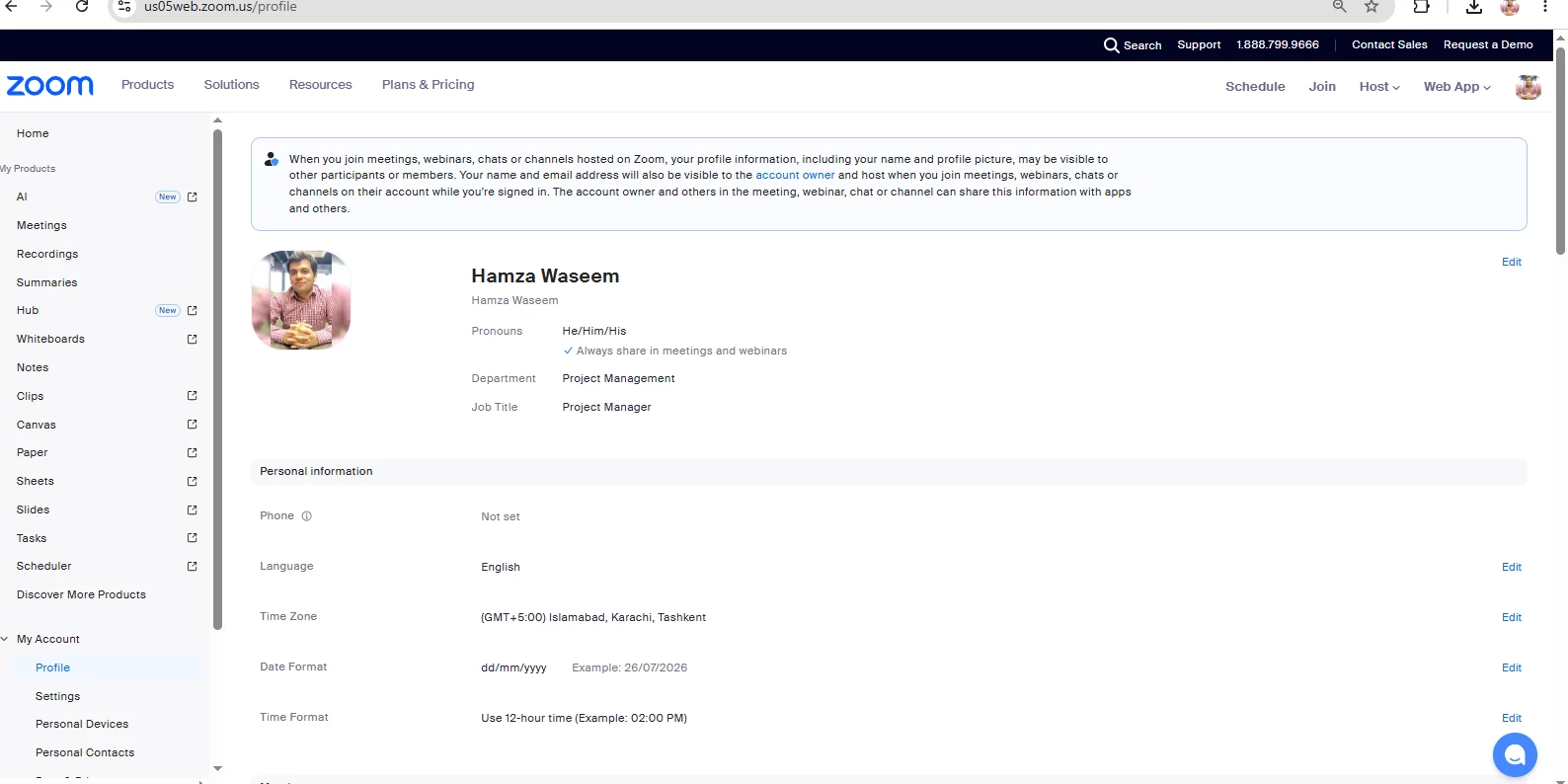

Unable to add or edit phone number in Zoom profile - Add/Edit link disappears after page loads
Hi,
I am trying to add/edit the phone number in Zoom Web Profile (Profile > Personal Information),
but the Phone field’s Add/Edit control disappears after the page finishes loading. and shows greyed out “Not set”
Other profile fields still show Edit links. (attached image)
The issue happens across multiple browsers (Chrome, Edge, Firefox) disabling extensions, including checking in Incognito, and even after clearing Zoom site data - so it appears account-specific or a Zoom-side UI issue rather than a browser cache problem. Have the browser updated to the latest version
Looking forward to insights on solving this, and yes I am on the basic plan, adding a phone number or reason should be clearly visible.
I am also unable to create a support tick/support case to report this bug, it seems that my account is “SUPPORT_FREE_ACCOUNT” so it doesn’t give me an option to create a support ticket
Looking forward to further insights.
Regards,
Hamza Waseem