

Broken language error | Community
Skip to main content
Newcomer
July 13, 2023
Question

Broken language error
  • July 13, 2023
  • 1 reply
  • 0 views

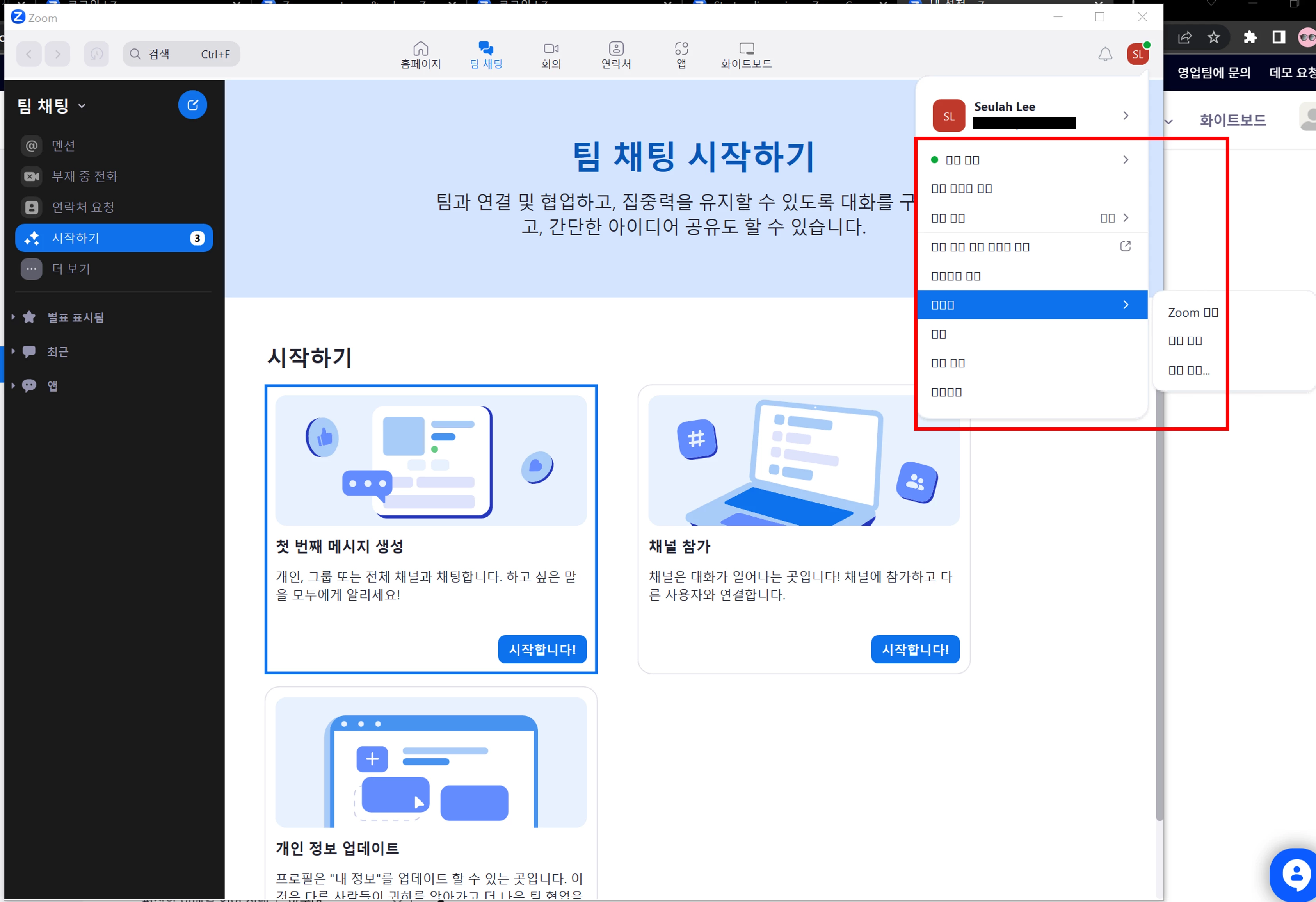
Some of the zoom (logout button) and most of the icons and participant names during the meeting are broken and only appear as rectangles. I'm using Windows 10, and I've tried reinstalling zoom, changing Windows settings..., but the error is not resolved. Zoom version is 5.15.3. Help me!

1 reply

Newcomer
July 13, 2023

Hi SLee1,

Try going to your Zoom settings by clicking on the gear just under your profile name then choose the View more settings link at the bottom to launch the web browser settings: 

Then under Profile, change your language to something else, then change it back to Korean and see if it refreshes the font.

If that doesn't work, it may be a bug with the newest Zoom version and you should report it to Zoom support.