
Meeting Summary not rendered | Community
Skip to main content
Newcomer
June 7, 2024
Solved

Meeting Summary not rendered

  • June 7, 2024
  • 4 replies
  • 16 views

Yesterday I turned on meeting summary, as I have done for other meetings in the past,  but it didn't render and there's no record of it on my Zoom account. Is there any way to find it if it exists?

Best answer by MGSR

Welcome to the Zoom Community @HeidiK312 and @LB222222! We sincerely appreciate your contribution to bringing up this issue and sharing it with the community. Such participation is highly encouraged, as it allows other users to provide solutions and assistance.

We would advise to login to your web profile, click on AI Companion and meeting summary. 
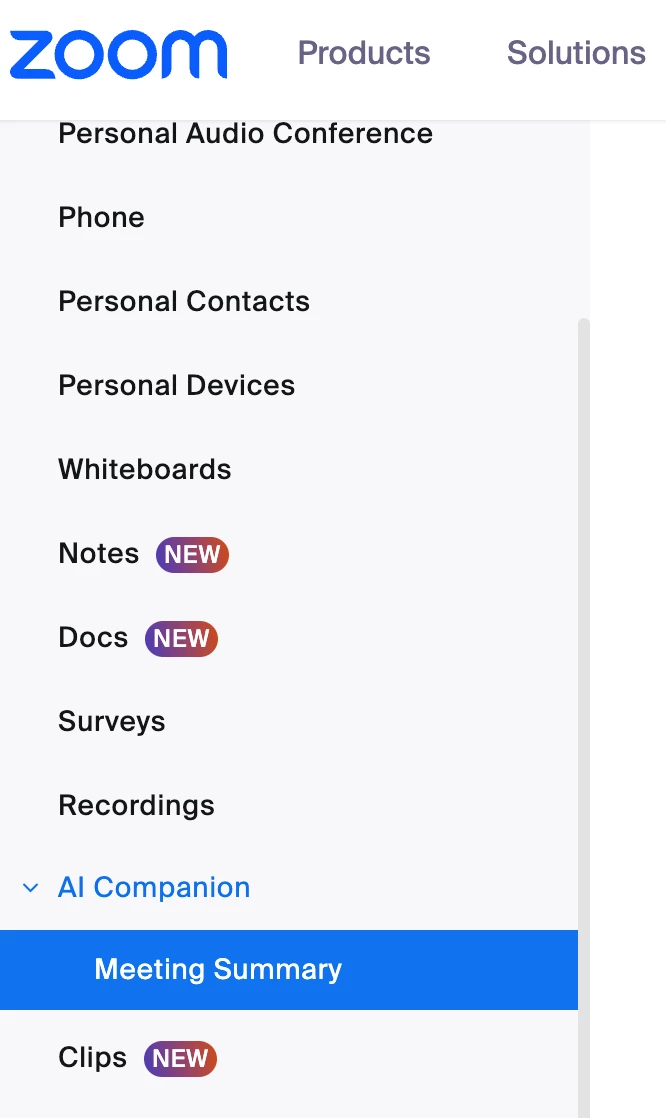
 
If you did not receive an email but you are sure that it was recorded, you should find the recording here.

Should you need further assistance, please let us know.

Thank you, and have a fantastic day!

4 replies

Newcomer
June 14, 2024

Yesterday I had the same problem and I'm certain I saw the little star logo in the top left corner of the Zoom Meeting,,,,,,, What are my solutions to find it?


MGSR
Community Manager
MGSRAnswer
Community Manager
June 14, 2024

Welcome to the Zoom Community @HeidiK312 and @LB222222! We sincerely appreciate your contribution to bringing up this issue and sharing it with the community. Such participation is highly encouraged, as it allows other users to provide solutions and assistance.

We would advise to login to your web profile, click on AI Companion and meeting summary. 

 
If you did not receive an email but you are sure that it was recorded, you should find the recording here.

Should you need further assistance, please let us know.

Thank you, and have a fantastic day!

Newcomer
June 16, 2025

I had the same problem today. It worked perfectly in the past (I use one-on-one) and today, nothing. It is not in this location you are suggesting, and the meeting was 2 hours ago. I
 do not record these meeting, no reason or need the companion, but the summary is great! 

MGSR
Community Manager
Community Manager
June 21, 2024

Hi @HeidiK312 

Did you see the previous response?
If it has resolved your inquiry, please press the Accept as Solution.

Should you need further assistance, please let us know.

Have a great day!

MGSR
Community Manager
Community Manager
June 28, 2024

Hi @HeidiK312 

Given the time elapsed since we last heard from you, I've taken the liberty of marking the provided answer as the solution.
Should you need further assistance, please let us know.

Have a great day!