How to Access AI Summaries | Community
Skip to main content
Explorer
January 18, 2025
Solved

How to Access AI Summaries

  • January 18, 2025
  • 3 replies
  • 27 views

Hi,

I have a Workplace Pro account. It says I have access to AI Companion. When I set up a meeting a meeting, I select the meeting summary option under Advanced, I think. However, so far I have not been able to locate the summaries. I also record the videos and can find them. 


Help please!
Best answer by Dons2

Hi, 

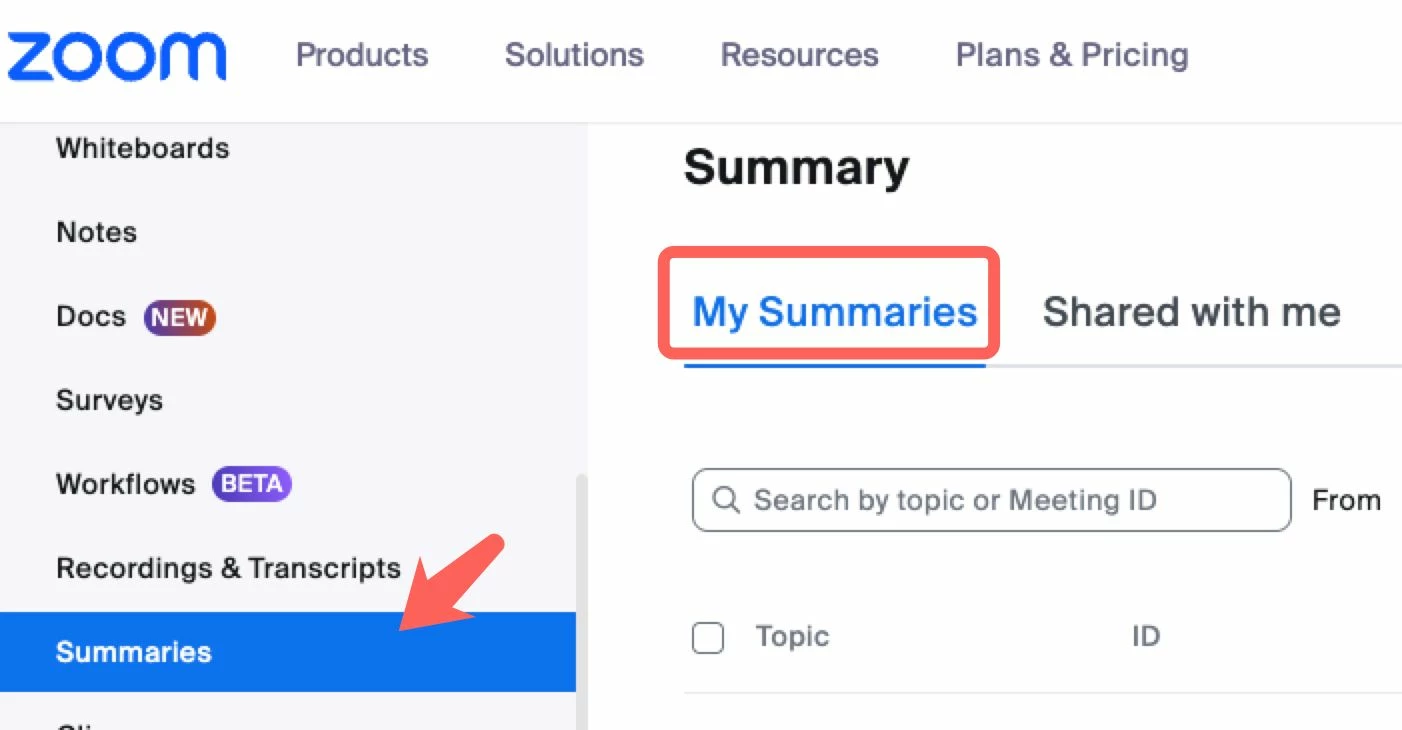
You can see it under the Summary tab in the web portal.

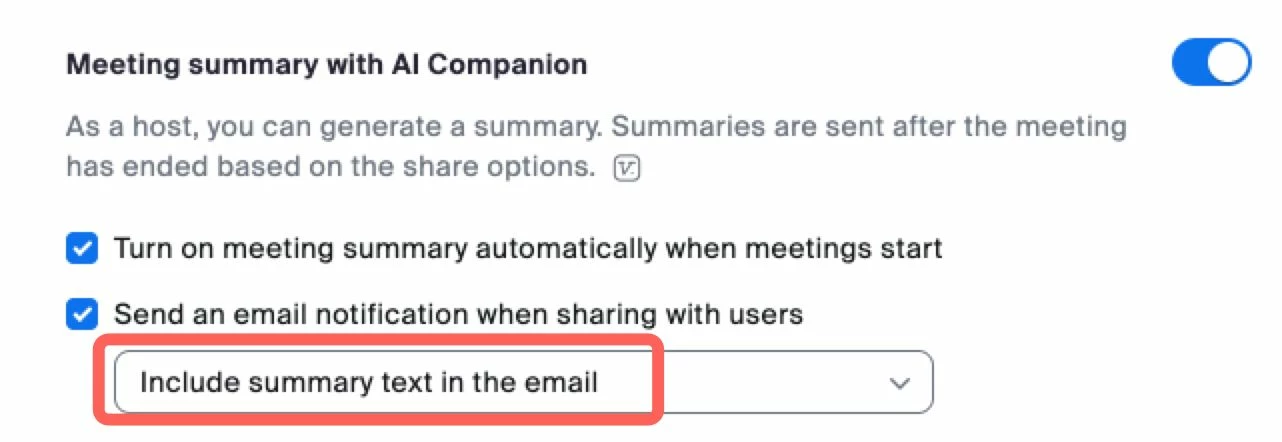
Or, when enabled to receive via e-mail


Thank you. Found it.


3 replies

Newcomer
January 20, 2025

Same for me. They worked until recently - I need them back!

Community Champion | Employee
January 20, 2025

Hi Meline, 


Hi Dons2, 


Thanks for reaching out! I hope you are well. 

Can you please review your settings? Please see the article guide on how to enable  AI Companion .

Community Champion | Employee
January 20, 2025

Hi Dons2, 


I hope you are well. 

Can you please review your settings? Enabling AI Companion "Meeting Summary" is not in the "Advanced" tab. It should be enabled under the AI Companion Settings.  

Dons2Author
Explorer
January 23, 2025

Sorry for the delayed reply. I found where to activate the AI Companion and turned on with various options. I conducted a meeting with these settings. Now how do I locate the summary etc that were created?

Thank you. 

Community Champion | Employee
January 23, 2025

Hi, 

You can see it under the Summary tab in the web portal.

Or, when enabled to receive via e-mail


Newcomer
January 26, 2025

How do you edit the summaries?  Can you ask the AI to make the summary in a customer facing email format?


Community Champion | Employee
January 27, 2025

Hi, 


Yes, you can edit the summary via the web portal. Under your Profile, go to Summary and look for the edit option. 

However, the Zoom AI Companion does not support directly formatting summaries into a customer-facing email format.  You can take the AI-generated summary and tailor it into a professional email yourself.