
Cannot disable AI Companion | Community
Skip to main content
New Member
January 22, 2026
Question

Cannot disable AI Companion

  • January 22, 2026
  • 2 replies
  • 54 views

I initially enabled AI Companion and connnected it to my Teams meetings to experience its features, but I disabled AI Companion in my Web admin settings. However, the AI Companion continues to try to join meetings. I confirmed it is disabled in my web portal. I tried to enable again to manually disconnect it from other non-Zoom meetings, but I cannot reenable. I shouldn’t have to do this -- all I want is the Companion to STOP trying to joining my meetings. Any suggestions on how to stop this?

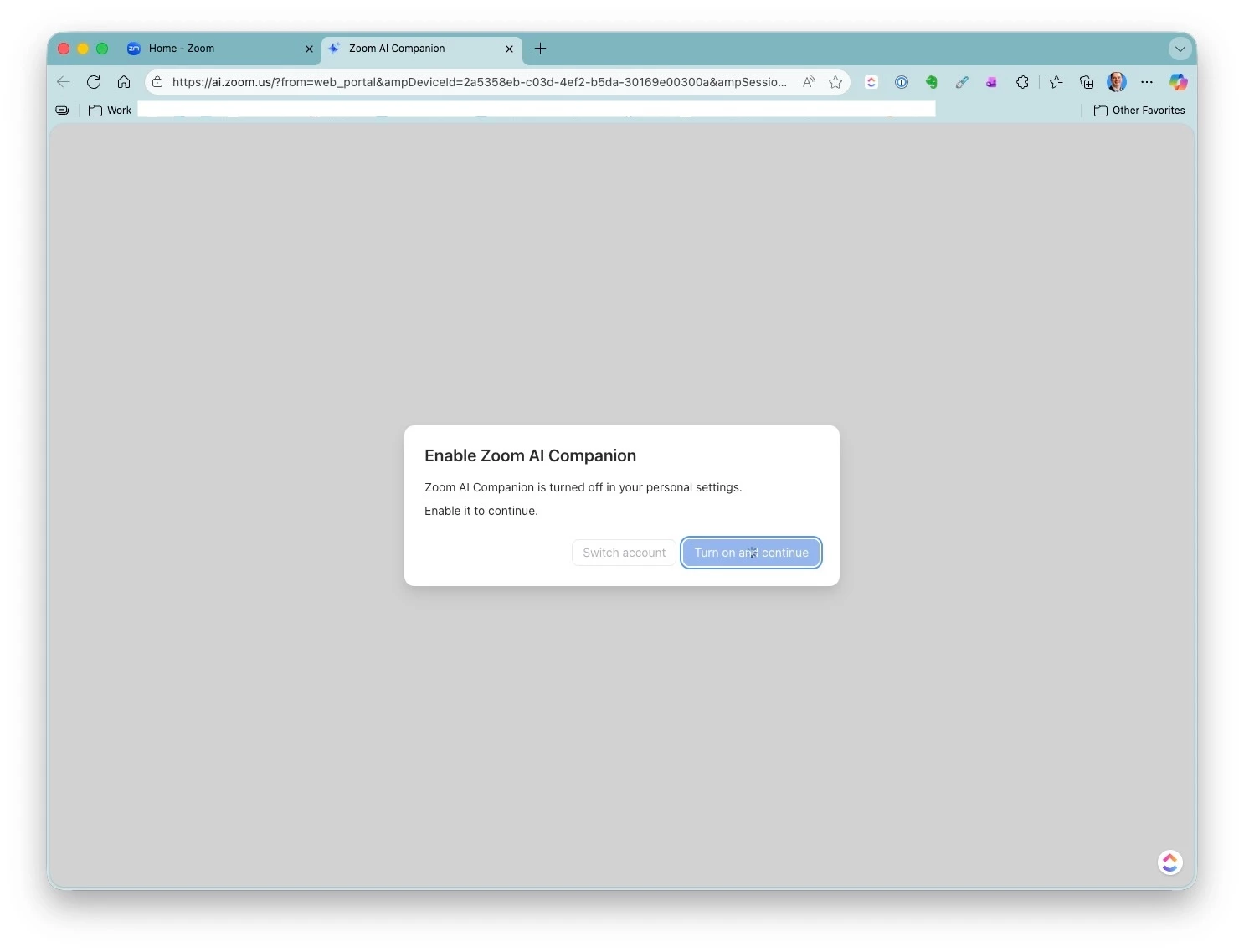
I have attached a screenshot of trying to reenable the Companion to acces the settings -- it never lets me proceed. I continue to see a turning symbol on both Safari and Edge for Mac.
 

2 replies

WencesUnzueta
Community Champion | Customer
January 22, 2026

Hi bsm007, thanks for your feedback.


You might be able to disable the use of external AI from your Microsoft Teams admin account:

Go to Microsoft Teams admin center
Teams apps → Manage apps
Look for:
Recording apps
AI apps
Meeting Assistant/Notetaker apps
Block or unpublish any that aren't approved

bsm007Author
New Member
January 23, 2026

I figured it out. I was able to disable from my Zoom client Accunt settings: https://us05web.zoom.us/profile/setting?mid=&from=client. My mistake is that I kept looking in the AI companion settings which I still cannot access.