

Zoom webinar registration settings | Community
Skip to main content
Newcomer
March 21, 2023
Solved

Zoom webinar registration settings

  • March 21, 2023
  • 1 reply
  • 6 views

I would like to limit the email addresses people can use to register for a Zoom webinar.  For example, I only want people with the email domain "@cooldomainname.com" to be able to register, and I don't want anybody with the domain name "@gmail.com" to register.  Is this possible?  I saw I can block certain domain names from registering, but I can't find a way to whitelist the domain names I want.  Thanks!
    Best answer by anissat

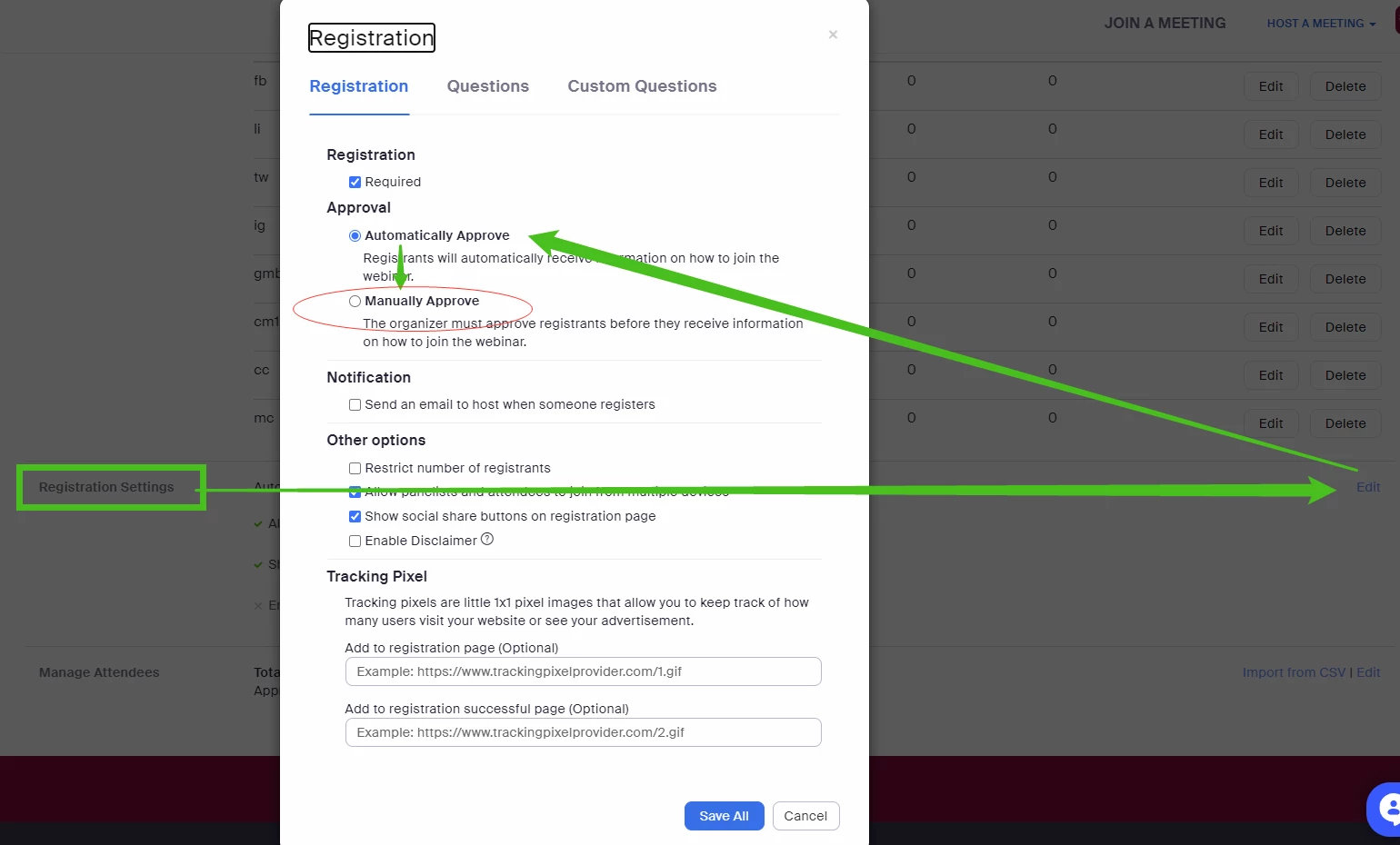
    @bworcester If you don't have full administrative access, here's an alternate (though somewhat less convenient) solution...  Change the default Registration Approval to Manual in your webinar's settings so that you can vet who is allowed in your particular session:


    1 reply

    WencesUnzueta
    Community Champion | Customer
    Community Champion | Customer
    March 21, 2023

    Hi Worcester.


    You can request "user authentication" so that they can enter your session through a specific domain, you configure this when you are programming the session, I attach a screenshot:

    Newcomer
    March 21, 2023

    Unfortunately, I don't seem to have the ability to require attendees to authenticate.  I only can have panelists authenticate.  (see screen shot).  Feels like I'm missing something...

    anissat
    Community Champion | Customer
    anissatAnswer
    Community Champion | Customer
    March 21, 2023

    @bworcester If you don't have full administrative access, here's an alternate (though somewhat less convenient) solution...  Change the default Registration Approval to Manual in your webinar's settings so that you can vet who is allowed in your particular session: