
Solved
PowerPoint during webinar
The PowerPoint slides did not record in our Zoom webinar. Is there a setting that needs to be changed in the settings so the slides will record next time?

The PowerPoint slides did not record in our Zoom webinar. Is there a setting that needs to be changed in the settings so the slides will record next time?
Welcome to the Zoom Community, @gwuZoom.
You don’t mention what you’re doing with the recordings: viewing on-demand, downloading and viewing individual videos , or downloading and editing. There are a variety of settings for Cloud recordings that will produce one or more Share Screen videos. I have a few extra options, but the red-checked ones should be enabled.
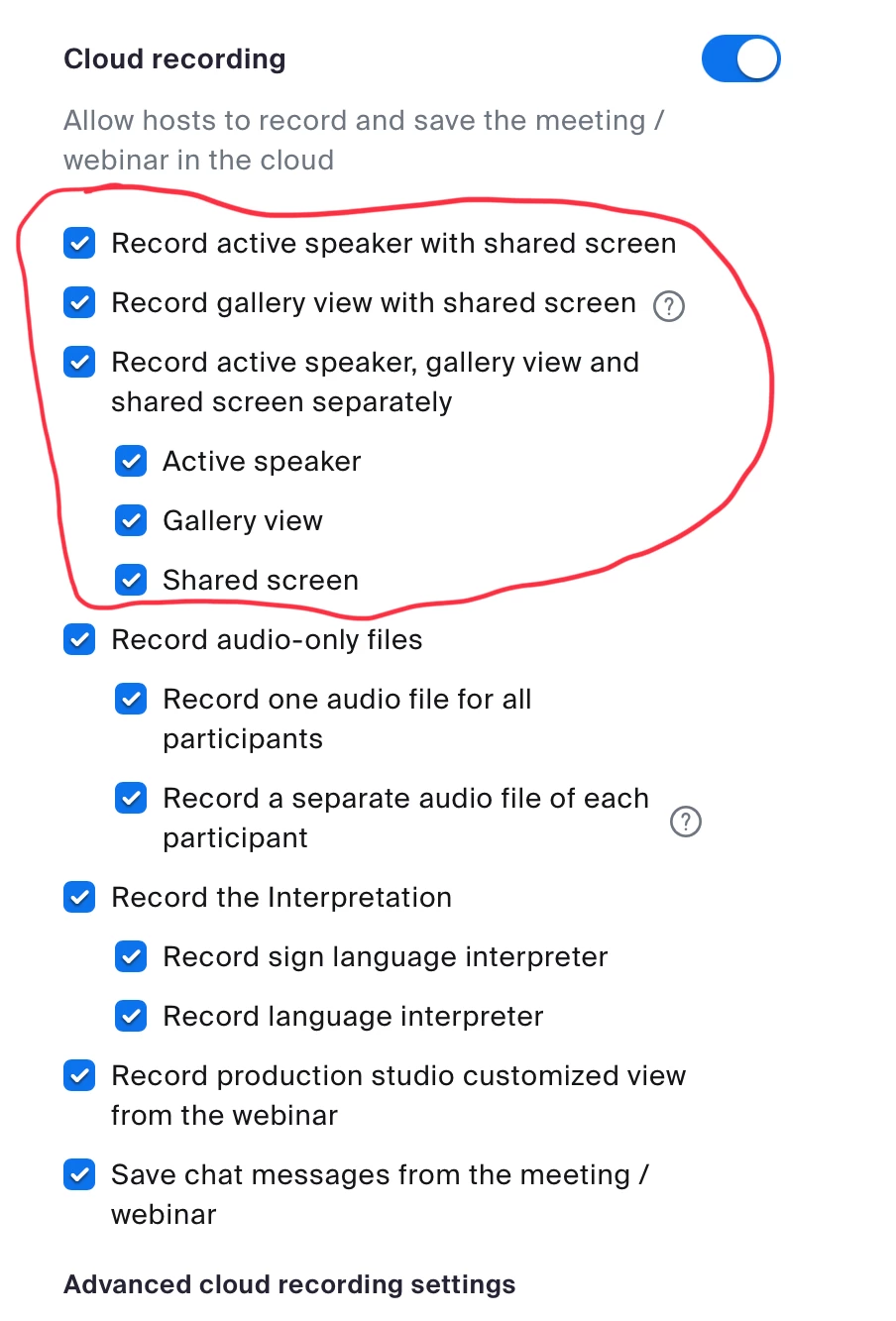
See this Zoom Support article for more information/details on Cloud recording:
https://support.zoom.us/hc/en-us/articles/360060240972-Managing-cloud-recording-settings
Similar settings for local recordings are available in the Desktop Settings, with more info here:
https://support.zoom.us/hc/en-us/articles/201362623-Changing-settings-in-the-desktop-client-mobile-app
Enter your E-mail address. We'll send you an e-mail with instructions to reset your password.