Managing list of Panelists | Community
Skip to main content
Newcomer
January 20, 2022
Solved

Managing list of Panelists

  • January 20, 2022
  • 1 reply
  • 0 views

I want to verify links were sent to a large number of panelists, the webinar summary only shows 10 at a time.

I have the csv that i used to upload, but I would like to review to ensure all links were sent.  Large event with 1000 panelists and 3000 capacity license.  Any suggestions?

    Best answer by beardbrad

    cactech,


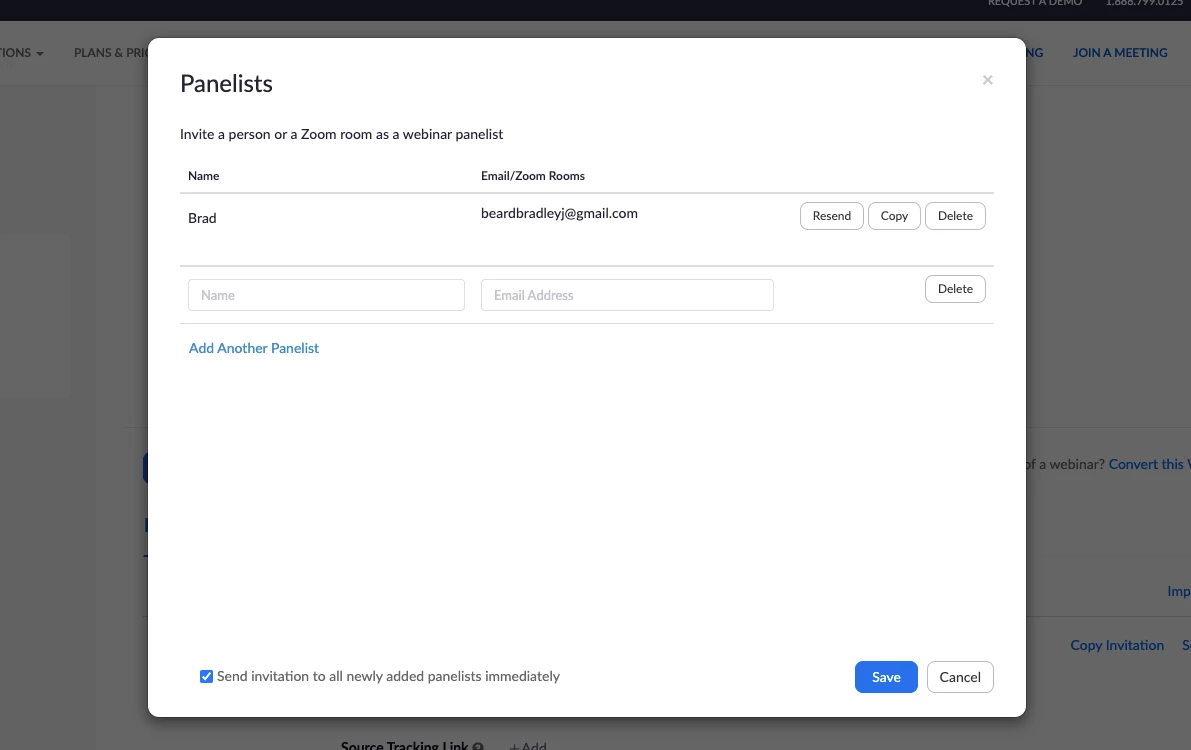
    From the webinar settings you'll see the ability to manage your panelists, see which emails are used for each person, and resend the link if needed. You can access this by clicking on the Webinar tab, clicking on the specific webinar, and scrolling down to the Invitations tab.


    If this helped you, please mark it as a solution so it may help others.


    Brad


    1 reply

    beardbrad
    Community Champion | Employee
    beardbradAnswer
    Community Champion | Employee
    January 20, 2022

    cactech,


    From the webinar settings you'll see the ability to manage your panelists, see which emails are used for each person, and resend the link if needed. You can access this by clicking on the Webinar tab, clicking on the specific webinar, and scrolling down to the Invitations tab.


    If this helped you, please mark it as a solution so it may help others.


    Brad


    beardbrad
    Community Champion | Employee
    Community Champion | Employee
    January 24, 2022

    cactech,


    Checking in to see if this reply helped you. If so, please mark it as a solution so it may help others.


    Brad