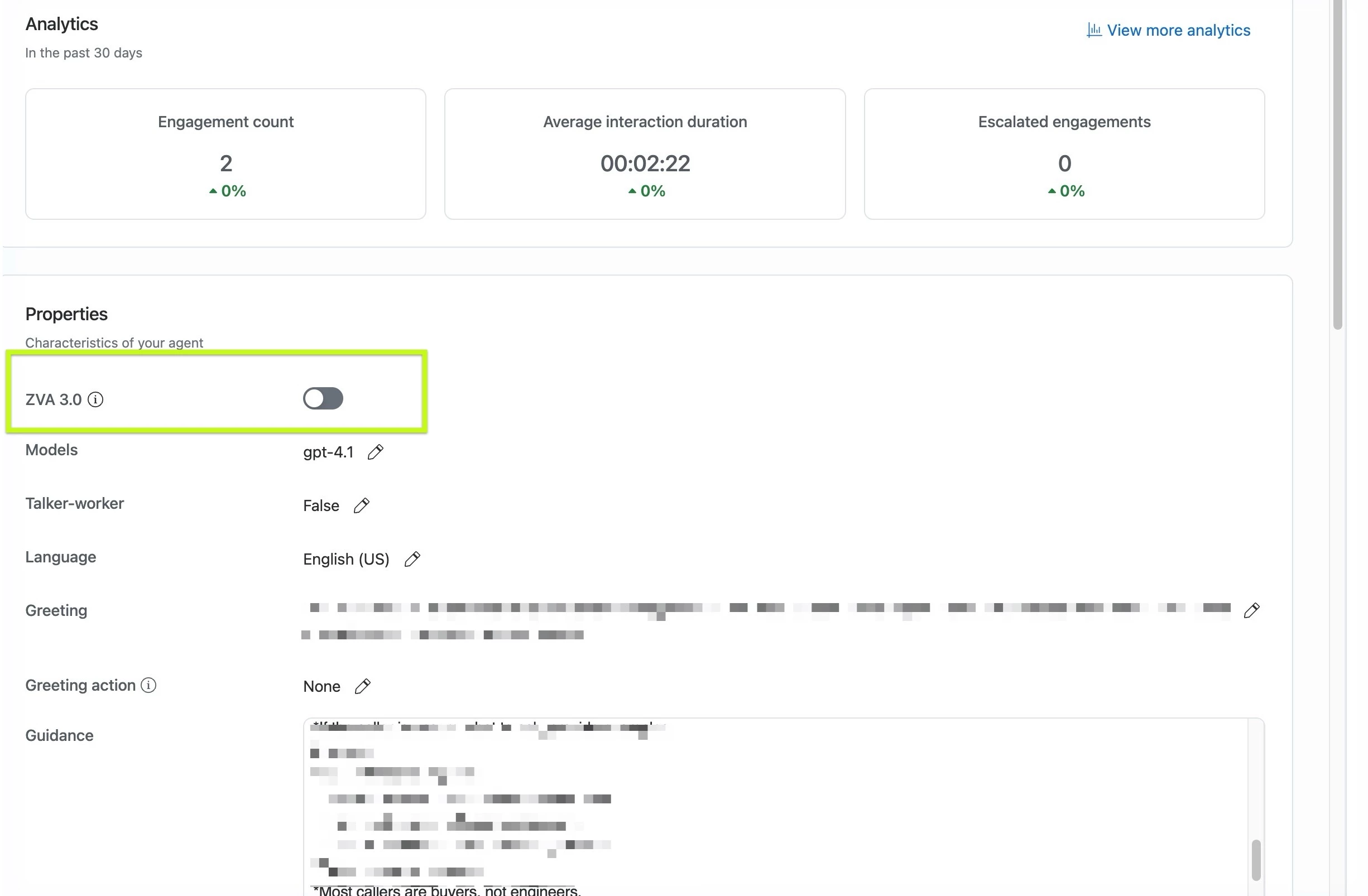
What's the difference with AIC 3.0 and how to do "turn it on" if I have AIC 2.0?
⚫️ Process to test AIC 3.0 and transition your current agent to AIC 3.0:
- Duplicate your existing agent
- Ensure the ZVA 3.0 toggle is enabled on the cloned agent
- Run test scenarios in preview to confirm expected behavior
- (Optional) Once validated, go to your production agent and scroll down to the bottom of the page to find the traffic splitting setting
- (Optional) Start by routing 10% of traffic to the cloned agent with ZVA 3.0 enabled, 90% of traffic to your existing agent.
- (Optional) Monitor containment rate, resolution rate, and surveys to identify any adjustments needed in the ZVA 3.0 agent. Make adjustments and publish the AIC 3.0 agent.
- Gradually increase the traffic routing until you are ready to enable ZVA 3.0 on your production agent. Once you are at 100% of traffic on the AIC 3.0 agent, then you can go back to the AIC 2.0 original version, turn on AIC 3.0 and 100% of traffic on the slider. Delete the test agent.
⚫️ Why did we launch AIC 3.0 or what is different?Read this: https://news.zoom.com/zoom-introduces-zoom-virtual-agent-3-0/
⚫️ Will all active virtual agents still function properly without AIC 3.0?
Yes! But, you should always do some tests to ensure that the way the new orchestration operates in the way that your prompts are crafted. We will be sunsetting AIC 2.0 and making new feautres only compatable with AIC 3.0. So, you’ll want to move within the next three months so you can continue to grow the impact of your virtual agent.
Example:
2 + 1 = 3
1 + 2 = 3
The order of the numbers 2 and 1 does not matter to get the result of "3." But, if YOU care about the order of operations before the end-result, then you should double-check. This is the same way with prompts and the organization of guidance, knowledge base, skills and tools. The end result will be the same for the customer, but if you care about how each get triggered and when they are triggered, test the change to 3.0 before publishing.