

I want participants to edit whiteboard | Community
Skip to main content
Newcomer
June 17, 2023
Solved

I want participants to edit whiteboard

  • June 17, 2023
  • 2 replies
  • 0 views

Hi,

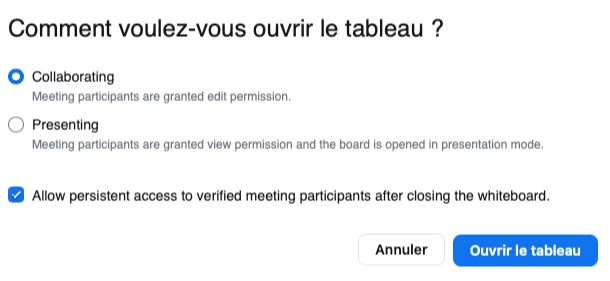
When I share a whiteboard to the participants (meeting), they can't edit it. They can only watch it.

I check the settings and allowed participants to share and so on.
But there is a setting which is in gray and maybe it is in connection with my problem (see screenshots).


Can you help me ?
I have a Zoom One Pro.

Thanks in advance
Best answer by BakerHe

Your setting is correct.


Could you please check if participants'  zoom client version higher than 5.13.5 

If version lower than 5.13.5,  participants can only view the whiteboard, can't edit it.


Checking the Zoom version number doc: 

https://support.zoom.us/hc/en-us/articles/201362393-Checking-the-Zoom-version-number

2 replies

BakerHe
Community Champion | Employee
BakerHeAnswer
Community Champion | Employee
June 20, 2023

Your setting is correct.


Could you please check if participants'  zoom client version higher than 5.13.5 

If version lower than 5.13.5,  participants can only view the whiteboard, can't edit it.


Checking the Zoom version number doc: 

https://support.zoom.us/hc/en-us/articles/201362393-Checking-the-Zoom-version-number

AnneOFAuthor
Newcomer
June 20, 2023

I BakerHe,


Thanks for your reply. I finally found that it was because of the old version of Zoom and computer.
You are right.


Thanks for your help.

Newcomer
December 11, 2023

Hi! I'm running into the same problem, but I have the 5.16.10 version. Can anyone help?

Newcomer
December 27, 2023

I found a solution that worked but now I cannot find the link to it. Here is what I did: Home/Admin/Account Management/Whiteboard (NOT Whiteboard Management; use right arrow to find Whiteboard tab)/[Make sure all options are toggled on]. "Allow whiteboards to be saved to cloud" was off and when I turned it on, invitees were able once again to access their tool menu and edit. Default must have changed during last update or something.


Newcomer
January 5, 2024

Thank you! That works for me too!!


Ali