
cancel
Showing results for 
Search instead for 
Did you mean: 
Effective January 9th, 2026 through January 22nd, 2026: The Zoom Community is currently in read-only mode with login disabled, to deliver you a new and improved community experience!

The site is still accessible to view, however, the ability to login, create content, or access your community account is temporarily unavailable. We appreciate your patience during this time. If seeking support, please browse existing community content or ask our Zoom Virtual Agent.

Webinar attendee toolbar now has options under a Settings icon as if someone is attending a meeting

Librarycat
Community Champion | Customer

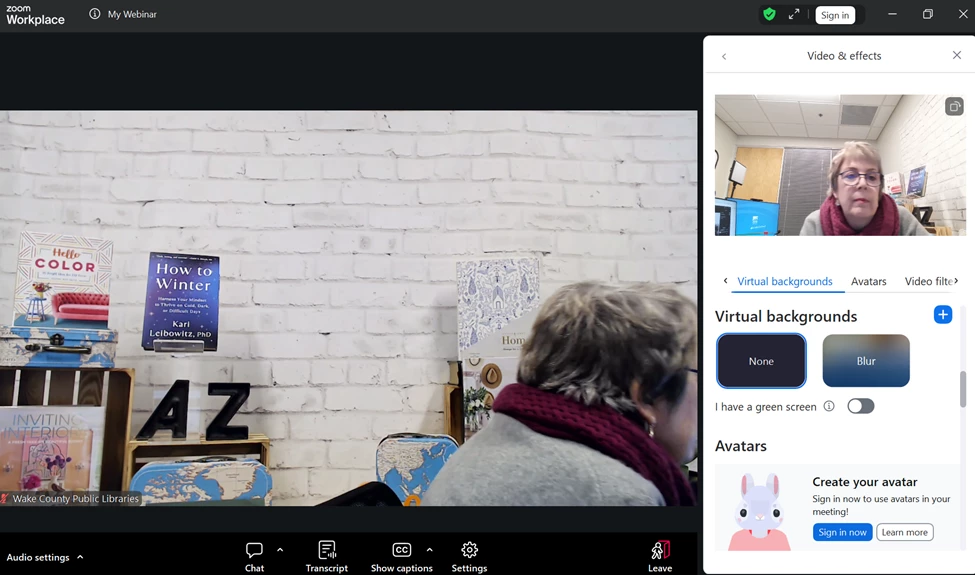
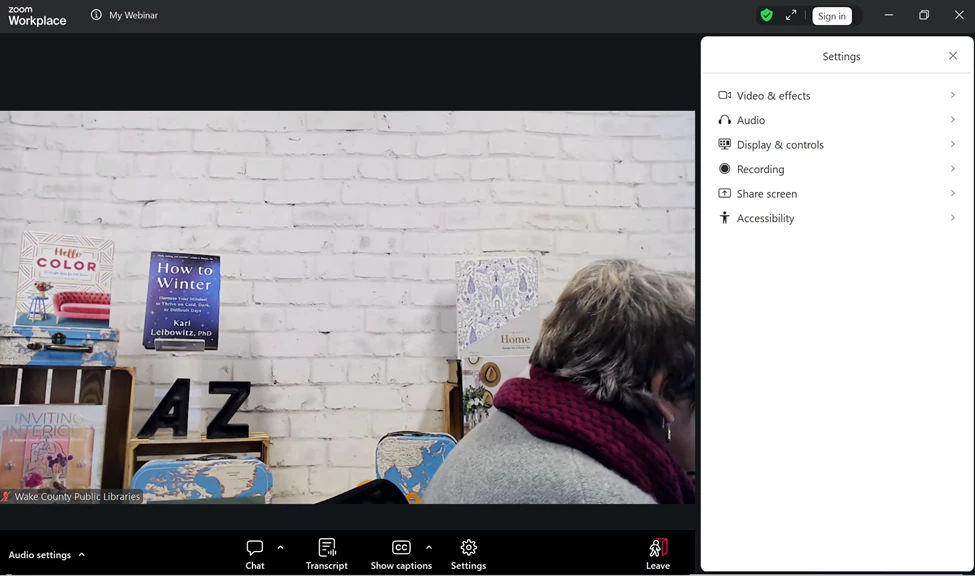
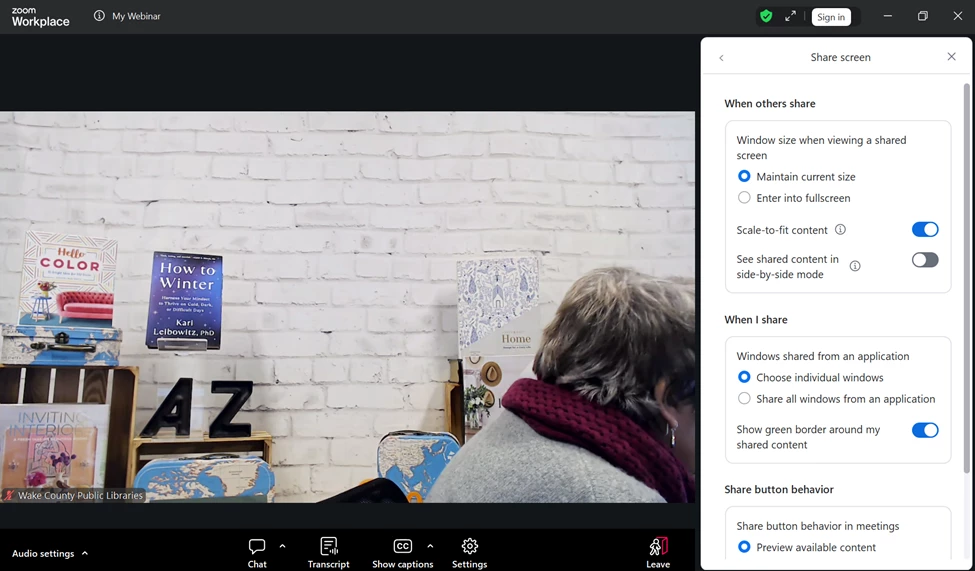
This is INSANELY confusing as a webinar attendee.  There is now an icon for SETTINGS on the attendee tool bar and it looks like the options one would have as a Meeting participant. As a host I do not see any way to turn these off. I hope to hades this is a bug that can be fixed because my attendees are going to be SO confused. As a webinar attendee they don't need to see these as options, even if it isn't really an option - for example, they cannot turn on their video yet they get a video preview as a webinar attendee as if it were an option.


Is there a new setting as a webinar host that I am missing to turn off these options from attendees even seeing them?
 

Librarycat_2-1767459015653.png


Librarycat_0-1767458794743.png

Librarycat_1-1767458946346.png


1 ACCEPTED SOLUTION

Ray_Harwood
Community Champion | Customer

Hey, @Librarycat.


The redesign of the settings in general was a topic on a recent episode of a Zoom Test Kitchen I listened in on recently. I certainly would not have done it this way – but I don’t have the benefit of input from a large base of users.  


And while I see use cases where allowing Webinar attendees to check their audio and video before attending is a good thing (some hosts frequently invite attendees to speak or even join the panel “on stage”), I see a lot of merit to it defaulting to “off” unless a Host wants users to see it.


We get plenty of comments on issues here in the Community that are really split – half hate it, half love it – so chime in regularly!


Use the Feedback in the Workplace > Help section to make your voice heard. 


Ray -- check out the GoodClix website.

View solution in original post

3 REPLIES 3

Librarycat
Community Champion | Customer

@Ray_Harwood - any ideas? This is so odd.

Ray_Harwood
Community Champion | Customer

Hey, @Librarycat.


The redesign of the settings in general was a topic on a recent episode of a Zoom Test Kitchen I listened in on recently. I certainly would not have done it this way – but I don’t have the benefit of input from a large base of users.  


And while I see use cases where allowing Webinar attendees to check their audio and video before attending is a good thing (some hosts frequently invite attendees to speak or even join the panel “on stage”), I see a lot of merit to it defaulting to “off” unless a Host wants users to see it.


We get plenty of comments on issues here in the Community that are really split – half hate it, half love it – so chime in regularly!


Use the Feedback in the Workplace > Help section to make your voice heard. 


Ray -- check out the GoodClix website.

Librarycat
Community Champion | Customer

Ray, as always, thank you. I need to give feedback on this - this might be the thing that pushes away from Zoom after five years and 40K+ attendees. Some of our attendees can't even figure out how to silence chat previews - we need the interface to be as locked down as we can manage as hosts. Thanks for the test kitchen link, I keep meaning to tune in!