

Want customized waiting room for Zoom Webinars, holding Jpeg or video in Webinar waiting room | Community
Skip to main content
Newcomer
June 10, 2024
Solved

Want customized waiting room for Zoom Webinars, holding Jpeg or video in Webinar waiting room

  • June 10, 2024
  • 1 reply
  • 0 views

I would like to customized a waiting room for Zoom Webinars with a holding Jpeg or video in Webinar. This would be for attendees to see before the Webinar starts. I know this is possible for Zoom Meetings, but why not for Webinars?
    Best answer by Ray_Harwood

    Welcome to the Zoom Community, @Ishojer.


    Actually, Zoom recently released customized Waiting Rooms for Webinars (not like a meeting Waiting Room, but that place you go to while waiting for the webinar to start). However, there is a requirement to have a Zoom Events or Sessions license as a prerequisite. It’s unclear whether this restriction will be removed in the future.


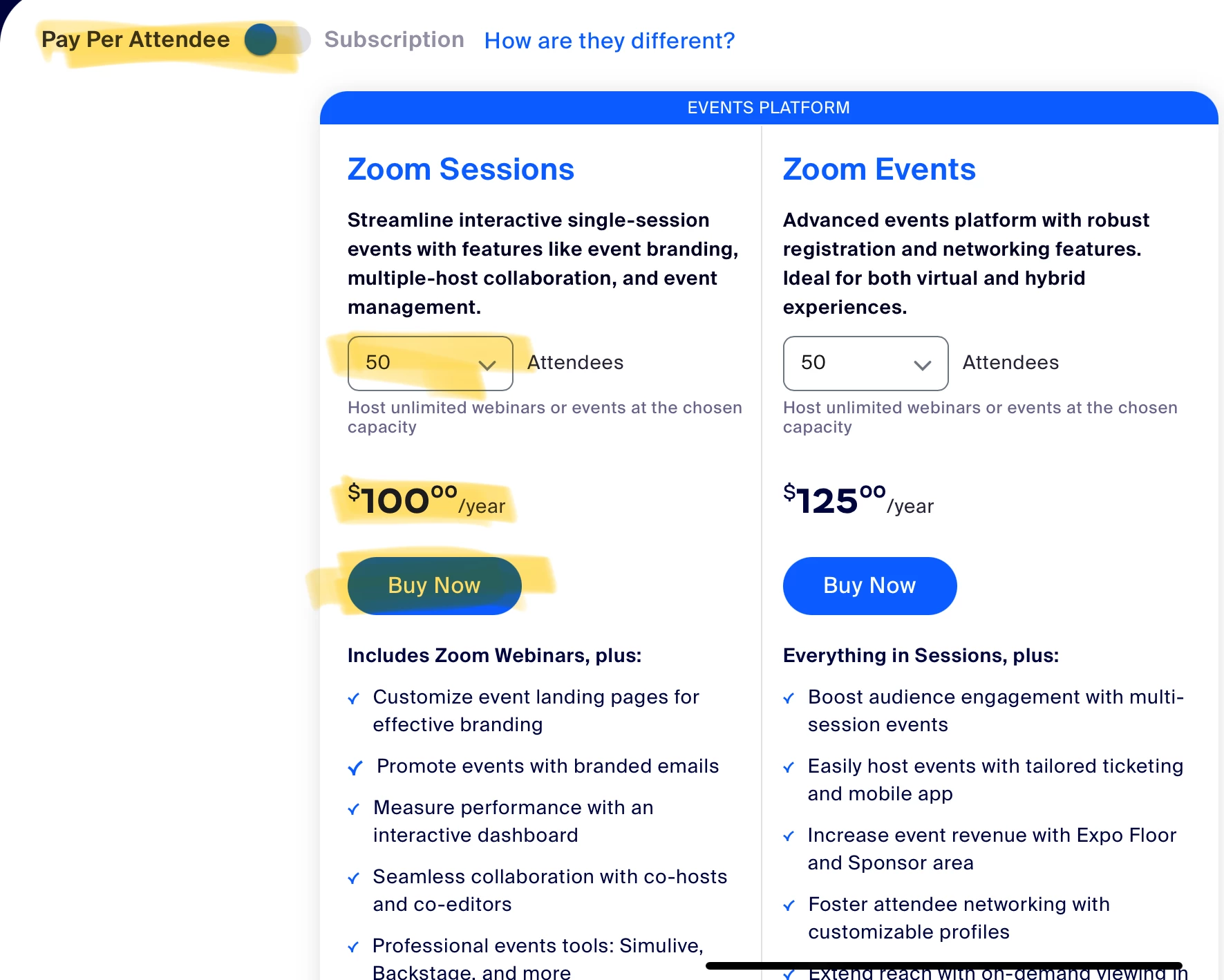
    You can purchase a Zoom Sessions Pay Per Attendee 50 license for $100:

    There are several other benefits to having a Zoom Events/Sessions license, including access to Backstage, Production Studio, and Simulive. 

    1 reply

    Ray_Harwood
    Community Super Champion | Customer
    Community Super Champion | Customer
    June 10, 2024

    Welcome to the Zoom Community, @Ishojer.


    Actually, Zoom recently released customized Waiting Rooms for Webinars (not like a meeting Waiting Room, but that place you go to while waiting for the webinar to start). However, there is a requirement to have a Zoom Events or Sessions license as a prerequisite. It’s unclear whether this restriction will be removed in the future.


    You can purchase a Zoom Sessions Pay Per Attendee 50 license for $100:

    There are several other benefits to having a Zoom Events/Sessions license, including access to Backstage, Production Studio, and Simulive.