My video thumbnail is not showing up in my webinar recordings | Community
Skip to main content
Newcomer
January 27, 2022
Solved

My video thumbnail is not showing up in my webinar recordings

  • January 27, 2022
  • 2 replies
  • 0 views

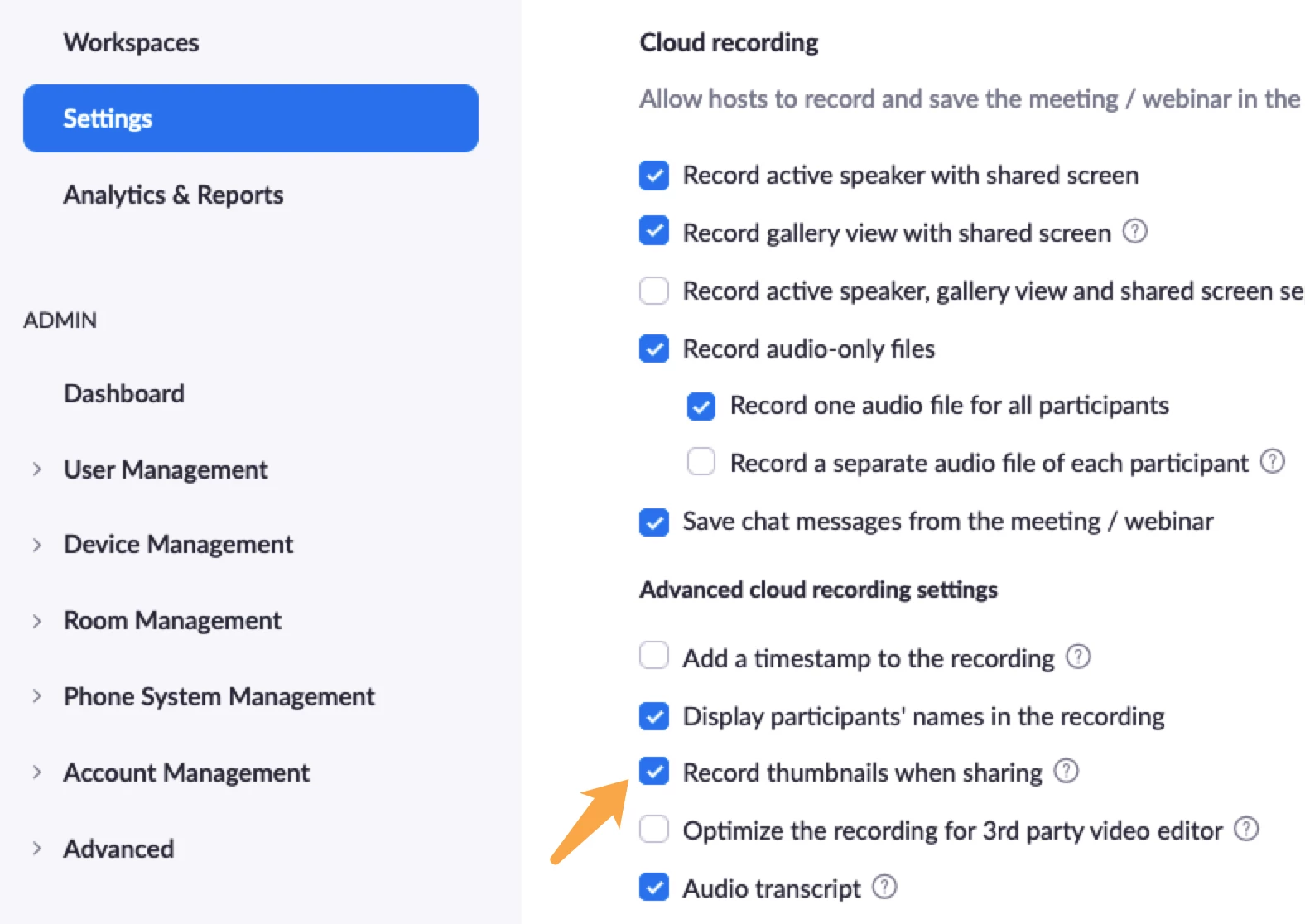
Greetings all. When I record my webinars to the cloud, my video is not showing up in the corner. I've tried both of these settings. What am I doing wrong? I'd appreciate any direction. 


Record active speaker with shared screen
Record gallery view with shared screen
    Best answer by jeremyjustin

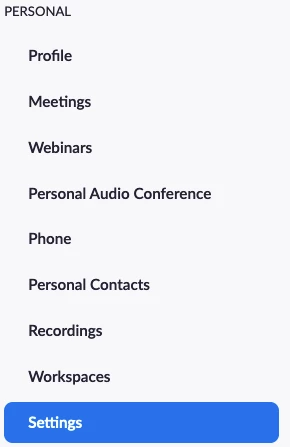
    Hi @plohnes thank you for your post here on the Zoom Community! Can you please double check something by signing into the Zoom portal and under the "Personal" section click on Settings

    Then the "Recording" tab at the top, and just double check that your settings are correct, especially the "Record thumbnails when sharing" setting


    If this has answered your question to your satisfaction, please click the "Accept as Solution" button below but if not please reply and we can continue the  discussion. Thank you!

    2 replies

    jeremyjustin
    Community Champion | Employee
    Community Champion | Employee
    January 27, 2022

    Hi @plohnes thank you for your post here on the Zoom Community! Can you please double check something by signing into the Zoom portal and under the "Personal" section click on Settings

    Then the "Recording" tab at the top, and just double check that your settings are correct, especially the "Record thumbnails when sharing" setting


    If this has answered your question to your satisfaction, please click the "Accept as Solution" button below but if not please reply and we can continue the  discussion. Thank you!

    plohnesAuthor
    Newcomer
    January 27, 2022

    Dang it! I missed that. Thank you so much! 


    jeremyjustin
    Community Champion | Employee
    Community Champion | Employee
    January 27, 2022

    You are so welcome! Thanks for responding back here and closing the loop  😀

    Newcomer
    February 10, 2022

    Related to this subject, I just recently had a webinar and it only recorded in audio. I didn't have the 1st two-3 boxes checked, and it was assumed it will automatically record. Is there any way to retrieve a video or am I stuck with the audio?