
Solved
Is it possible to share TWO WEBINAR screens at once?
I have a PRO WEBINAR ACCOUNT....I would like to
1. Share two screens at once.
2, Enable my audience to watch either of the two, at the same time.
Is this possible?

I have a PRO WEBINAR ACCOUNT....I would like to
1. Share two screens at once.
2, Enable my audience to watch either of the two, at the same time.
Is this possible?
From what I can see, it looks like the only way to share multiple screens at once is through multiple people. You might be able to do a partial work-around where you can extend the shared area over two screens so people can see both at once, but I don't think Zoom is set up to allow people to toggle between your multiple screens.
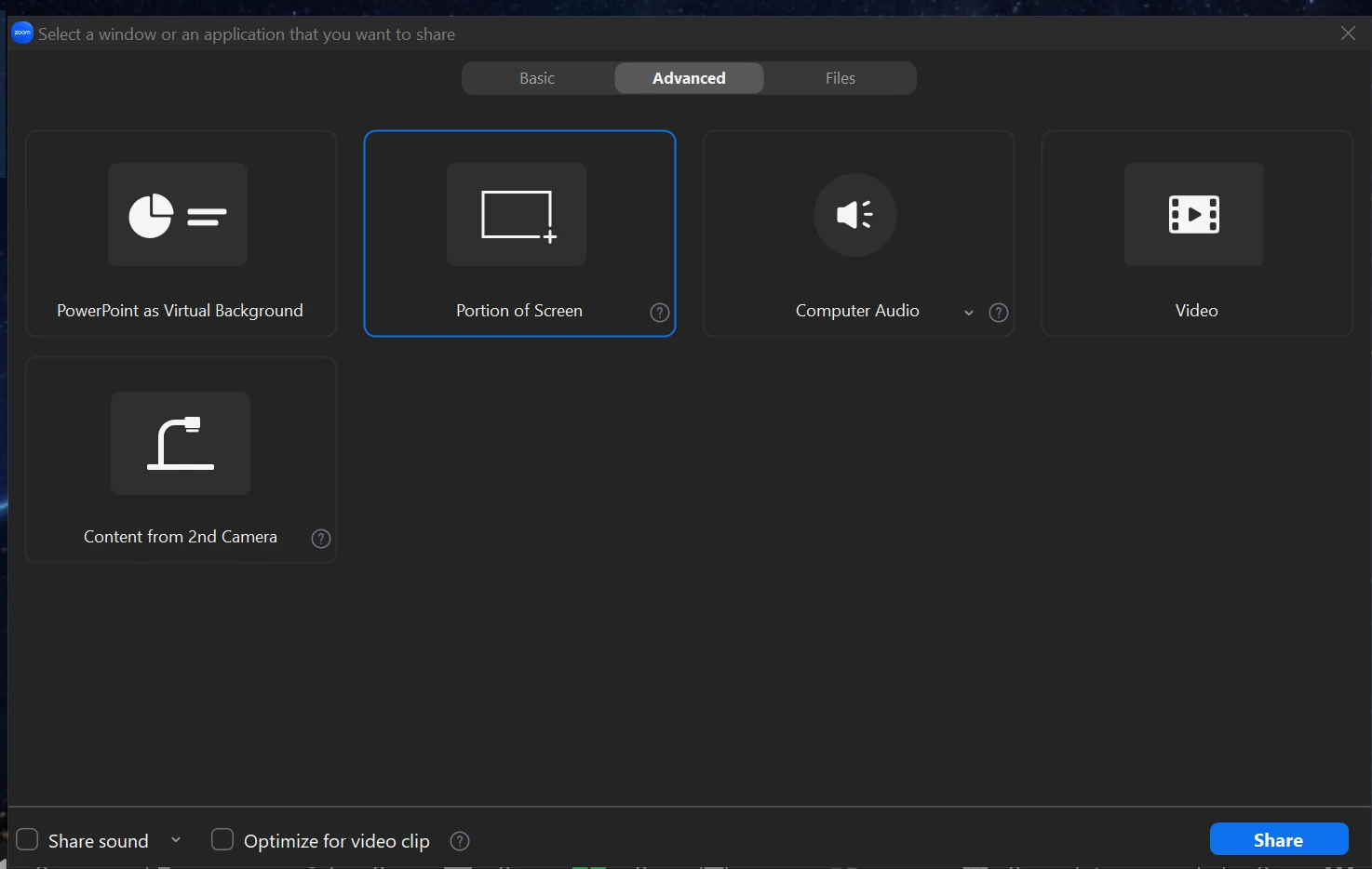
If you want to try out the potential extended screen option, you can start a meeting, then Share Screen, choose Advanced at the top, and then Portion of Screen, Then you can drag the edges to take up both of your monitors.
Enter your E-mail address. We'll send you an e-mail with instructions to reset your password.