Yealink device - "You need to upgrade Zoom Rooms system to use Zoom service" error | Community
Skip to main content
Newcomer
November 21, 2024
Solved

Yealink device - "You need to upgrade Zoom Rooms system to use Zoom service" error

  • November 21, 2024
  • 2 replies
  • 2 views

Just recently purchased a new Zoom Rooms setup (Yealink A10 with CTP18 controller) but after pairing them and upgrading firmware on both, I went to sign into Zoom but before I can put in my activation code to assign a license, it's given the error of 'You need to upgrade Zoom Rooms system to use Zoom service.' However, it doesn't give me the ability to do so anywhere in the zoom settings screen and therefore is unusable at the moment. Because it's not assigned to our Zoom account yet, I can't do it remotely either.


Firmware for both is on the latest versions. Zoom version is showing as 5.15.1.
Best answer by bstrelko

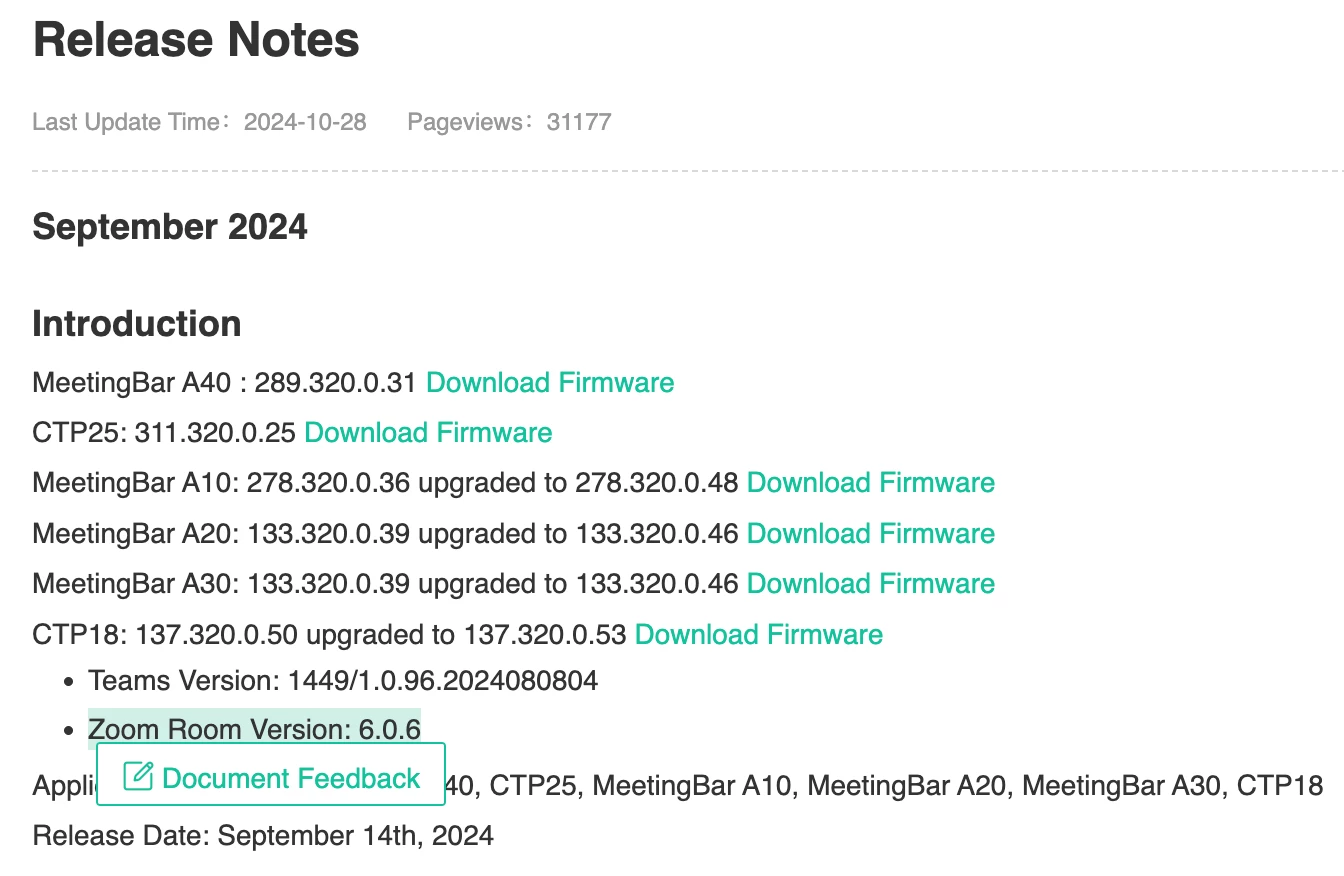
Based on the Zoom Rooms release bundled with Yealink firmware (see release notes here: https://support.yealink.com/en/portal/knowledge/show?id=6459d53b0a11b818a75424ba) it would appear that you are one version behind latest Yealink fw.


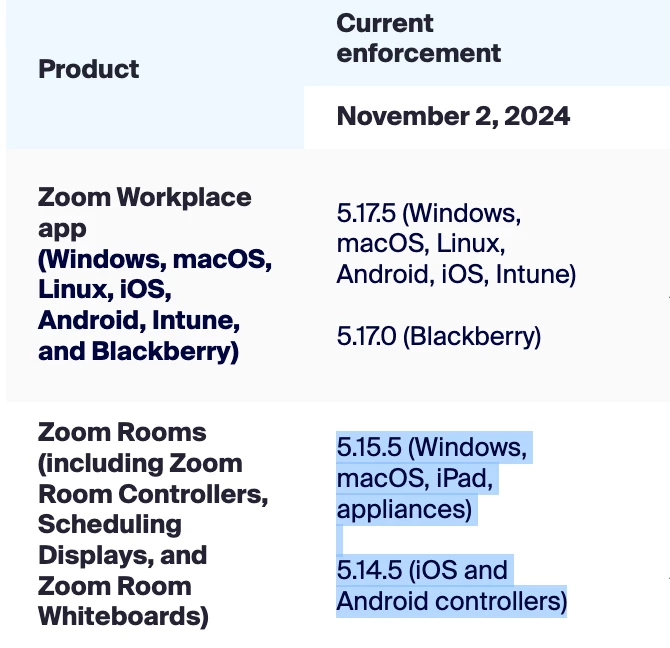
Try uploading latest (September 2024) firmware to your device manually via upload on the devices' respective UIs - this should bring you up to Zoom Rooms 6.0.6, which conforms with Zoom's quarterly lifecycle policy and should allow you to assign to room, then update via Zoom Admin Portal.


2 replies

bstrelko
Community Champion | Customer
bstrelkoAnswer
Community Champion | Customer
November 24, 2024

Based on the Zoom Rooms release bundled with Yealink firmware (see release notes here: https://support.yealink.com/en/portal/knowledge/show?id=6459d53b0a11b818a75424ba) it would appear that you are one version behind latest Yealink fw.


Try uploading latest (September 2024) firmware to your device manually via upload on the devices' respective UIs - this should bring you up to Zoom Rooms 6.0.6, which conforms with Zoom's quarterly lifecycle policy and should allow you to assign to room, then update via Zoom Admin Portal.


hakanbAuthor
Newcomer
November 26, 2024

Yeah thanks. I was able to manually upload the file for the latest firmware by logging into the admin portal via IP address a couple of days ago which solved the issue.