
cancel
Showing results for 
Search instead for 
Did you mean: 
Effective January 9th, 2026 through January 22nd, 2026: The Zoom Community is currently in read-only mode with login disabled, to deliver you a new and improved community experience!

The site is still accessible to view, however, the ability to login, create content, or access your community account is temporarily unavailable. We appreciate your patience during this time. If seeking support, please browse existing community content or ask our Zoom Virtual Agent.

Time on Crestron Touch Pad vs Time on TV in Zoom

cbriscar
Newcomer
Newcomer

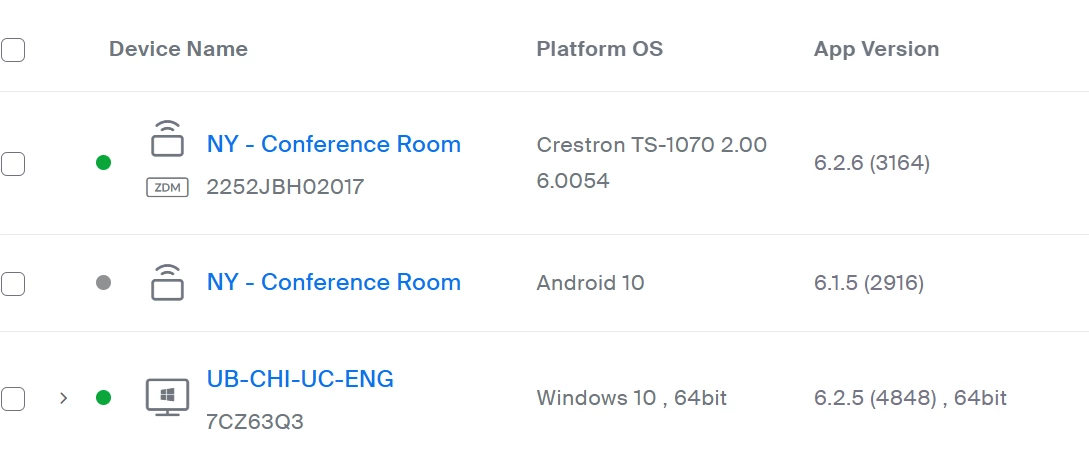
Hello,  I have a new Zoom Room and I cant figure out how to adjust the time on the Crestron Zoom Room Touch Pad.  can someone point me in the right direction.  here is my setup for this room
cbriscar_0-1732029580146.png


1 ACCEPTED SOLUTION

bstrelko
Community Champion | Customer

You'll need to modify the time-zone on the Crestron TS-1070 itself.

This can be done via the device's web UI (click the device name, grab the IP address, and navigate to that address via web browser - you'll then be able to change time-zones once logged into the device).

You can also do this via Crestron Toolbox, but if you are not an AV professional/integrator/consultant (I'm not making assumptions), you probably don't have access to this and the UI will be your best bet.

View solution in original post

2 REPLIES 2

bstrelko
Community Champion | Customer

You'll need to modify the time-zone on the Crestron TS-1070 itself.

This can be done via the device's web UI (click the device name, grab the IP address, and navigate to that address via web browser - you'll then be able to change time-zones once logged into the device).

You can also do this via Crestron Toolbox, but if you are not an AV professional/integrator/consultant (I'm not making assumptions), you probably don't have access to this and the UI will be your best bet.

MGSR
Community Moderator | Employee

Hi @cbriscar! I wanted to let you know that I’ve marked @bstrelko's response as the accepted solution, as I believe it answers your question. If you have any more questions or need further clarification, feel free to ask.


Mark
Zoom Community Team
Have you heard of Zoom AI Companion?
