

Keeping control TCP connection alive via zoom room device profile JSON | Community
Skip to main content
Partner
August 15, 2023
Question

Keeping control TCP connection alive via zoom room device profile JSON

  • August 15, 2023
  • 2 replies
  • 0 views

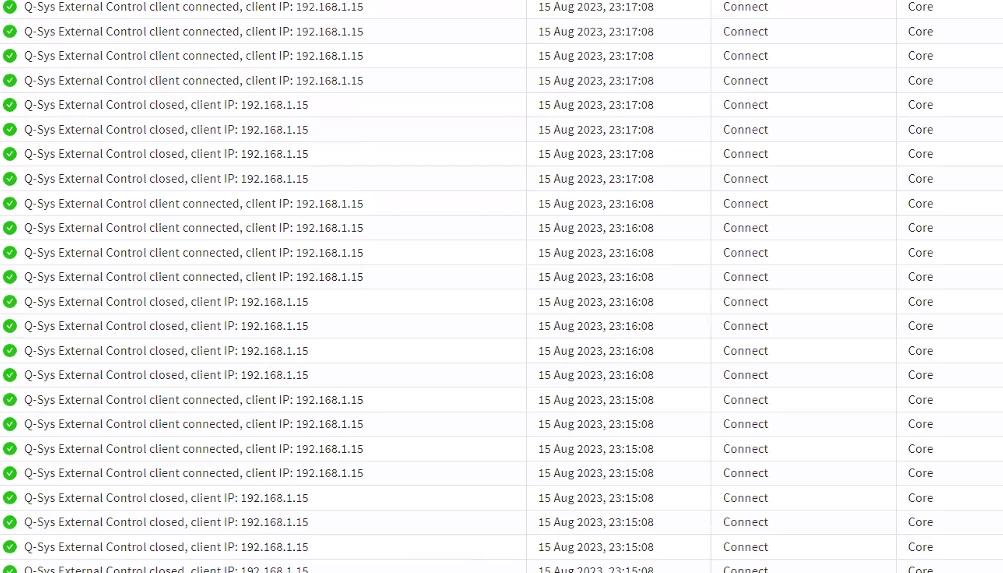
We are using Zoom Room Controls to control a QSYS Core 110f.  Every 60 seconds QSYS closes the  connection as described here:


https://q-syshelp.qsc.com/Content/External_Control_APIs/ECP/ECP_Commands.htm#:~:text=Note%3A%20An%20External%20Control%20client,get%20reclaimed%20by%20the%20Core.


Then the zoom computer instantly reconnects.  In the short term things work fine, however every few days it seems, something in the network stack of the QSYS core crashes and it needs a hard reboot.  I have experienced this with QSYS when there is a large volume of active sockets or high amounts of control activity.  I think there may be a memory leak in QSYS's network stack, or something of that nature.  Perhaps closed sockets are not getting properly deleted.  Unfortunately I cannot control that.


However I was wondering if there is a way to keep the connection alive so the logs aren't flooded with a reconnect every 60 seconds from zoom and there isn't the constant disconnect/reconnect. How can I have zoom send some data to QSC Core every 55 seconds?
 

2 replies

Partner
October 24, 2024

I have the exactly this issue but I have to manually retry to reconnect.

Did you ever find a solution?

Partner
December 17, 2024

Seeing the same issue - any solutions or workarounds?

Partner
December 18, 2024

This was the fix for me.

The QRC port has a mandatory 60s timeout so if the port does not receive a message for 60s, the port will close. A helper script was released via Communities. The script acts as a proxy between the Zoom system and the QRC port. It takes in data from Zoom and passes it to the QRC port. Any responses from QRC is sent back to Zoom,

The info for this script is at this link https://developers.qsc.com/s/exchange/developer-repo/a3Y4X000001cjNAUAY/qsys-zoom-room-controls-tcp-socket-server